
Apps / RevIQ Money
SaaS module · invoicing and books
RevIQ Money
Quote, invoice, get paid, and know what is still owed.
The money side of the RevIQ business suite: bilingual Thai tax documents with withholding tax worked out, a payment ledger on every invoice, and a dashboard that answers one question first: what is owed to you.
Live behind login · shown from a local demo
- 10
- document kinds, from quote to withholding-tax certificate
- 2
- languages on every document, Thai and English together
- 7
- figures on the dashboard, including VAT and withholding tax
- 1
- payment ledger per invoice; status is never set by hand
Chapter 1
The books at a glance
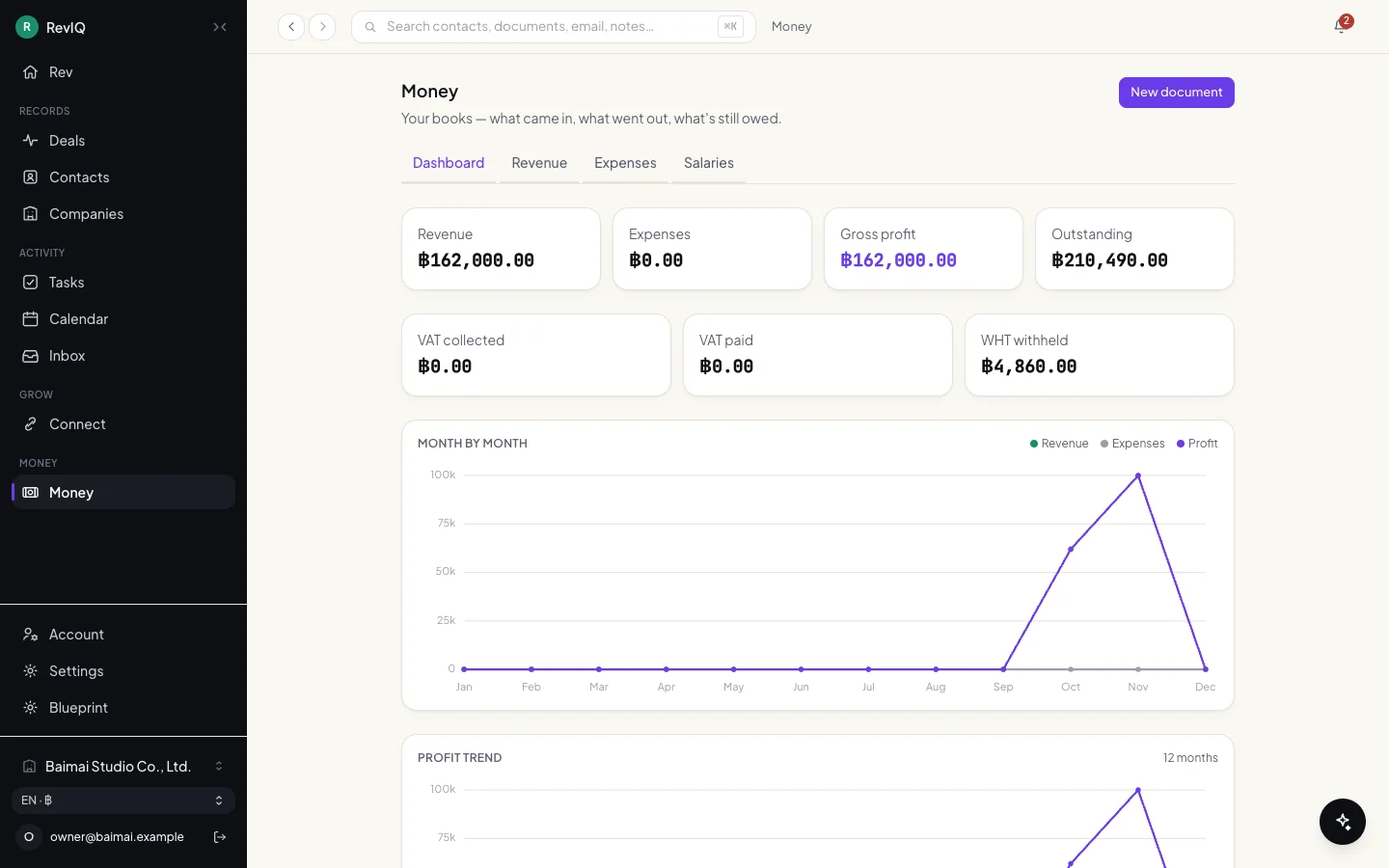
A small business owner opens this to learn two things: what came in, and who still owes.
The dashboard
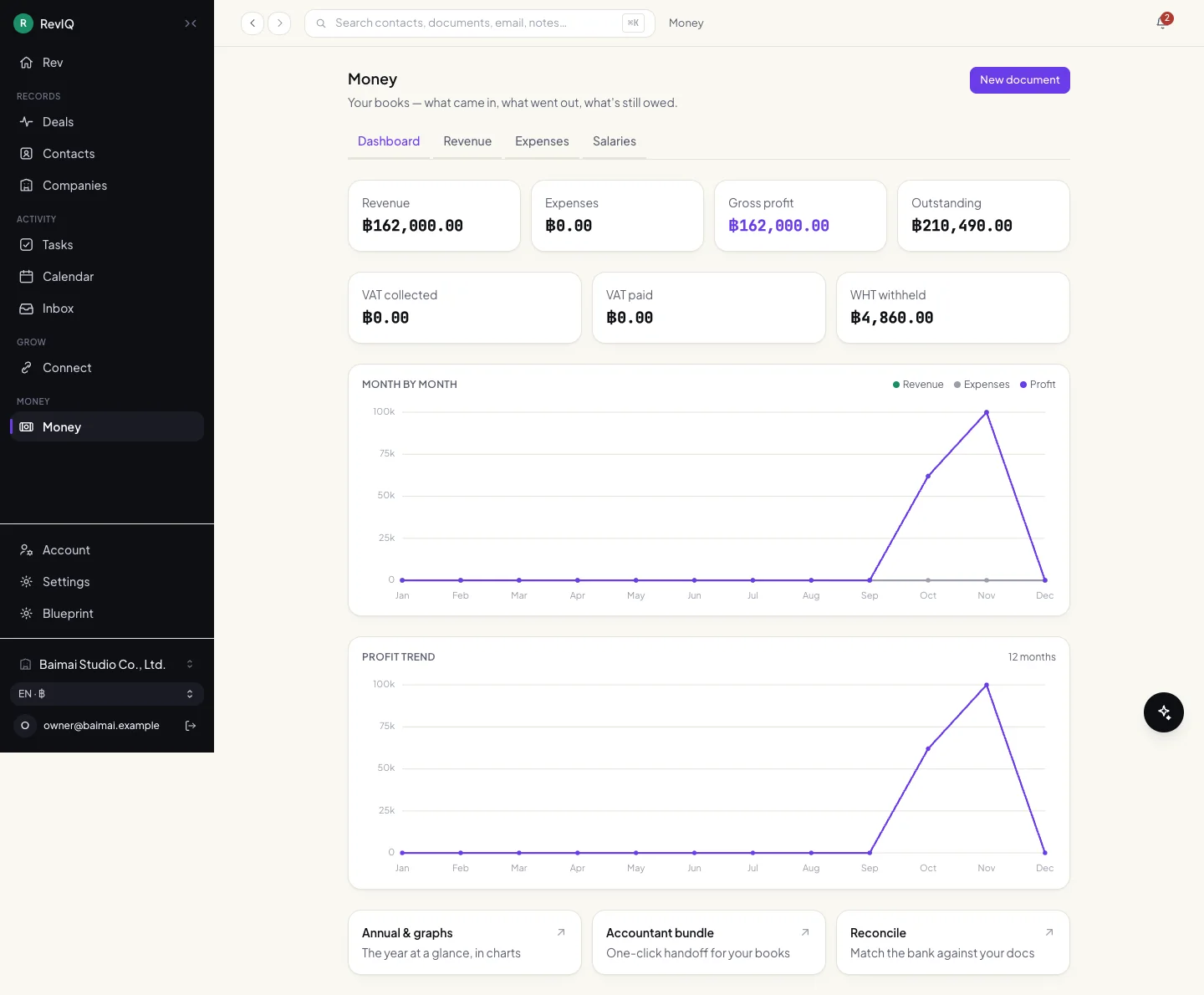
Revenue, expenses, gross profit and outstanding on the first row. VAT collected, VAT paid and withholding tax on the second, because in Thailand those are the numbers an accountant asks for.
Below, the year month by month. Scroll inside the frame to see the trend.
Scroll inside the frame
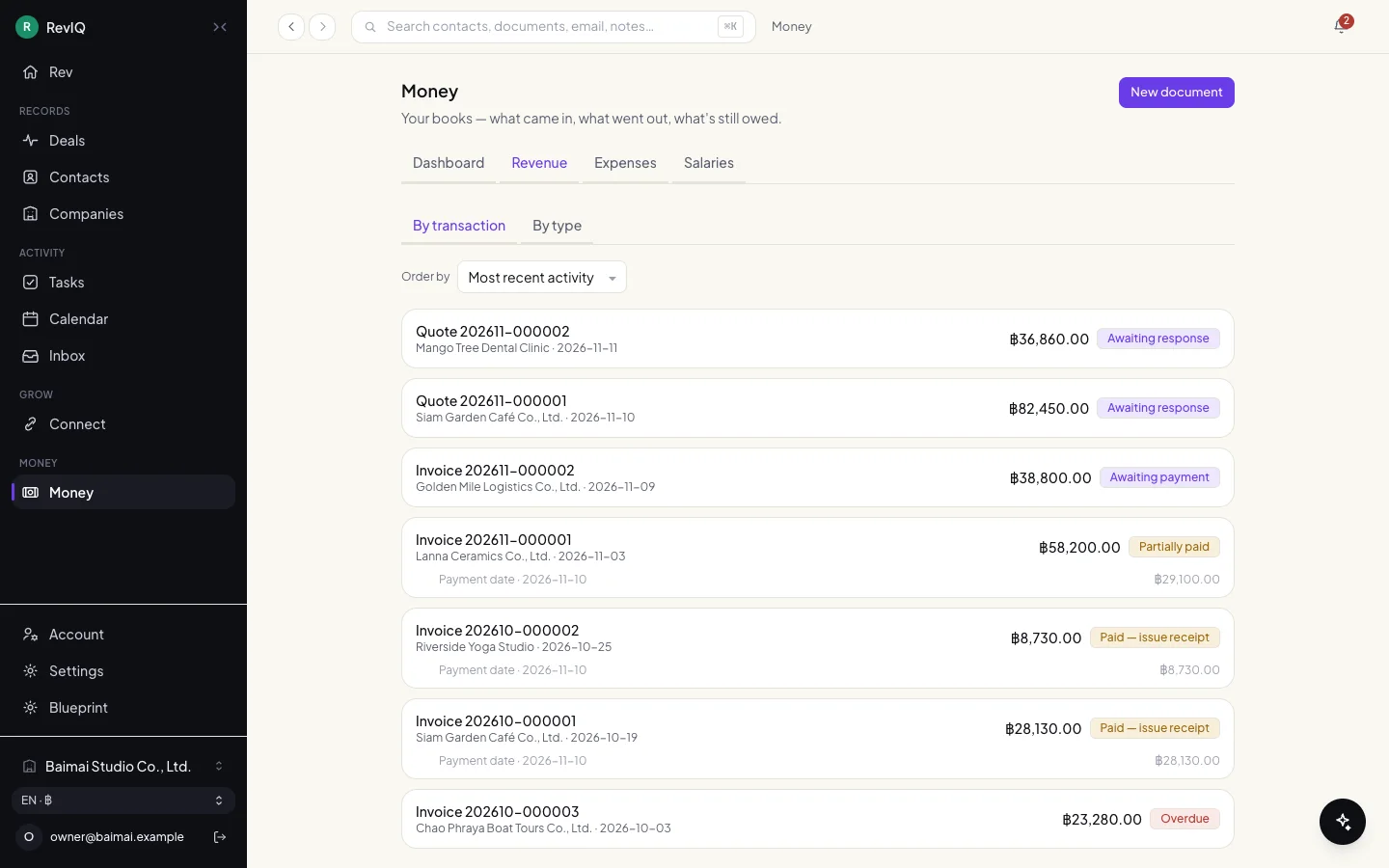
Revenue: every quote and invoice with its real status 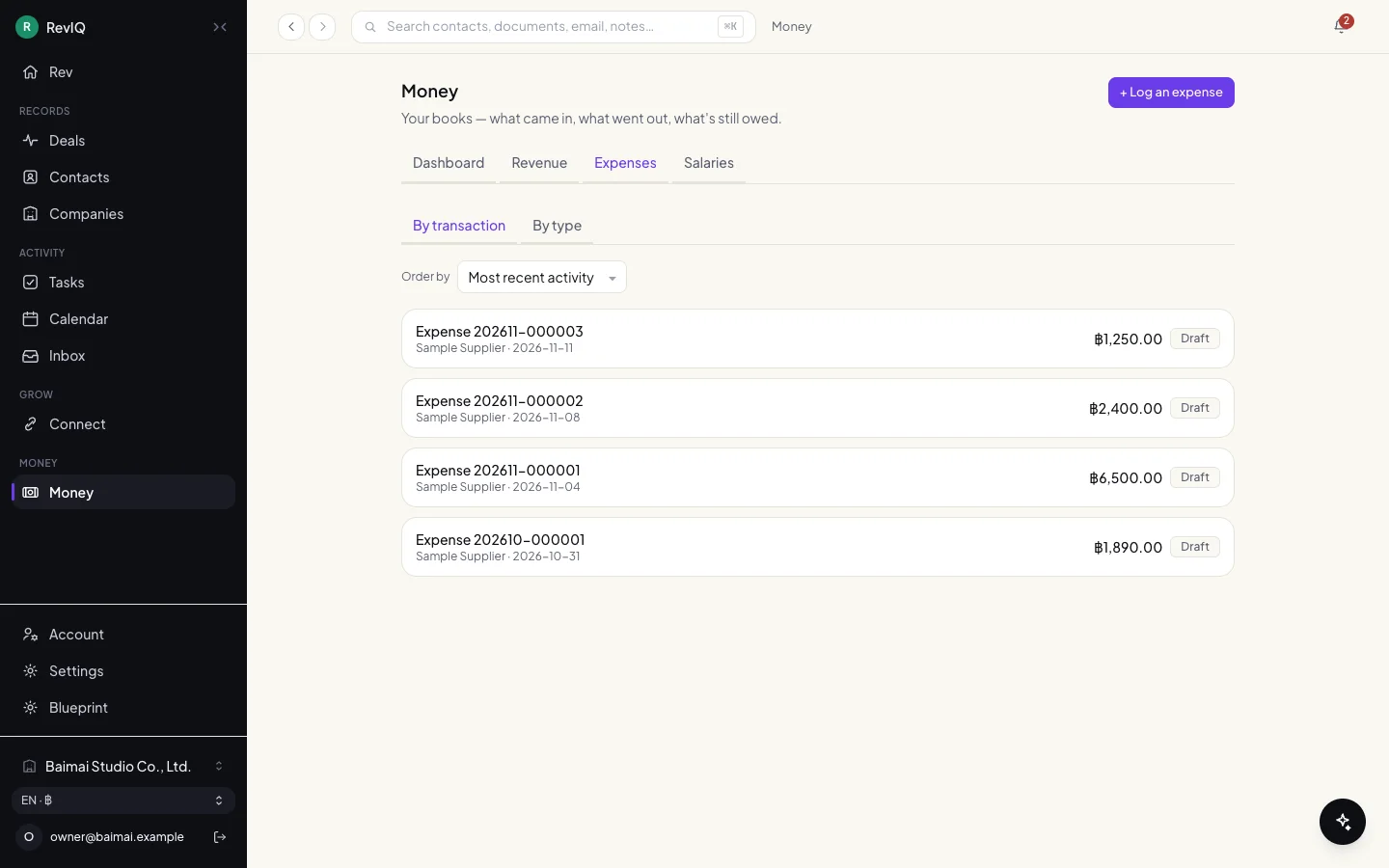
Expenses: by transaction or by type
Chapter 2
A document from start to paid
The customer comes from the contact list, never from free text, so the legal name, tax ID and address on a document are always the recorded ones.
One invoice, drawn
- Business
- RevIQ
- Customer
1Business
Write the quote
Pick a contact, add lines.
2RevIQ
Check the details
Refuses a tax document with missing buyer details.
3Customer
Accept
The quote converts to an invoice.
4RevIQ
Number it
A sequence without gaps.
5Customer
Pay
By PromptPay, transfer or cash.
6Business
Record the payment
Part payments are just the first entry.
7RevIQ
Update the status
Derived from the ledger.
8Business
Issue the receipt
One step from the paid invoice.
The form
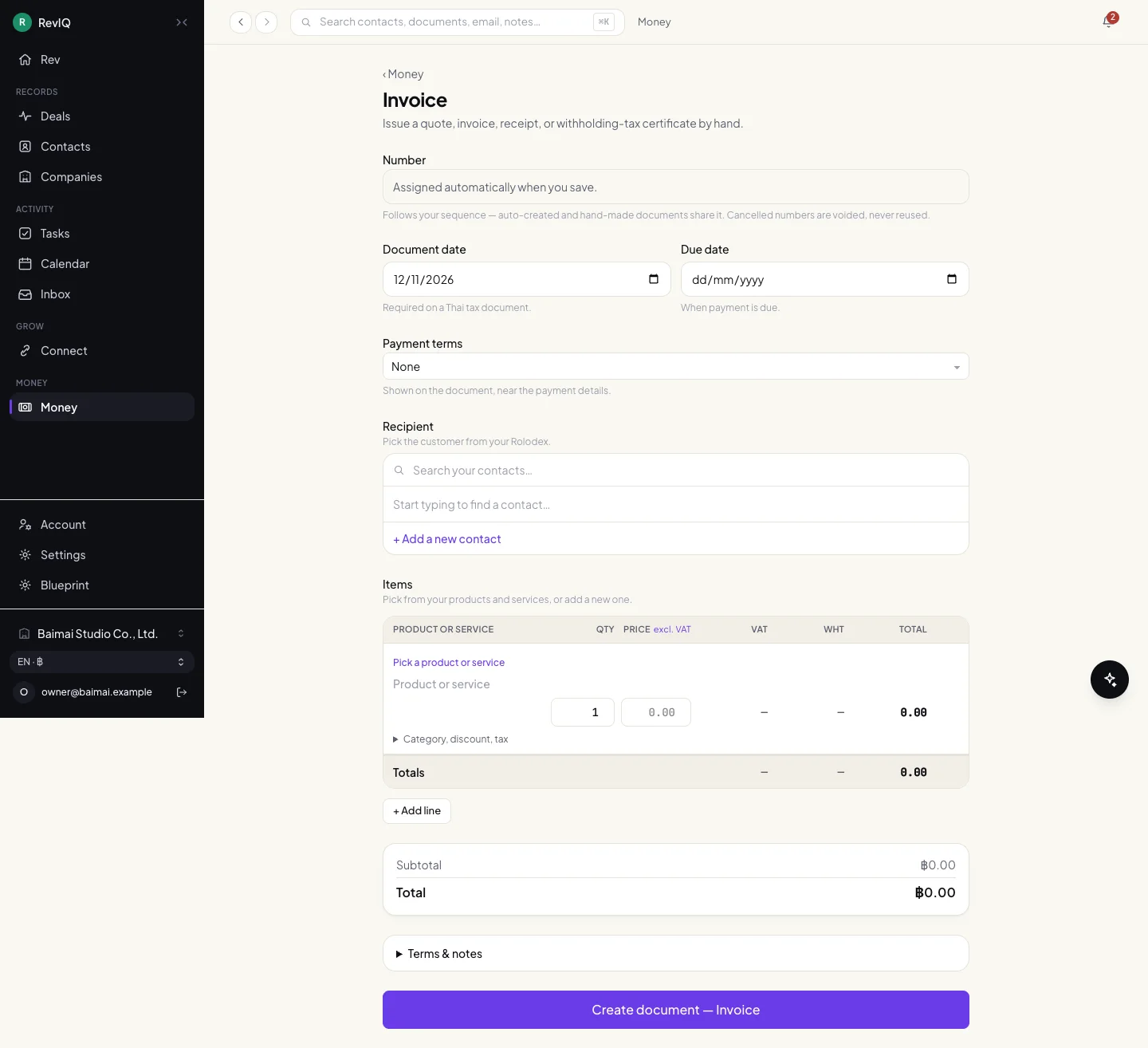
Dates, payment terms, the recipient, then lines with VAT and withholding tax per line. Every field has one sentence under it saying why it is asked.
Scroll inside the frame
The documents themselves
Thai and English on the same page, the amount in words in both languages, and payments received listed under the total.
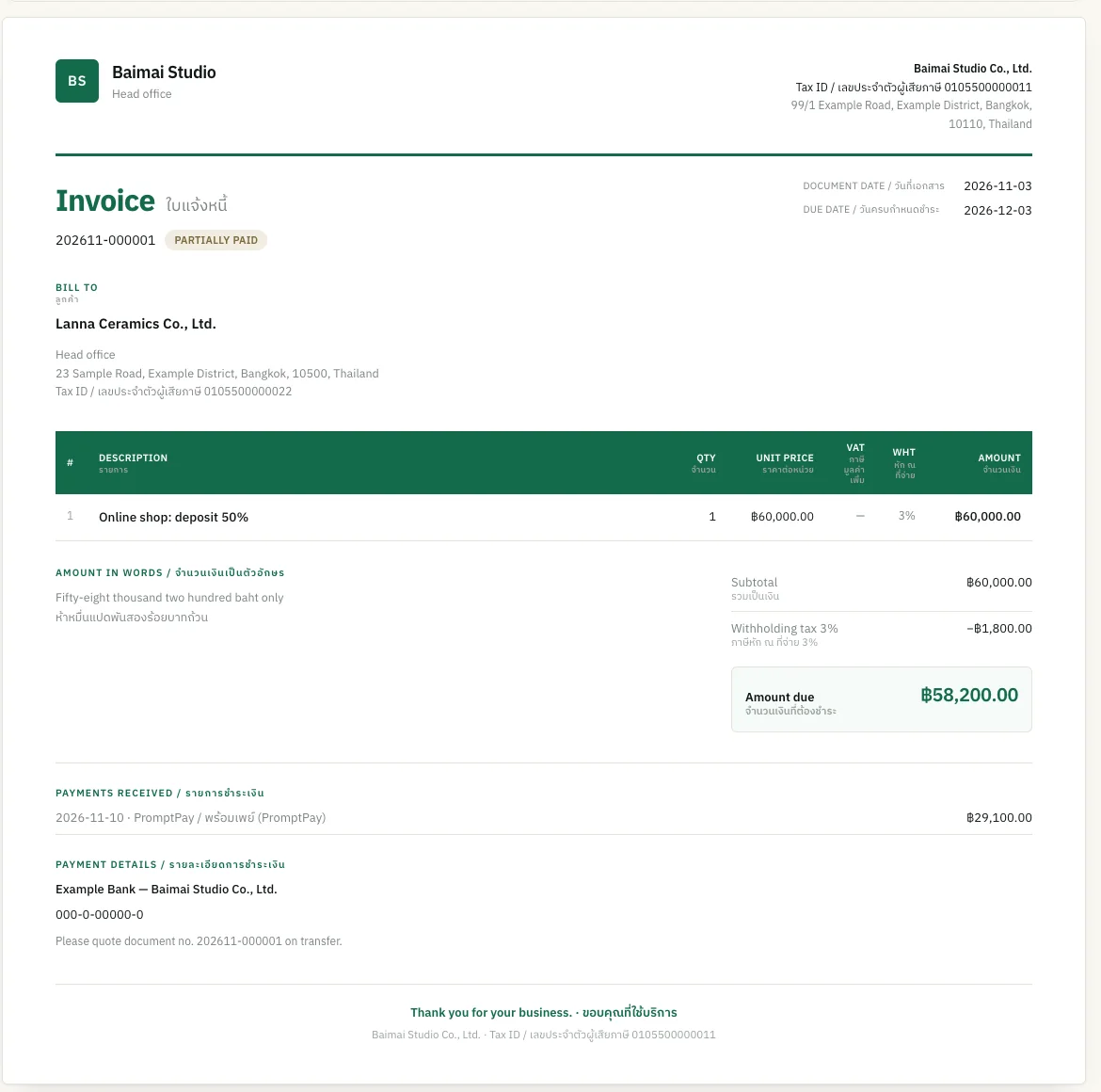
An invoice, partly paid 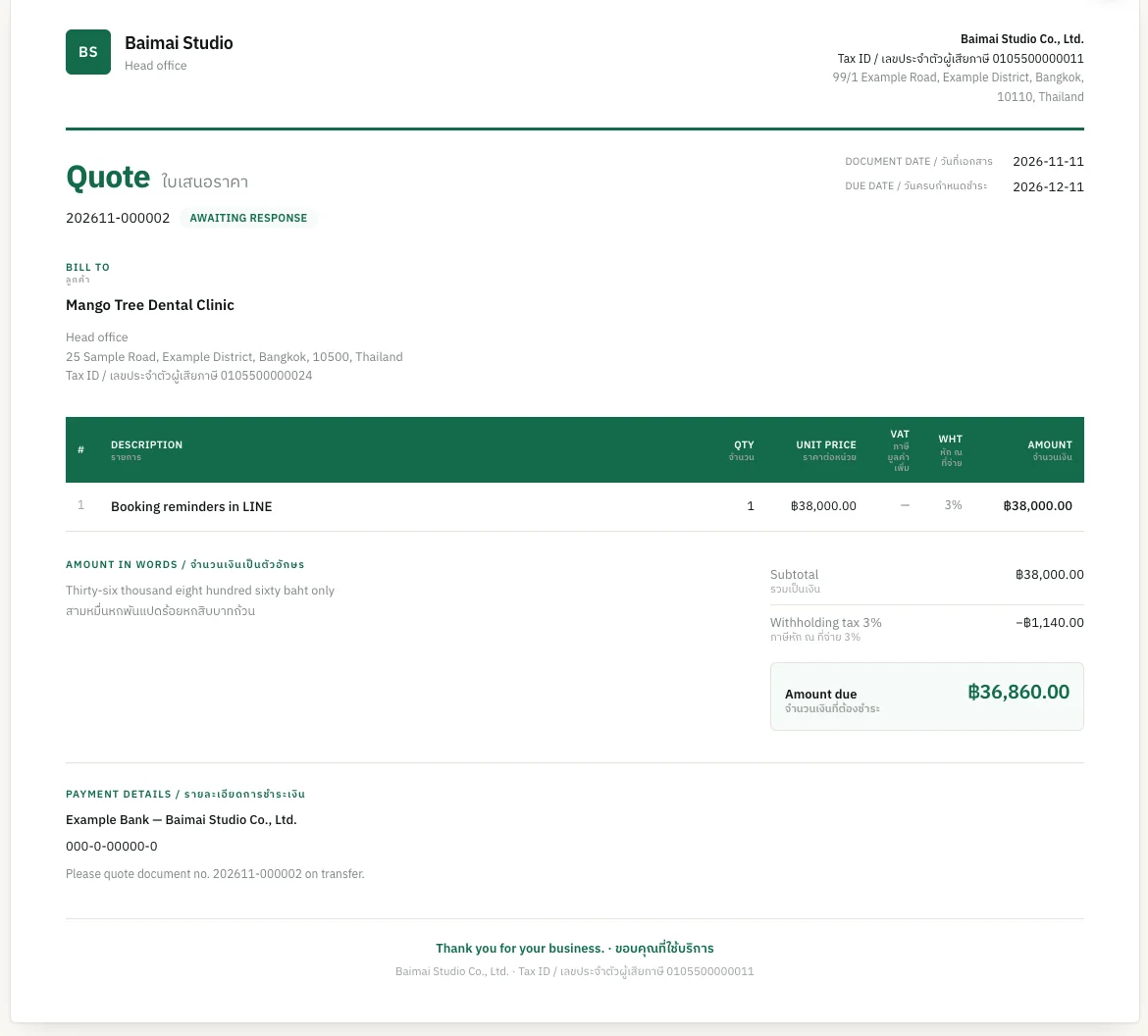
A quote awaiting a reply
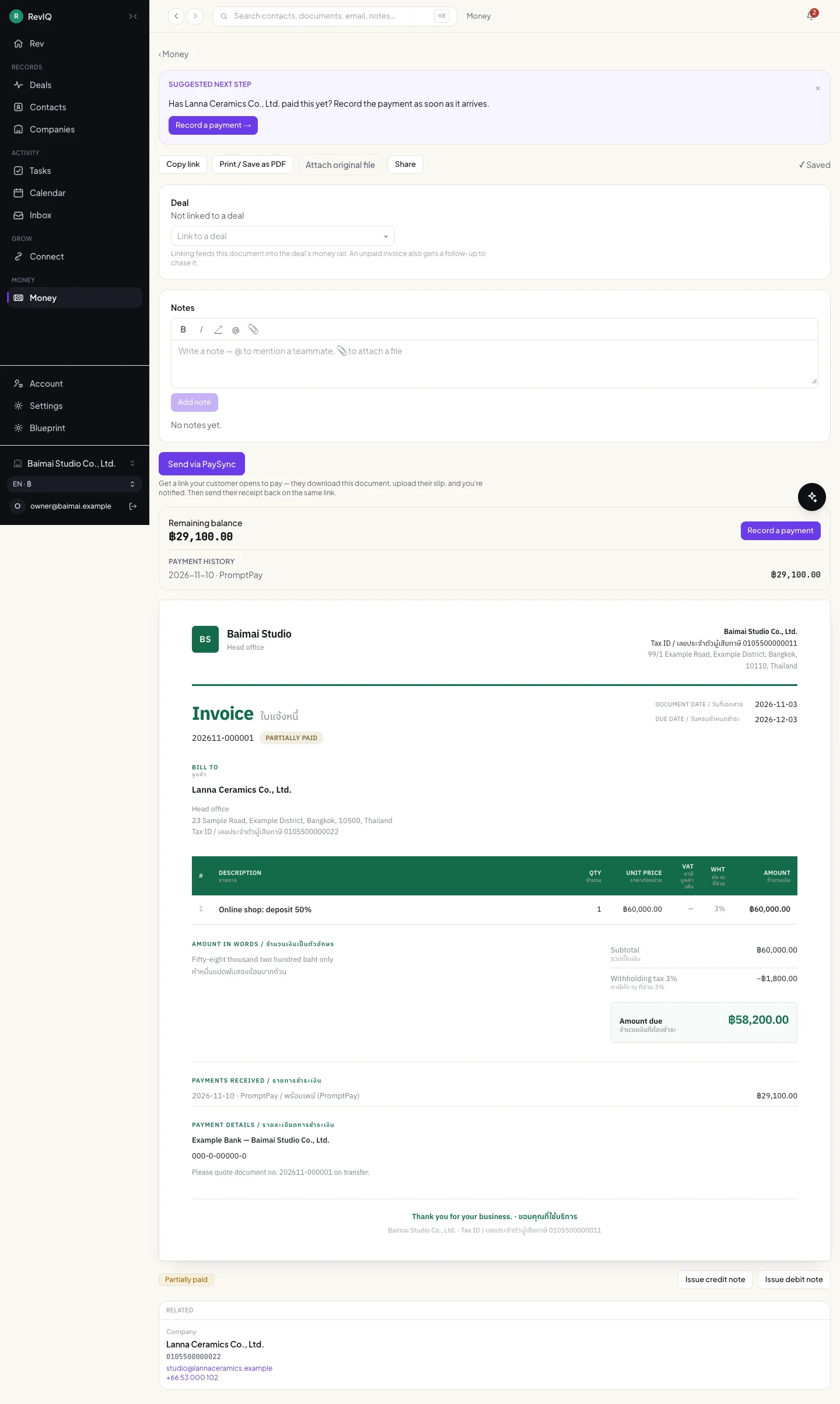
The document page
A suggested next step sits on top: record a payment, issue a receipt, convert a quote. Below it, the link to a deal, notes, and a pay link the customer can open to download the document and upload their transfer slip.
Scroll inside the frame
Chapter 3
On a phone
The same books, one column.
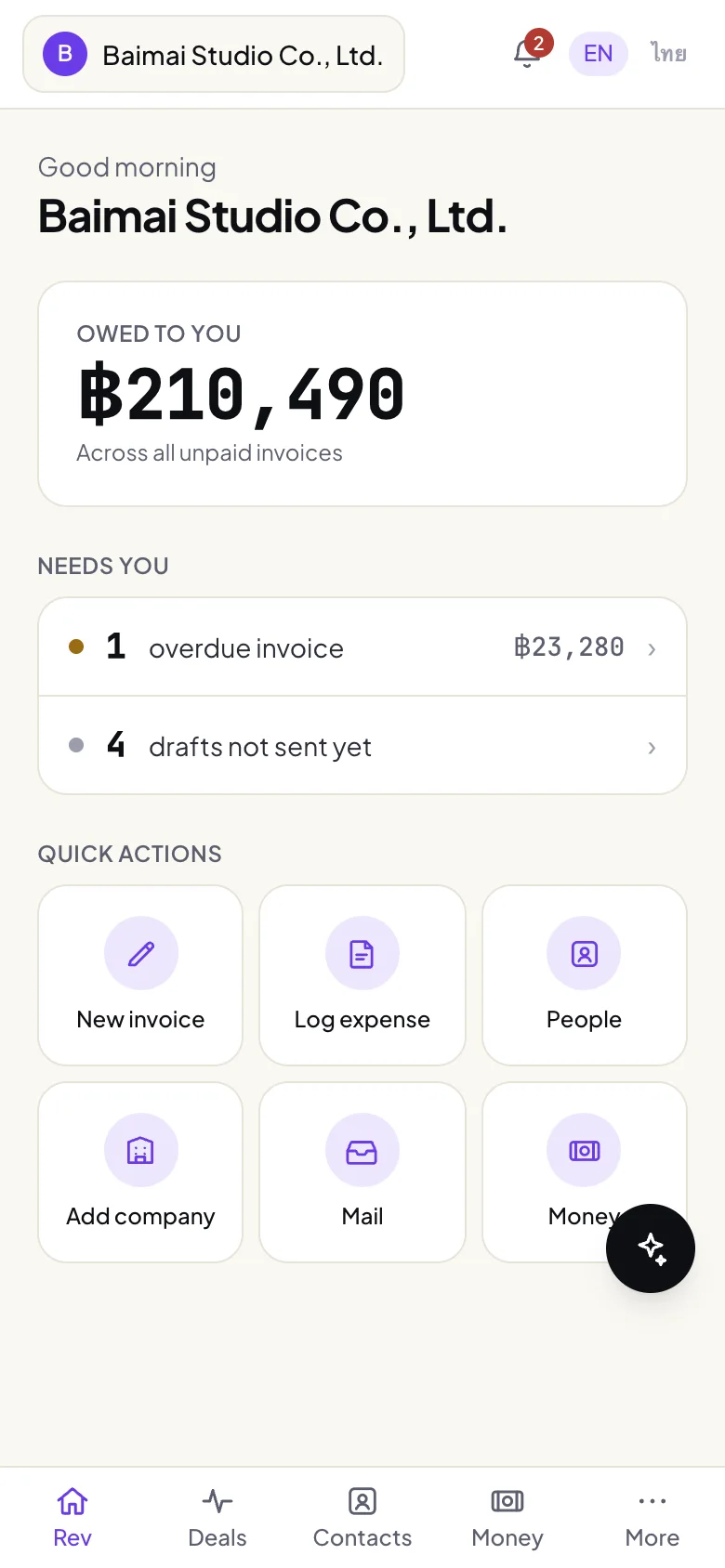
Home: owed to you 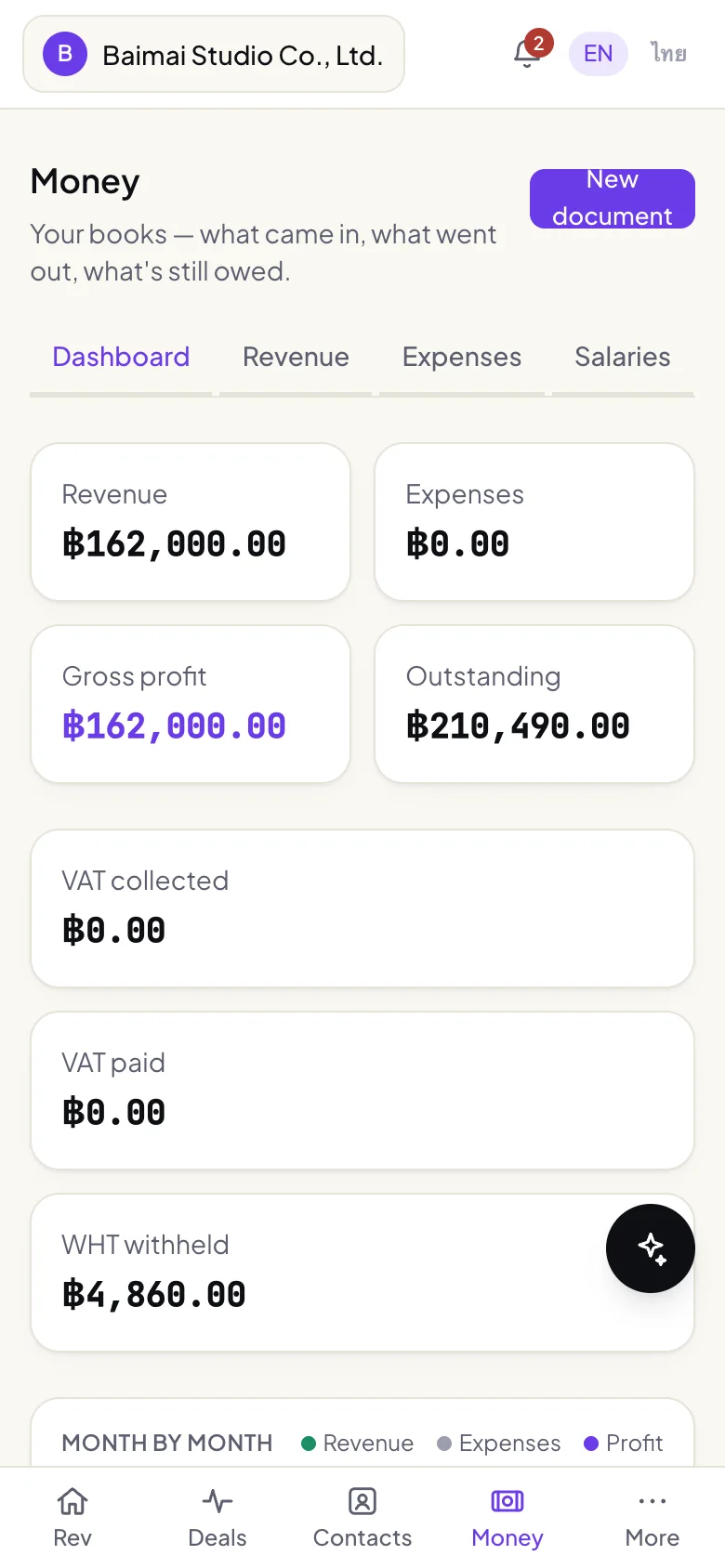
Dashboard 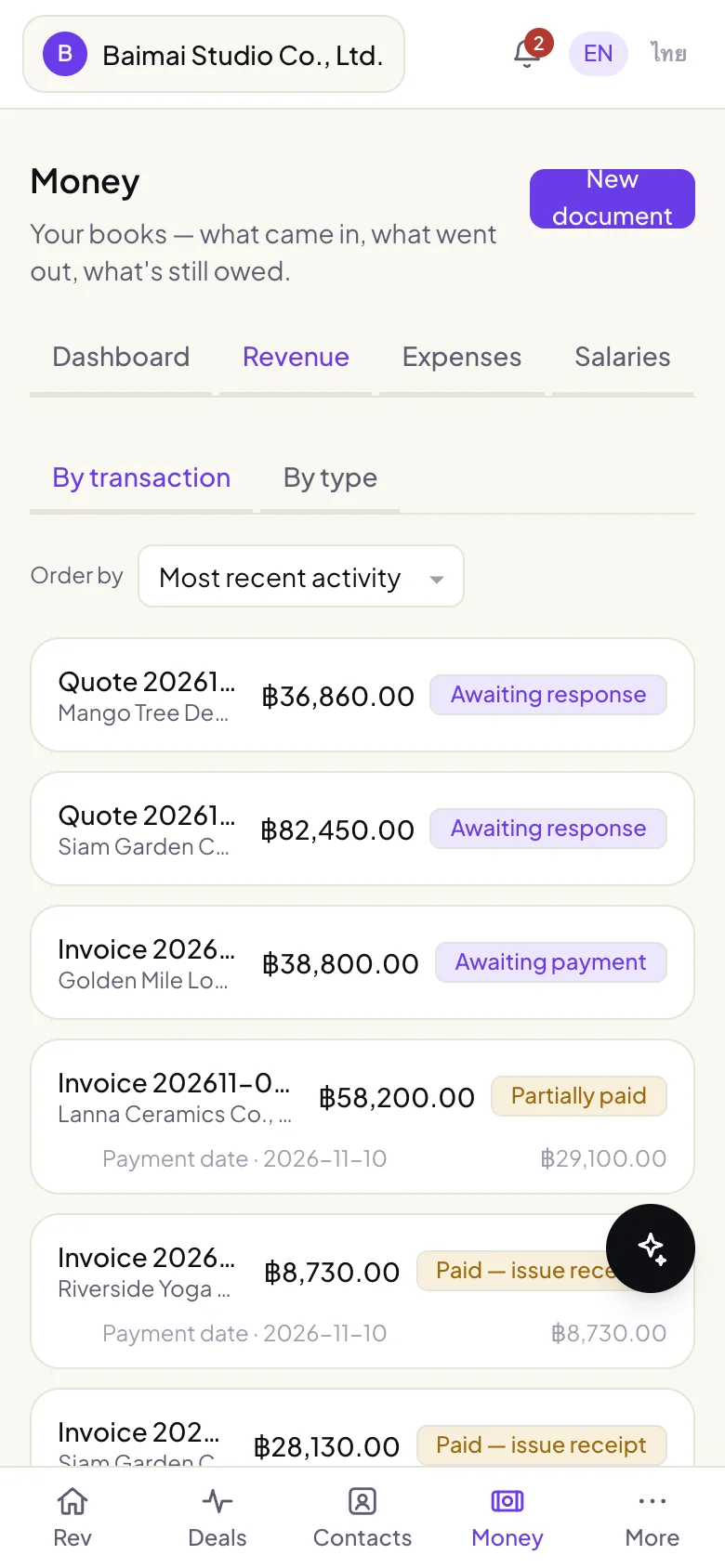
Revenue
Built with
- Next.js 16
- React 19
- TypeScript
- Tailwind 4
- Firebase and Firestore
- pdf-lib
Next app
RevIQ Contacts
Every person and company, with everything that happened.