
Work / PaiTor
Free used-car listing tool, and PaiTor Pro for car yards
PaiTorไปต่อ
Sell your car yourself. Let it go on.
A free tool that helps a Thai car owner make a listing buyers trust: guided photos, honest declarations, and share images for LINE and Facebook. PaiTor Pro is the back office for dealers, designed for the desk and the lot as two different experiences.
Live · November 2026

- 296
- commits across all branches
- 17
- brand characters, drawn as layered vector art
- 43
- dealer back-office screens and states designed as working HTML
- 27
- research papers in the product library
Chapter 1
The idea
Selling a car privately in Thailand means a few blurry photos in a Facebook group and a lot of messages asking the same questions. PaiTor makes the listing itself do the work, and keeps it free.
A listing buyers trust, professional from the first post
The live home page shows the result before it explains the tool: a real-looking listing on a phone, with the price on a plate, the declarations in green, and the share images beside it.
No sign-up to start. The draft stays on the seller's phone until they choose to publish.
- English, Thai and Chinese; the visitor's choice is remembered
- Free for private sellers
- The price is the seller's; the tool never suggests one
Finding a car
Buyers filter by what matters to them, save cars, compare them, and come back to the same place in the list. Badges only say what was actually checked: "Owner declared", never a vague "verified".
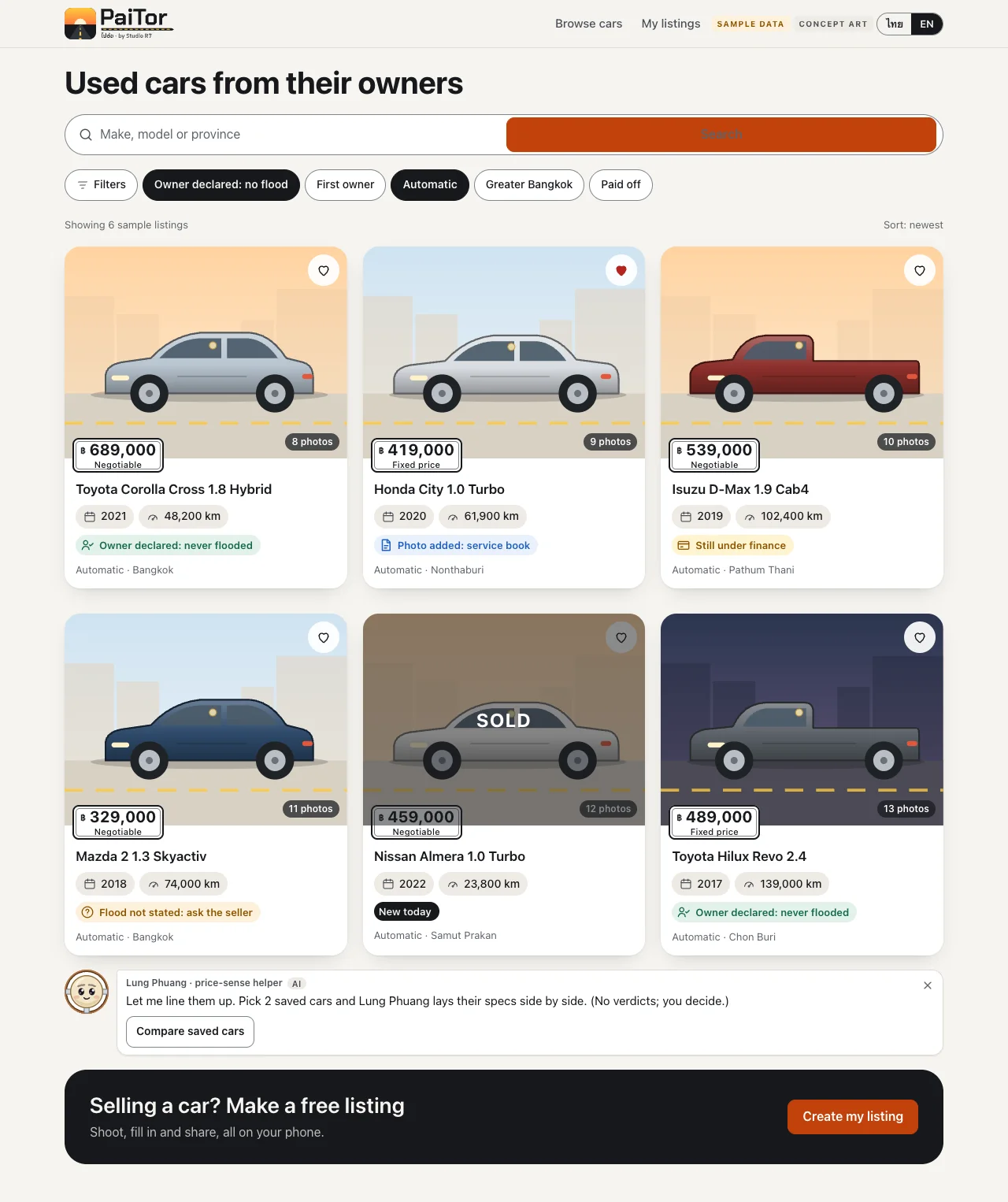
Scroll inside the frame
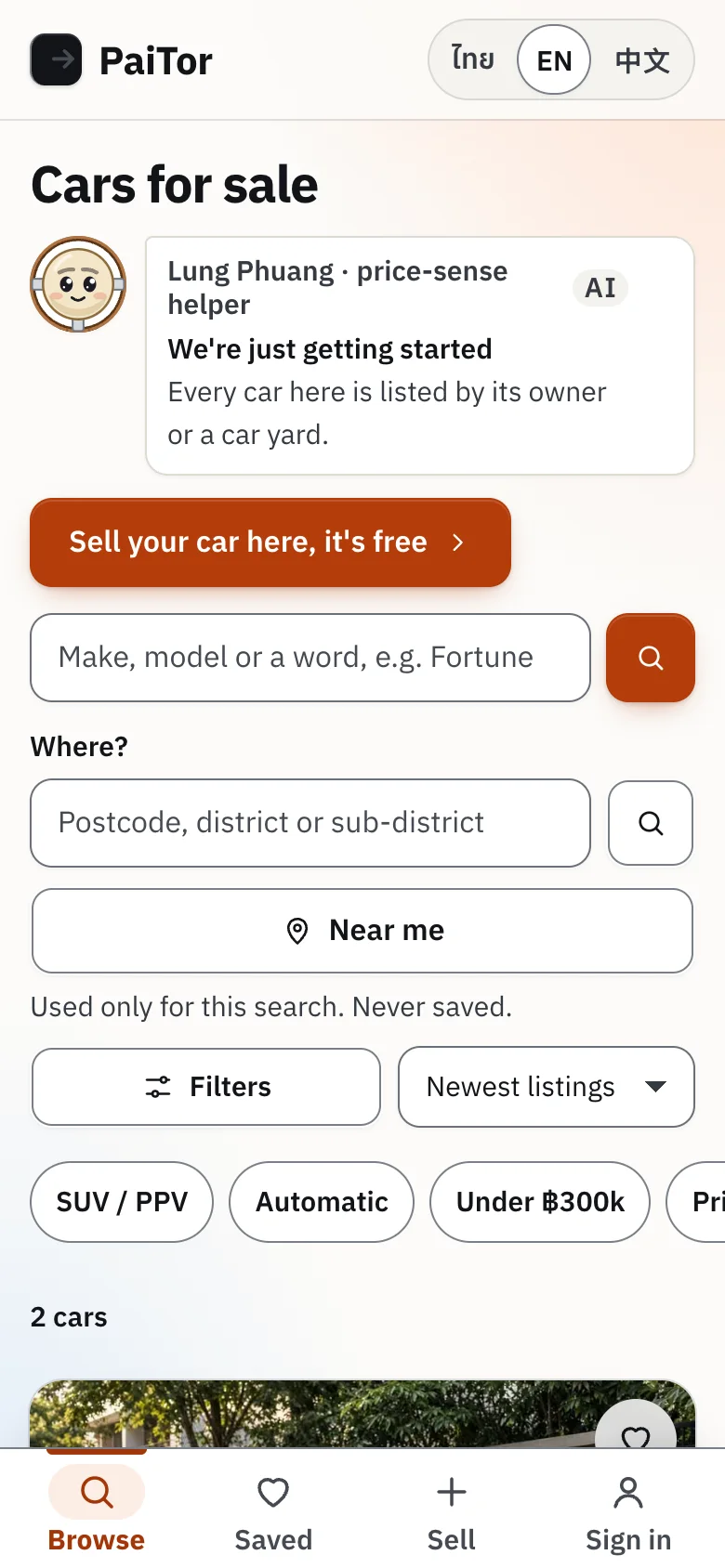
Cars near you, without tracking you
A "Where?" box takes a postcode or district, or one tap on Near me, and lists the nearest cars first within 5, 10, 25 or 50 km. The location is used for that one search and never saved or logged, and the page says so.
On a phone, a tab bar keeps the four things people come for one thumb away: browse, saved cars, sell and account.
Chapter 2
The sell flow
Four steps to a listing, then one tap to share it everywhere. Shown here from the approved design kit.
From "I want to sell" to "Sold"
Each step fits on one phone screen and can be left and resumed.
1Step 1 of 7
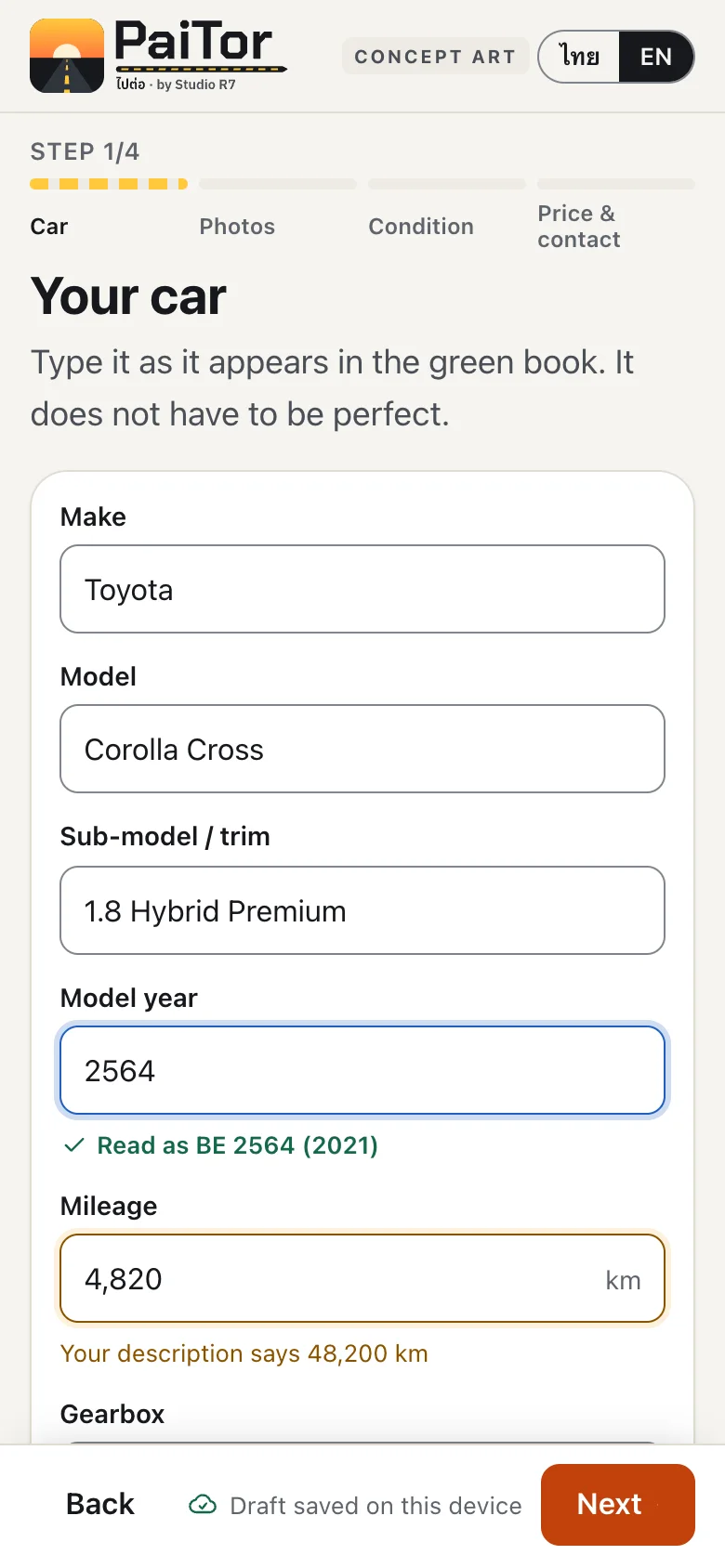
Your car
Type it as it appears in the green registration book. It does not have to be perfect.
2Step 2 of 7
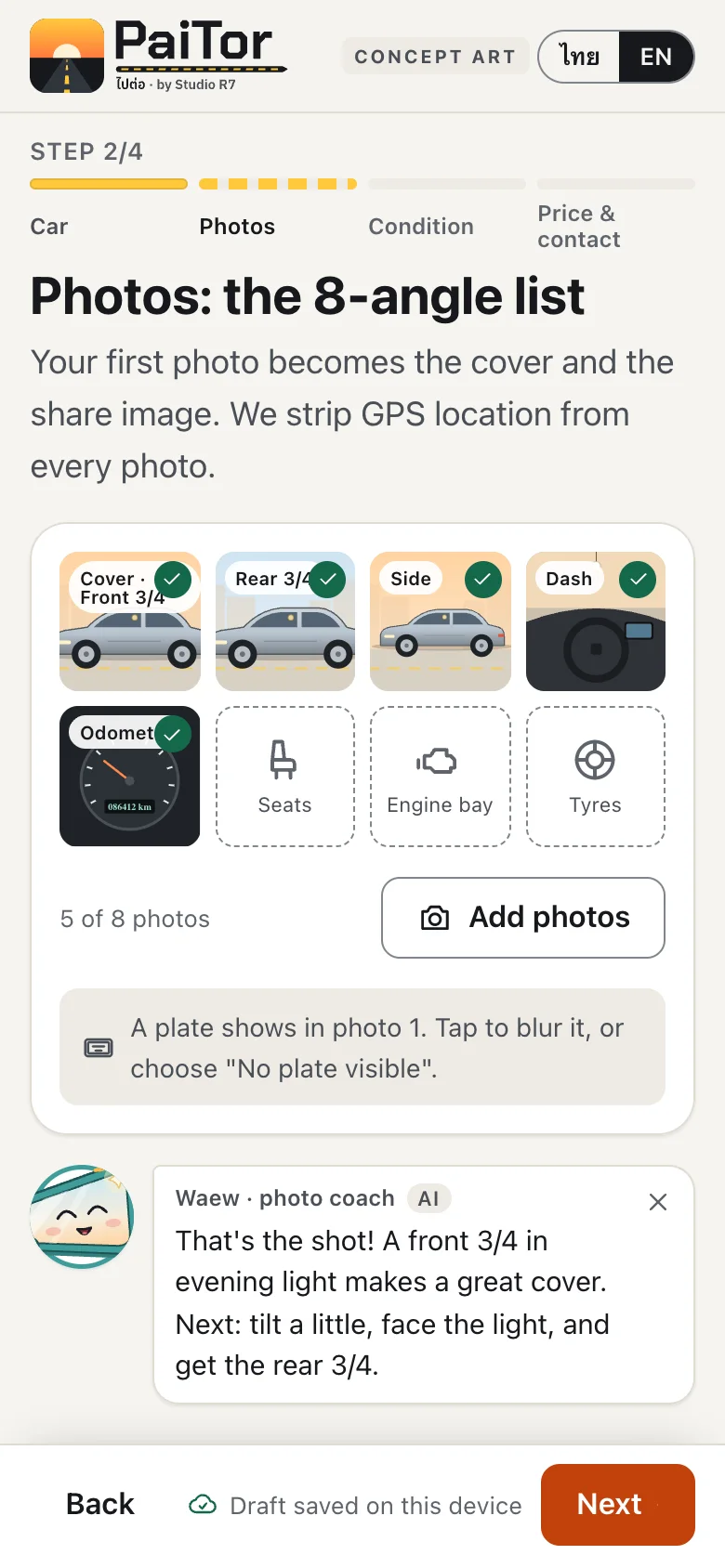
Photos: the 8-angle list
A checklist of the shots buyers want. Location data is stripped from every photo.
3Step 3 of 7
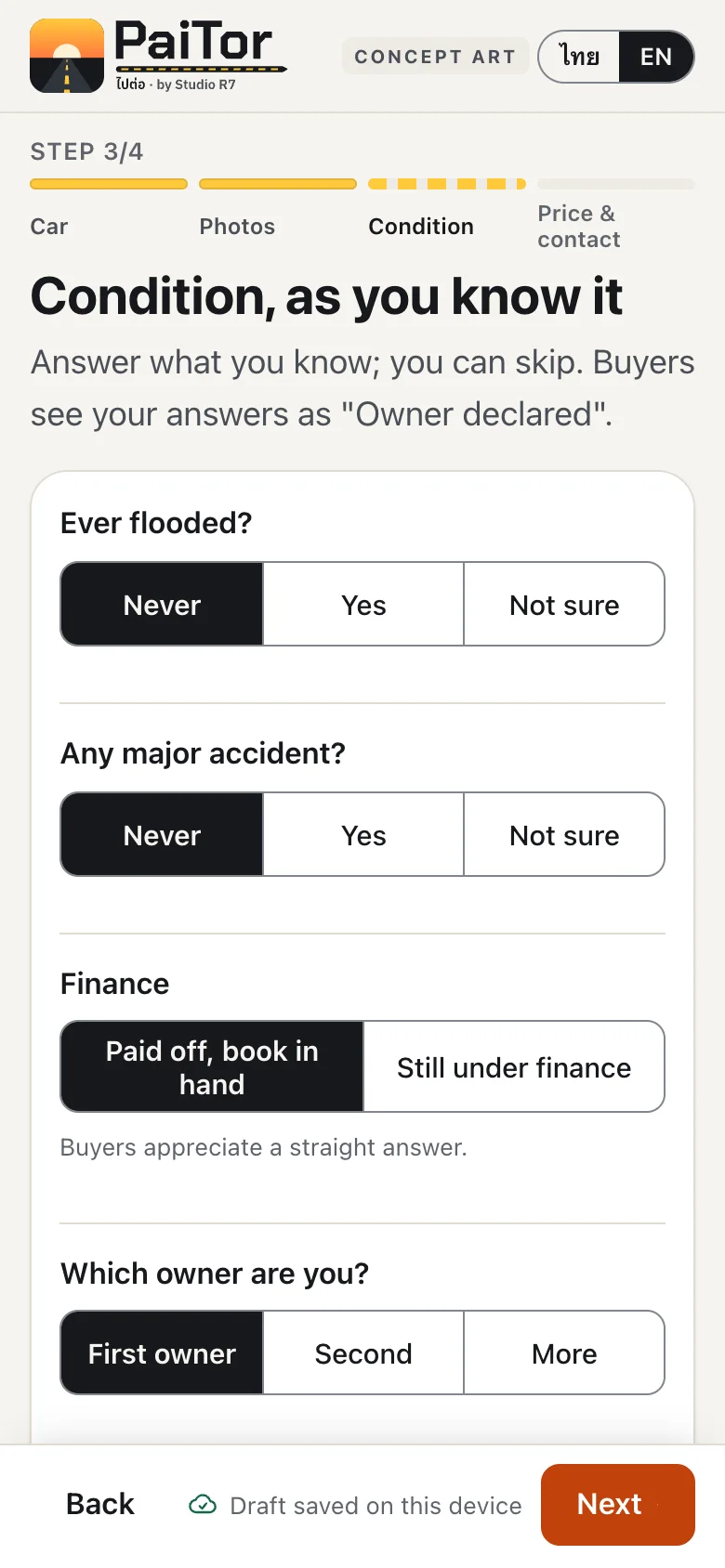
Condition, as you know it
Answer what you know and skip the rest. Buyers see the answers as "Owner declared".
4Step 4 of 7
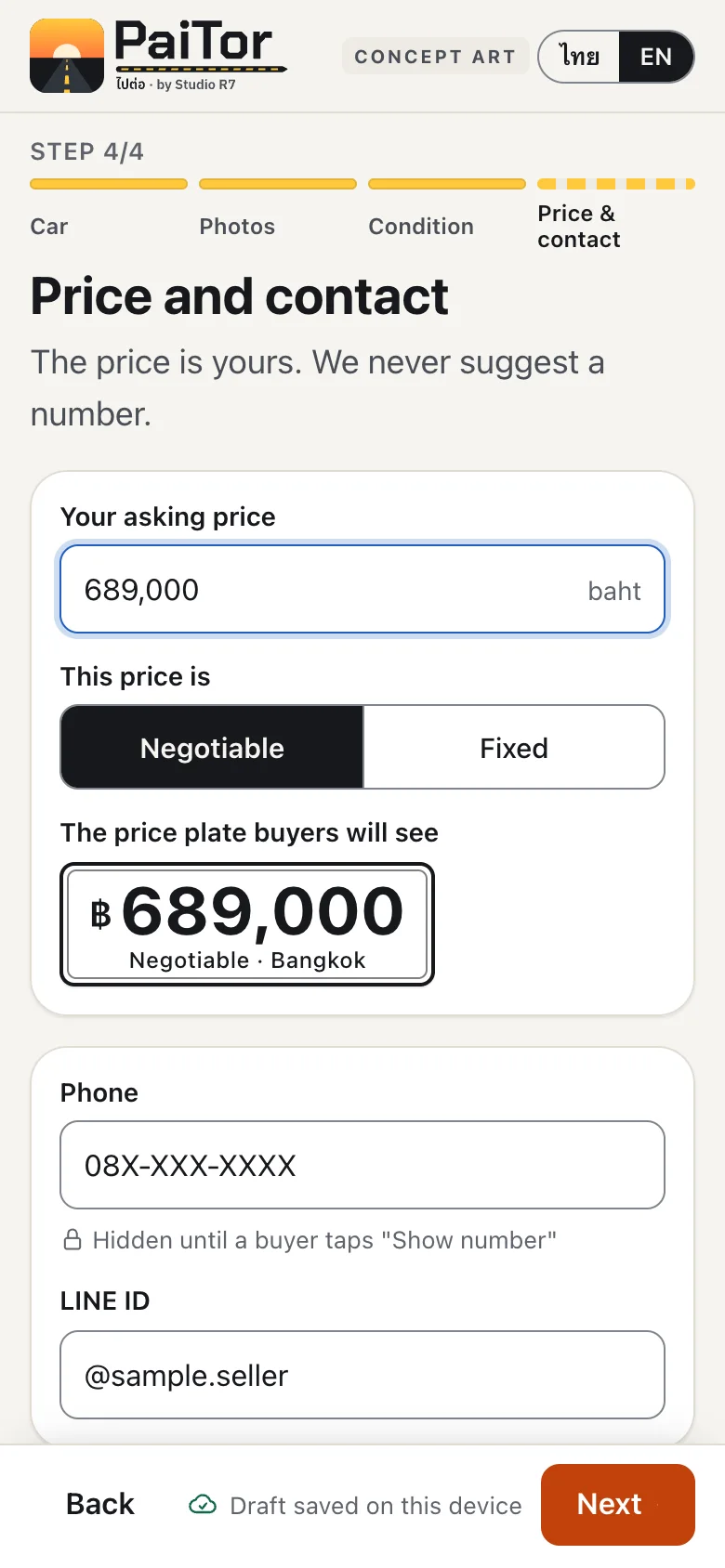
Price and contact
The seller sets the price. It is shown on a tag styled like a Thai number plate.
5Step 5 of 7
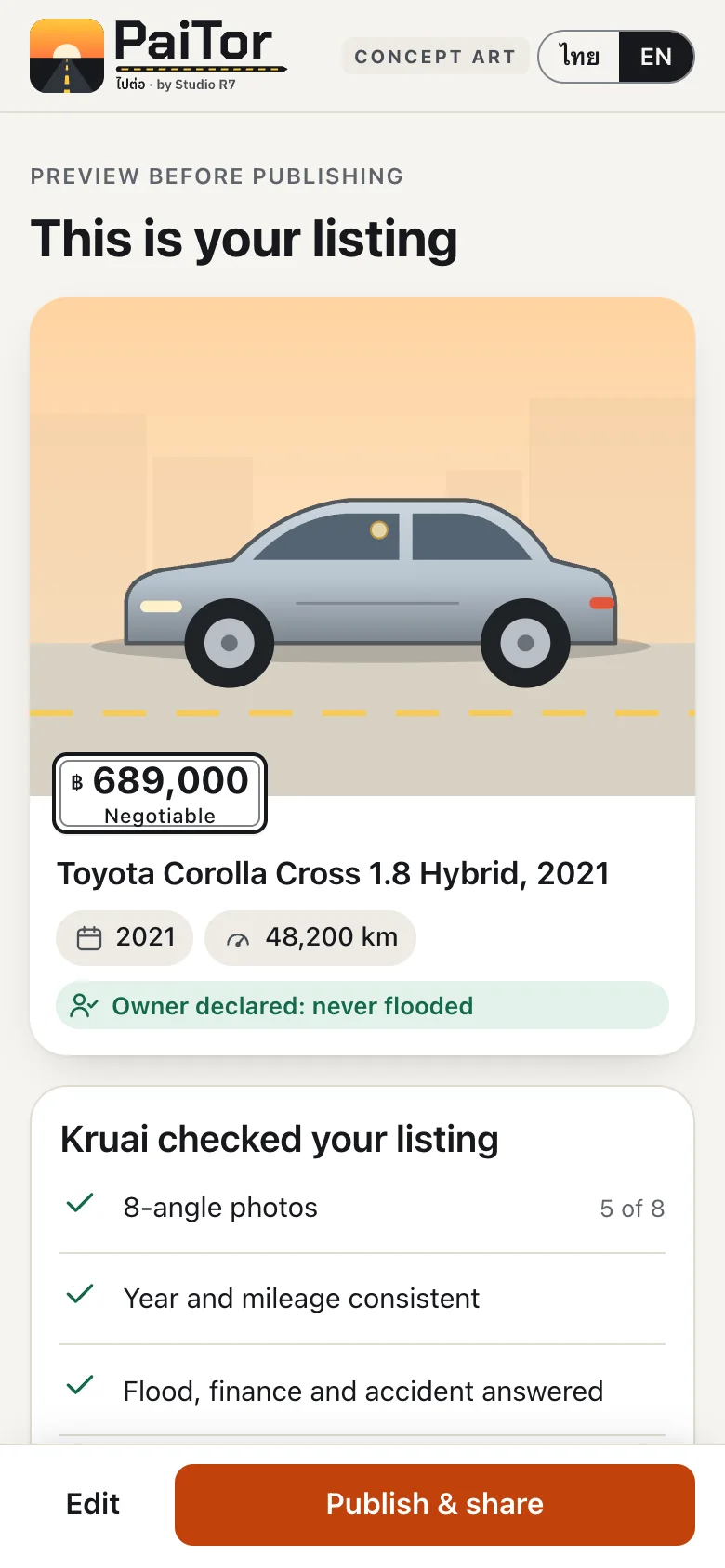
Preview
The listing exactly as buyers will see it, before anything is public.
6Step 6 of 7
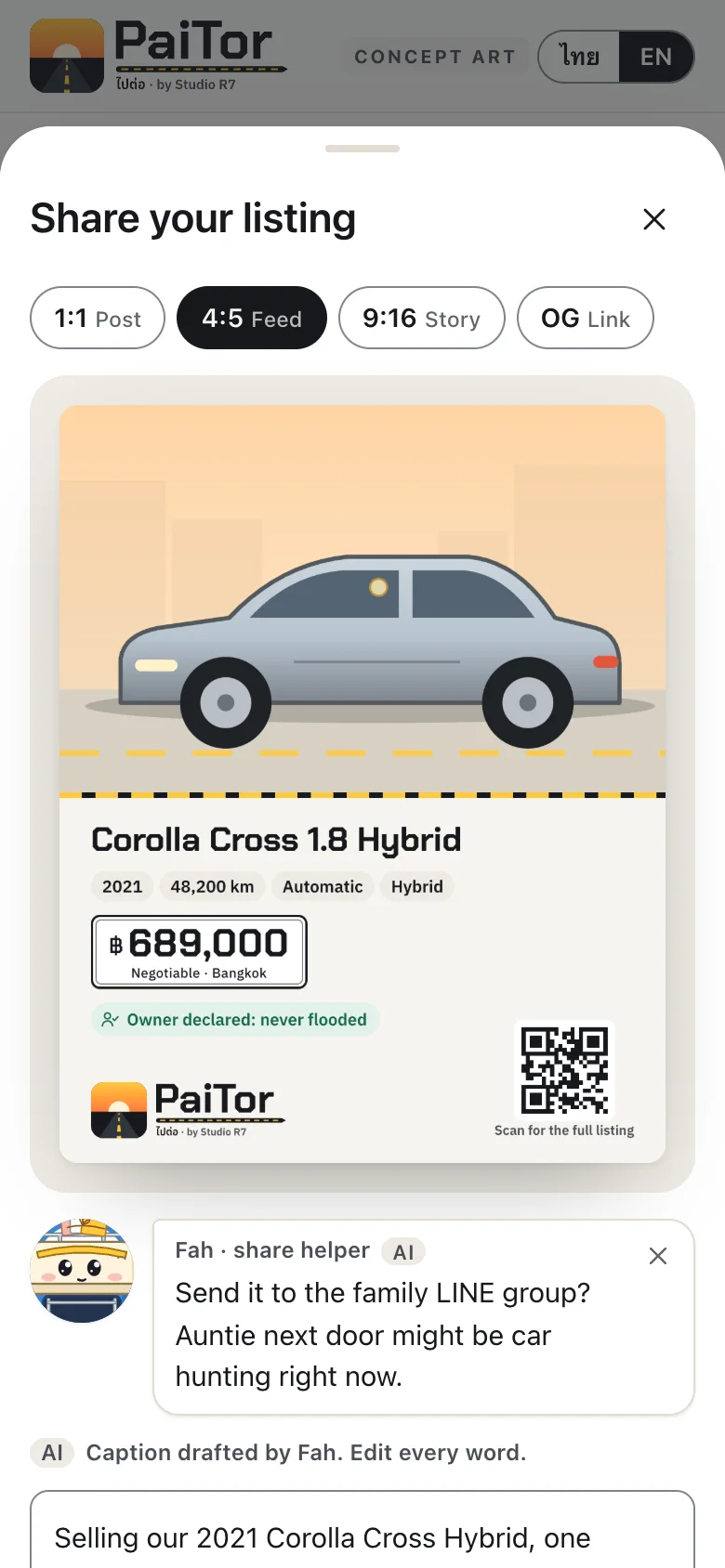
Share
Four image formats made automatically: post, feed, story and link preview.
7Step 7 of 7
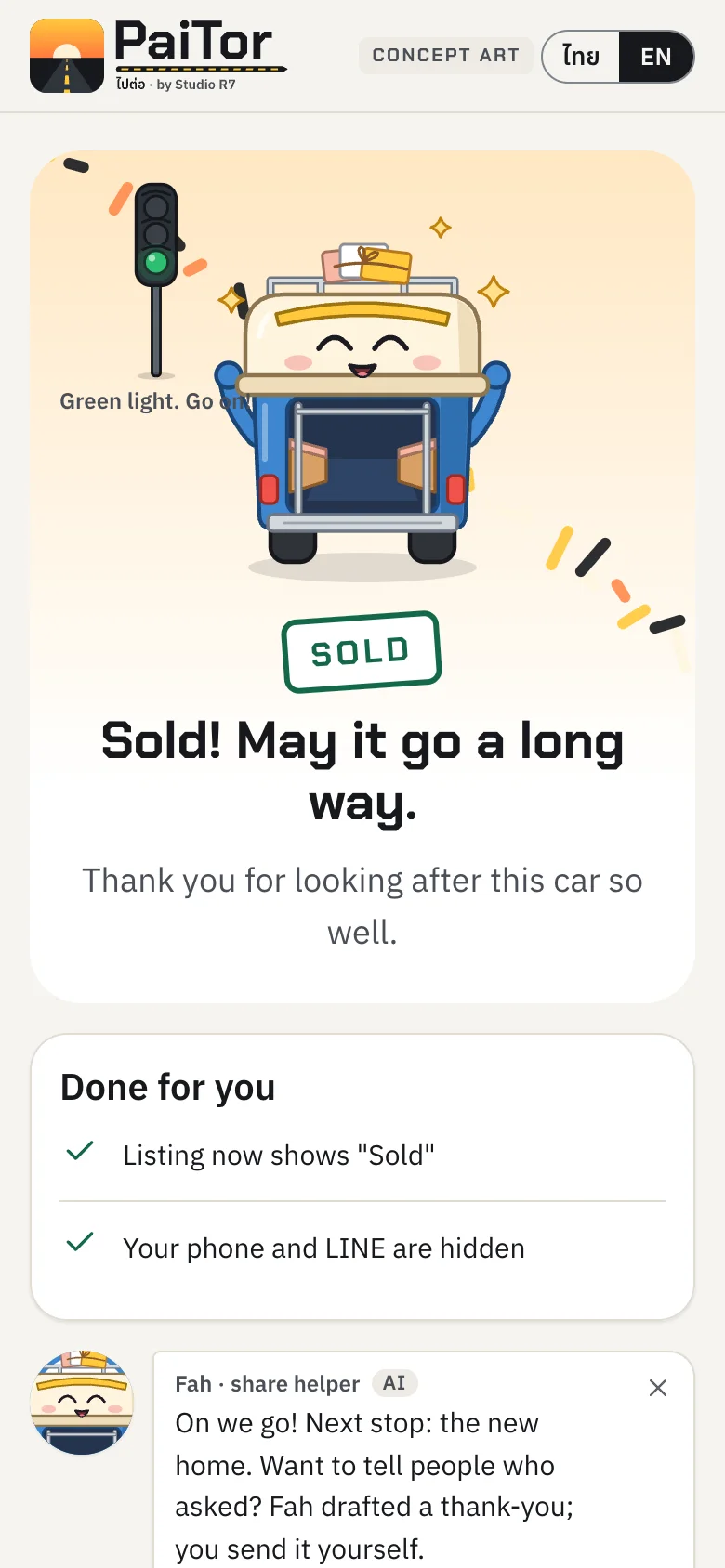
Sold
Green light. The listing is closed with one tap and a small celebration.
Share images, made for each channel

Link preview with QR code 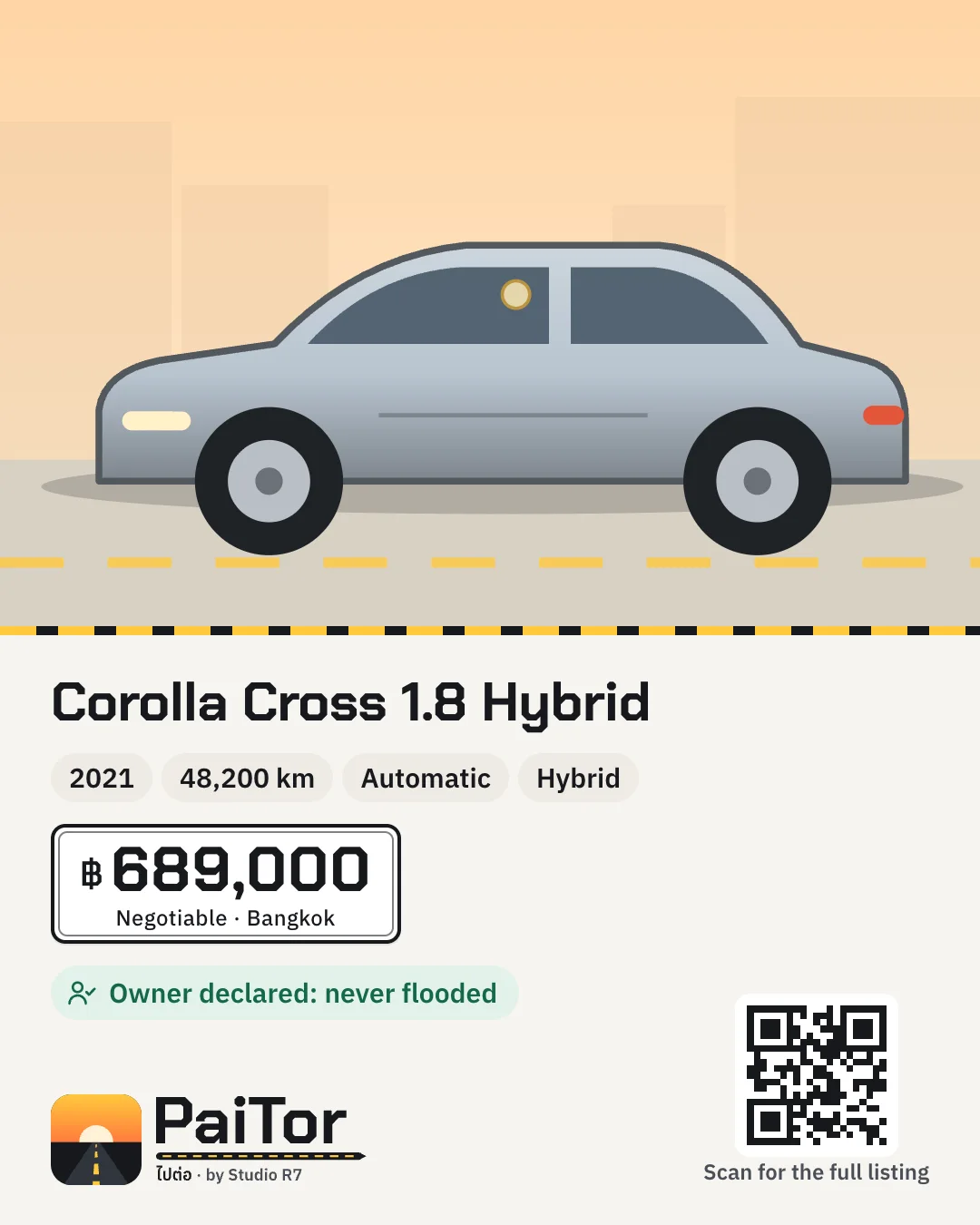
Feed post 
Story
Chapter 3
PaiTor Pro
The back office for car yards. Designed as two different products that share data: "the office" on a computer for managing stock, and "the lot" on a phone for the person standing next to the car.
A front door for dealers
A live page for car yards, dealerships and car brands: what PaiTor does for them, founding terms for early listers, and a short form to start. Every car can be listed free until 1 April 2027.
Stock comes in two ways: the dealer imports their own sheet in PaiTor Pro, or sends the list and the team loads it with them.

Today: what needs you
A dealer opens the day to a short list: buyers waiting for a reply, cars with stale prices, a sync that failed. Numbers that do not need action stay to the side.
The yellow tag on every screen says the data is a sample.
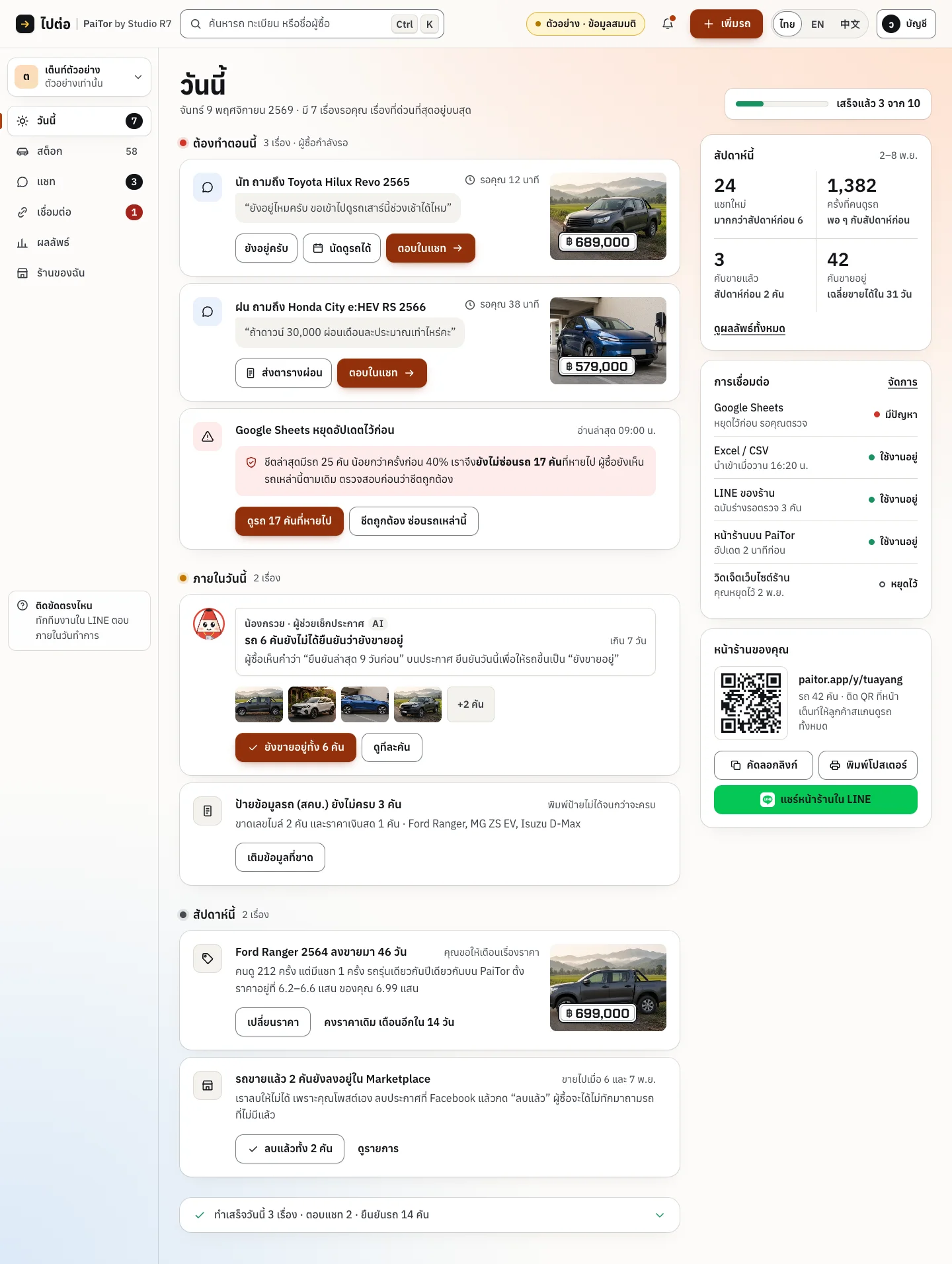
Scroll inside the frame
The office, on a computer
Dense where a desk worker wants density, with every state designed: empty, loading and error.
1Step 1 of 5
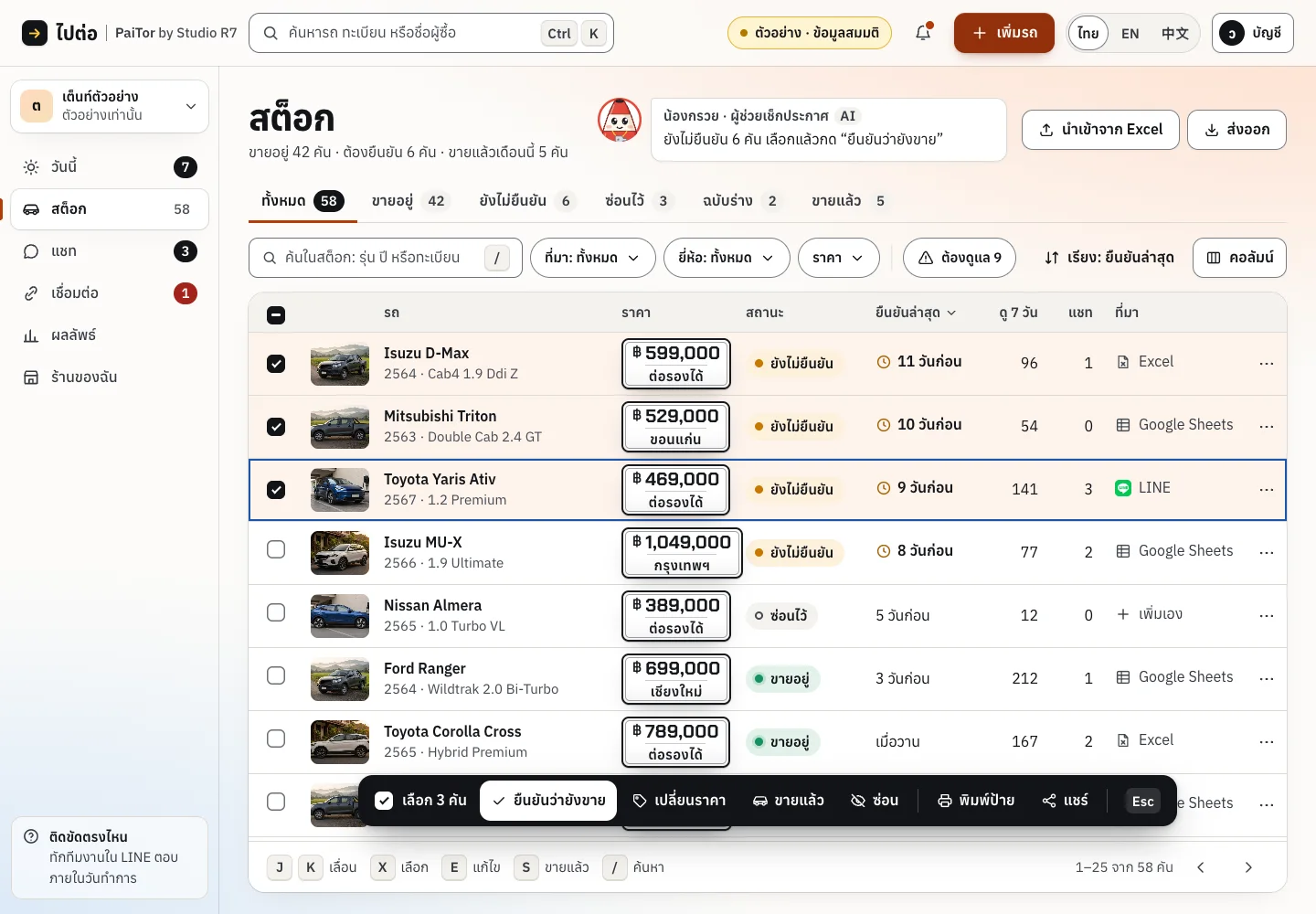
Stock
Every car in one table. Select several and act on them together.
2Step 2 of 5
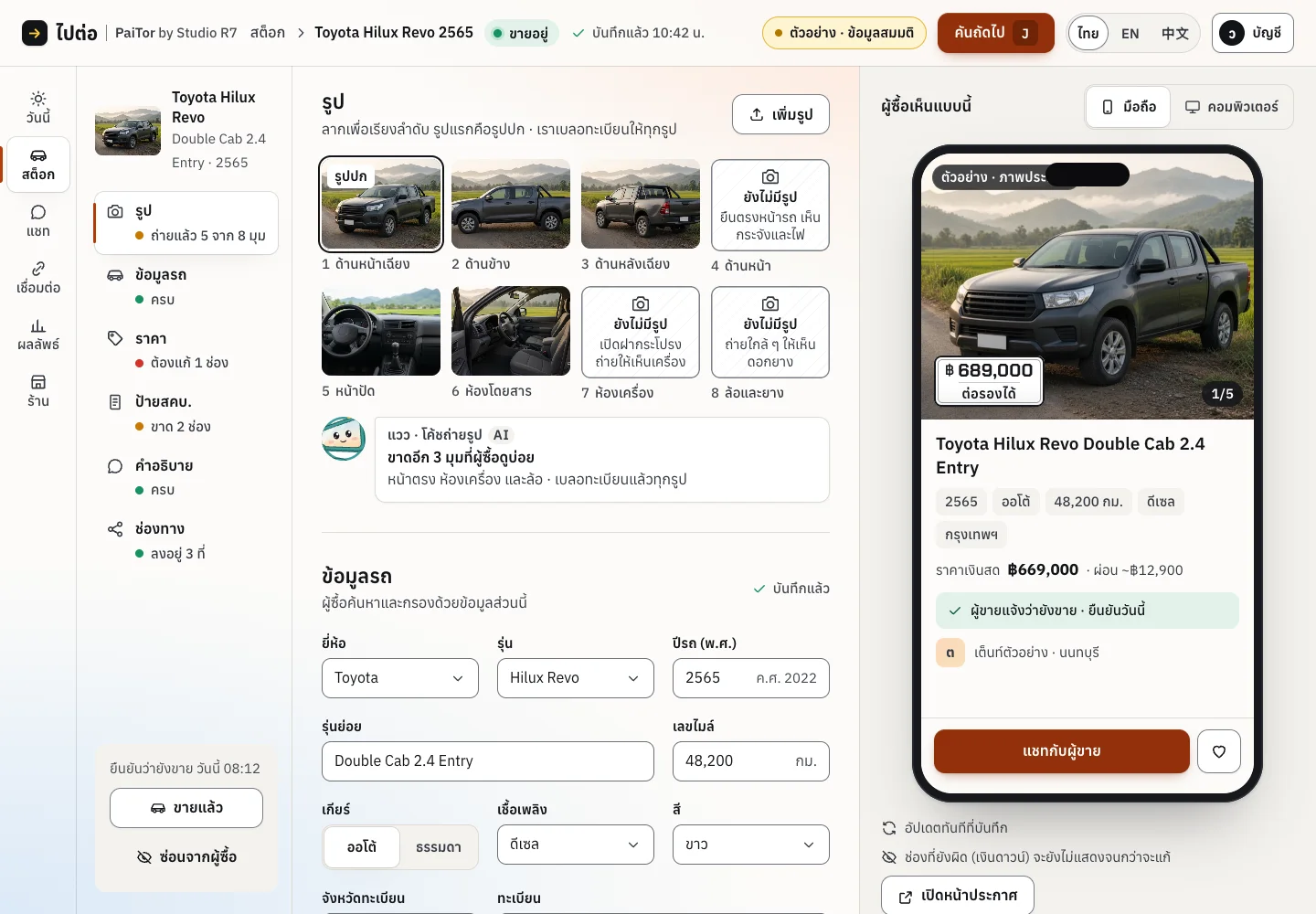
The car editor
Three columns: sections on the left, the form in the middle, and a live buyer's view on the right.
3Step 3 of 5
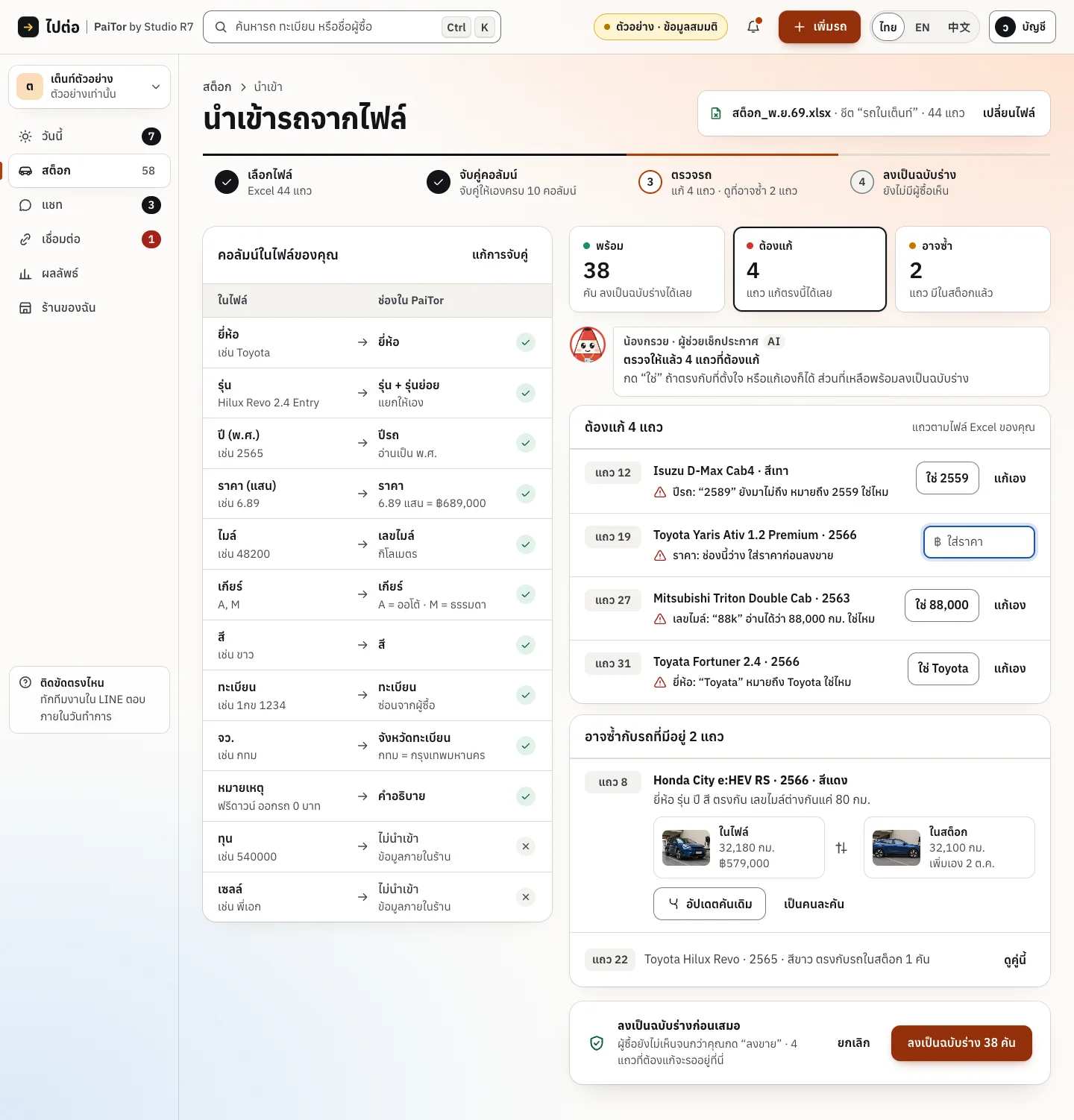
Scroll inside the frame
Import
Bring in a stock file. Each row is checked, and problems are listed before anything is saved.
4Step 4 of 5
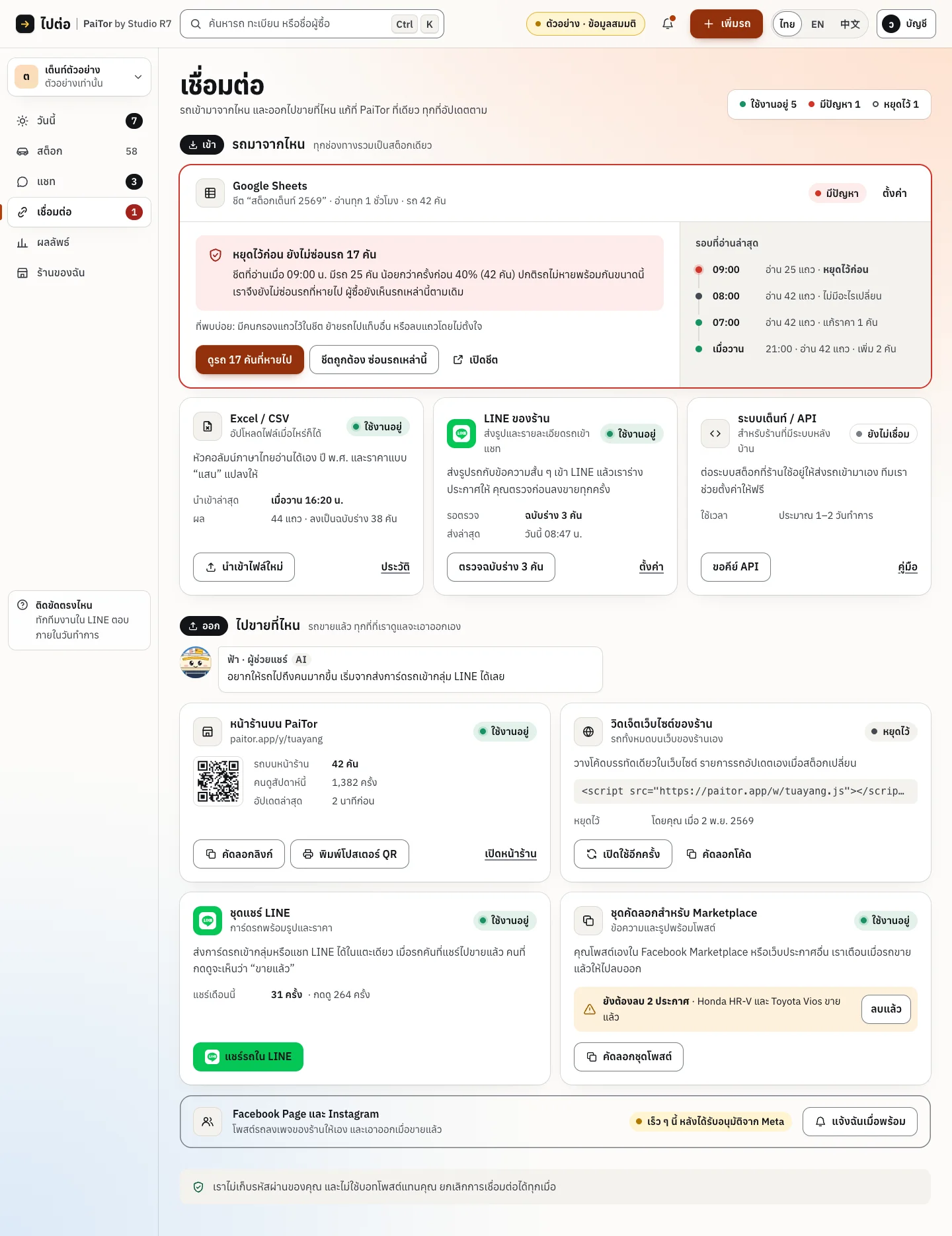
Scroll inside the frame
Connections
The sync centre: Google Sheets, CSV, LINE. When a sync breaks, the screen says what happened and what to do.
5Step 5 of 5
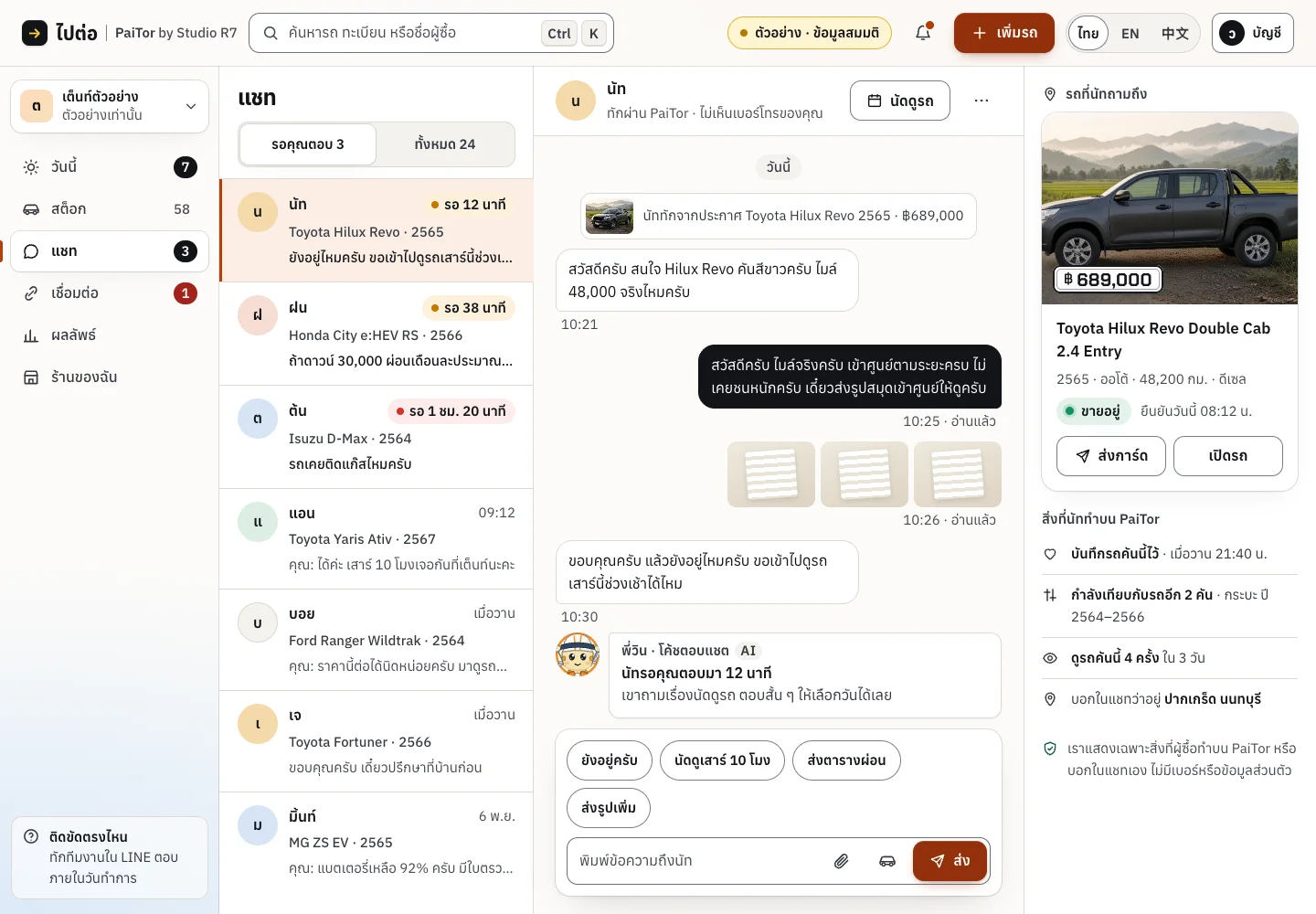
Chats
Buyer conversations beside the car they are about.
The lot, on a phone
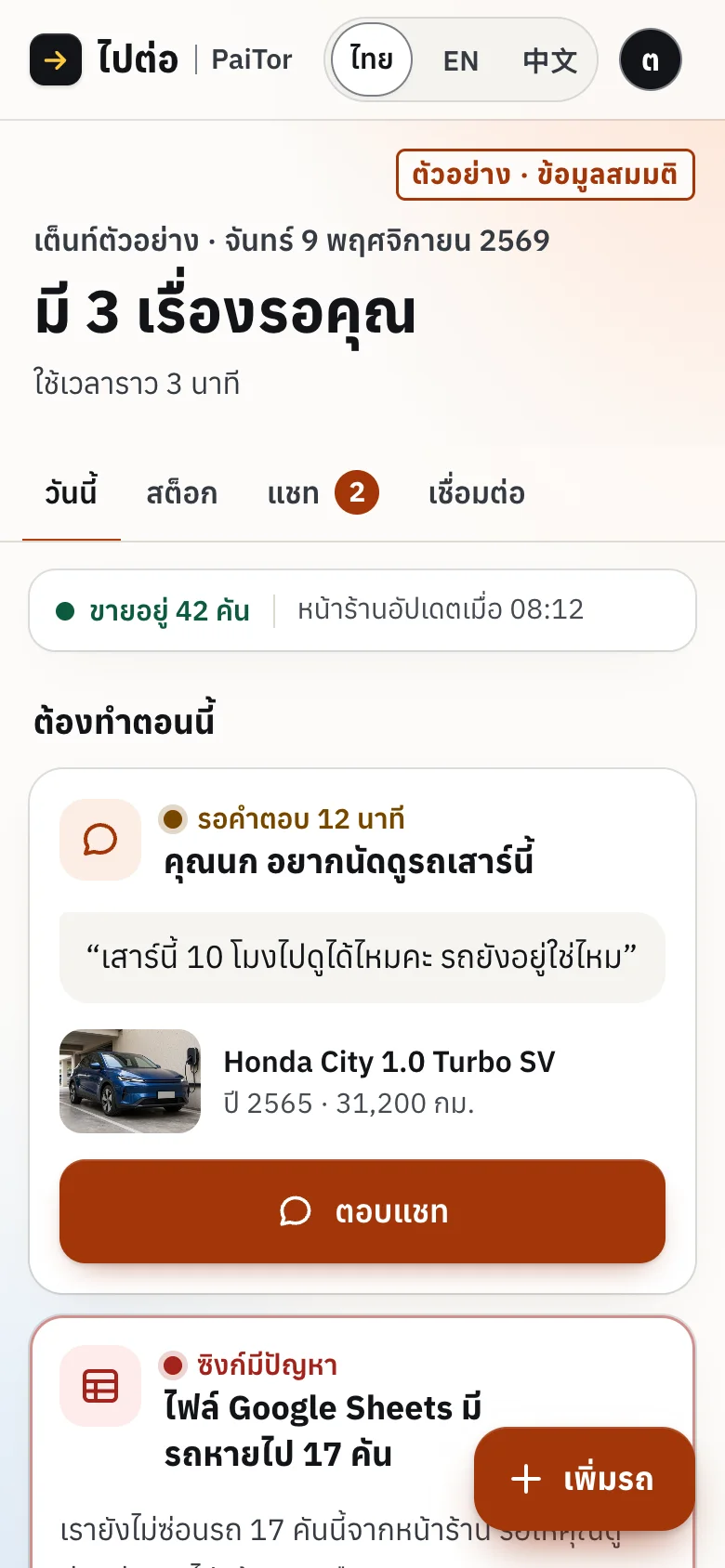
Today: three things waiting, about three minutes 
Stock, built for one thumb
Paid placement, clearly labelled
Dealers can pay to boost cars or place a banner, and every paid spot is marked as an ad with a "why am I seeing this" explanation. Banners are sold by postcode, province, region or the whole country, and a sold slot stays sold. The full purchase is built, from picking a slot to payment, tax invoice and review; it is not taking real payments yet.
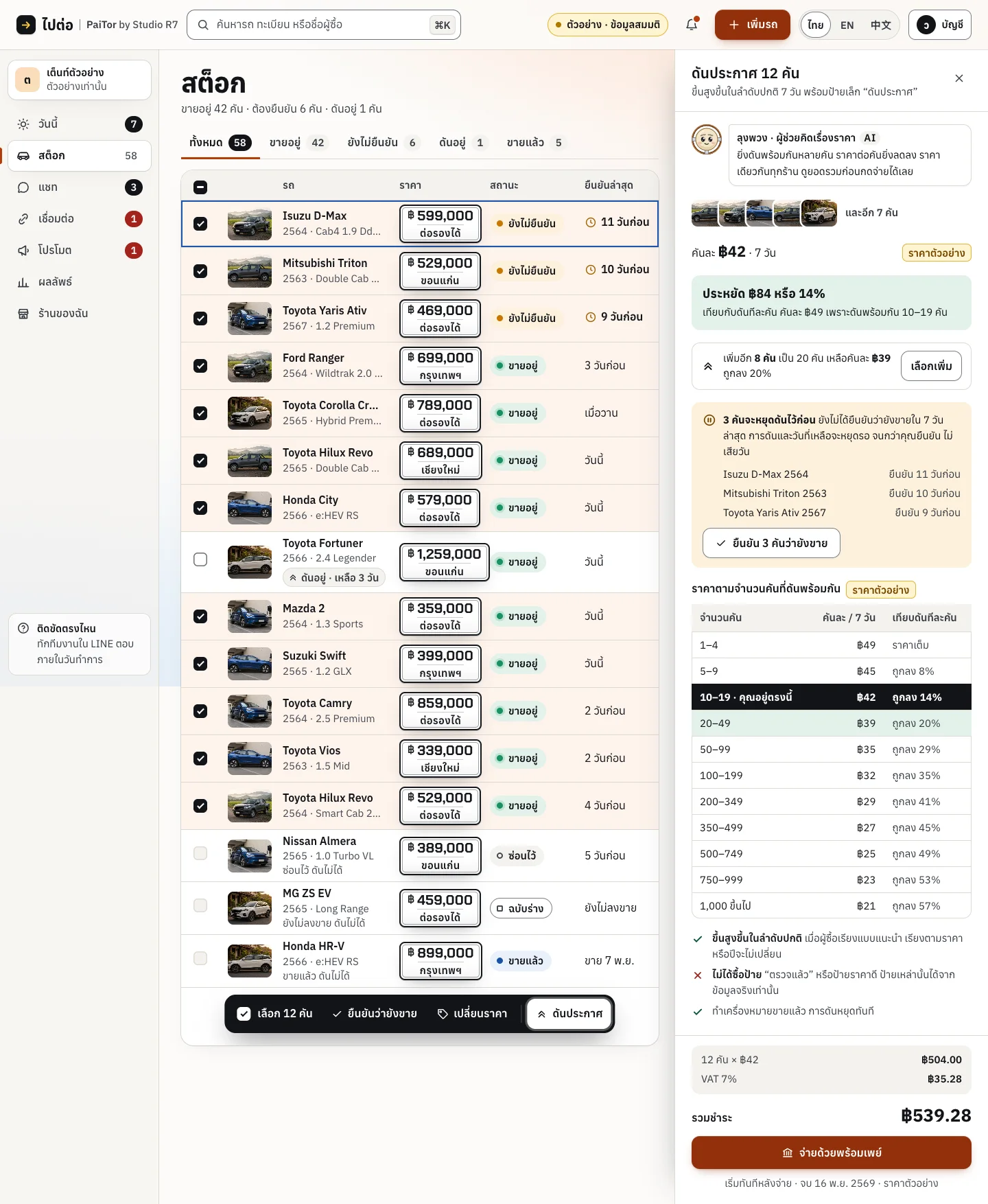
Scroll inside the frame
Boost several cars at once, with the cost shown before paying 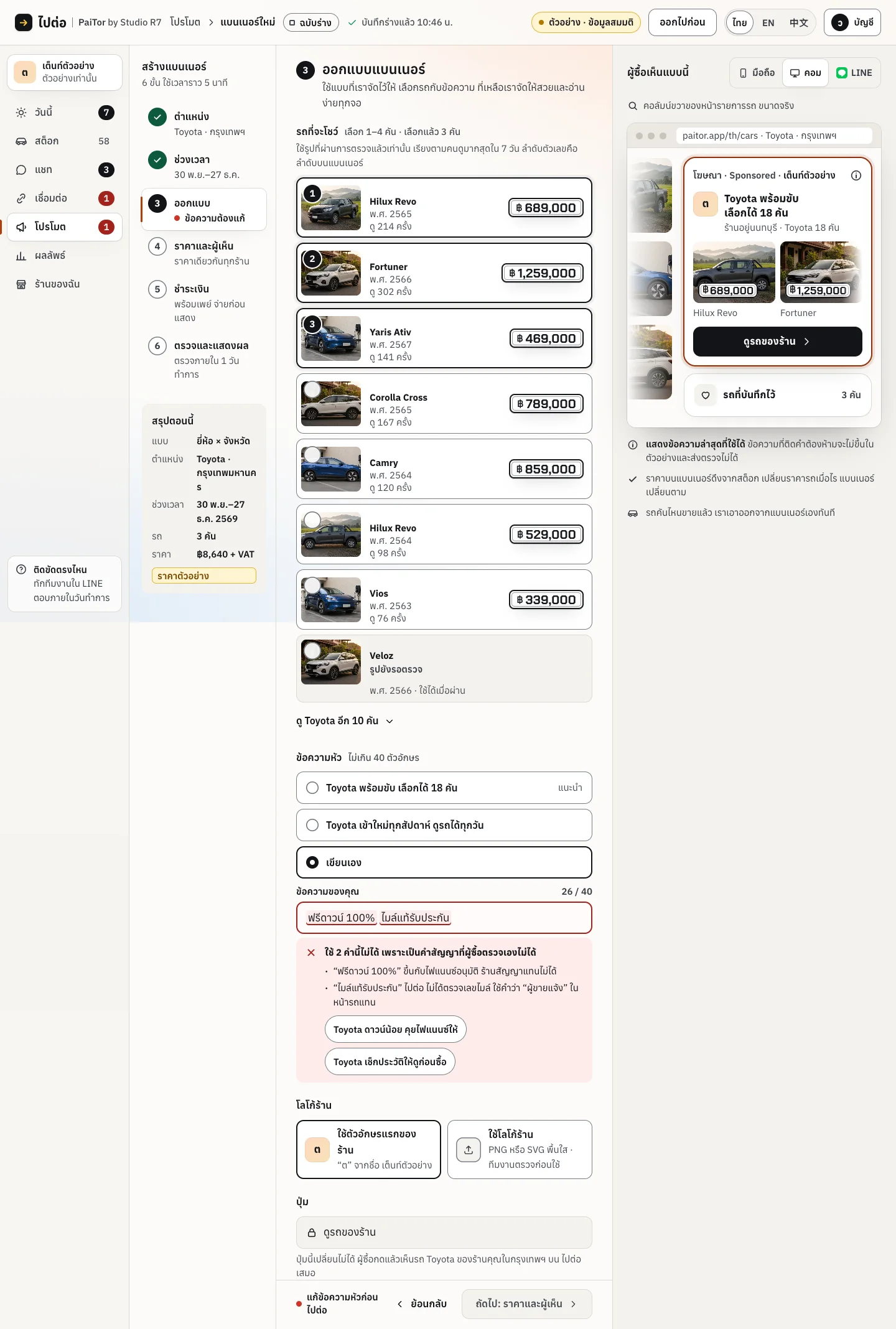
Scroll inside the frame
Design a banner from the yard's own stock
In LINE
Where Thai buyers and dealers already talk. Car cards, alerts and a weekly update from the yard.

A saved car drops in price 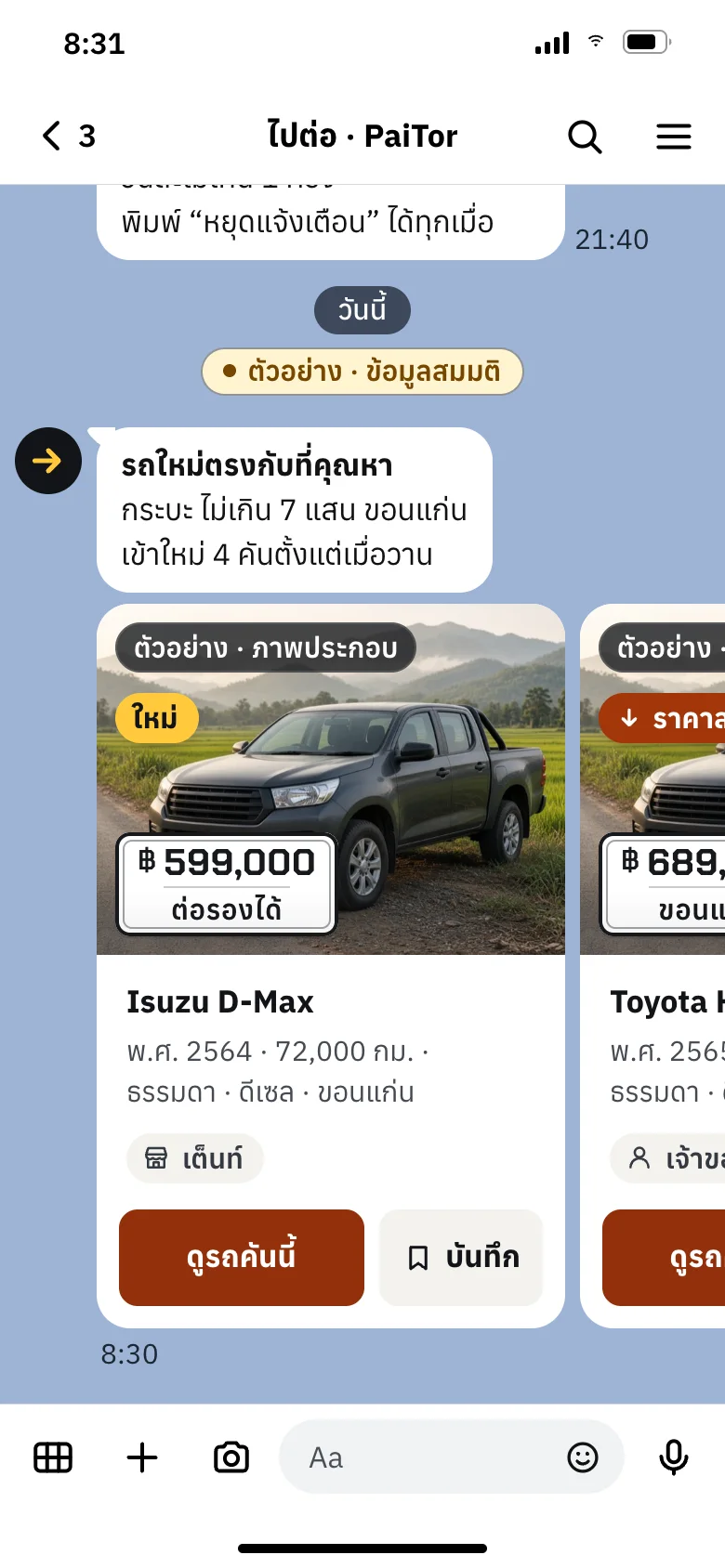
New cars that match a saved search 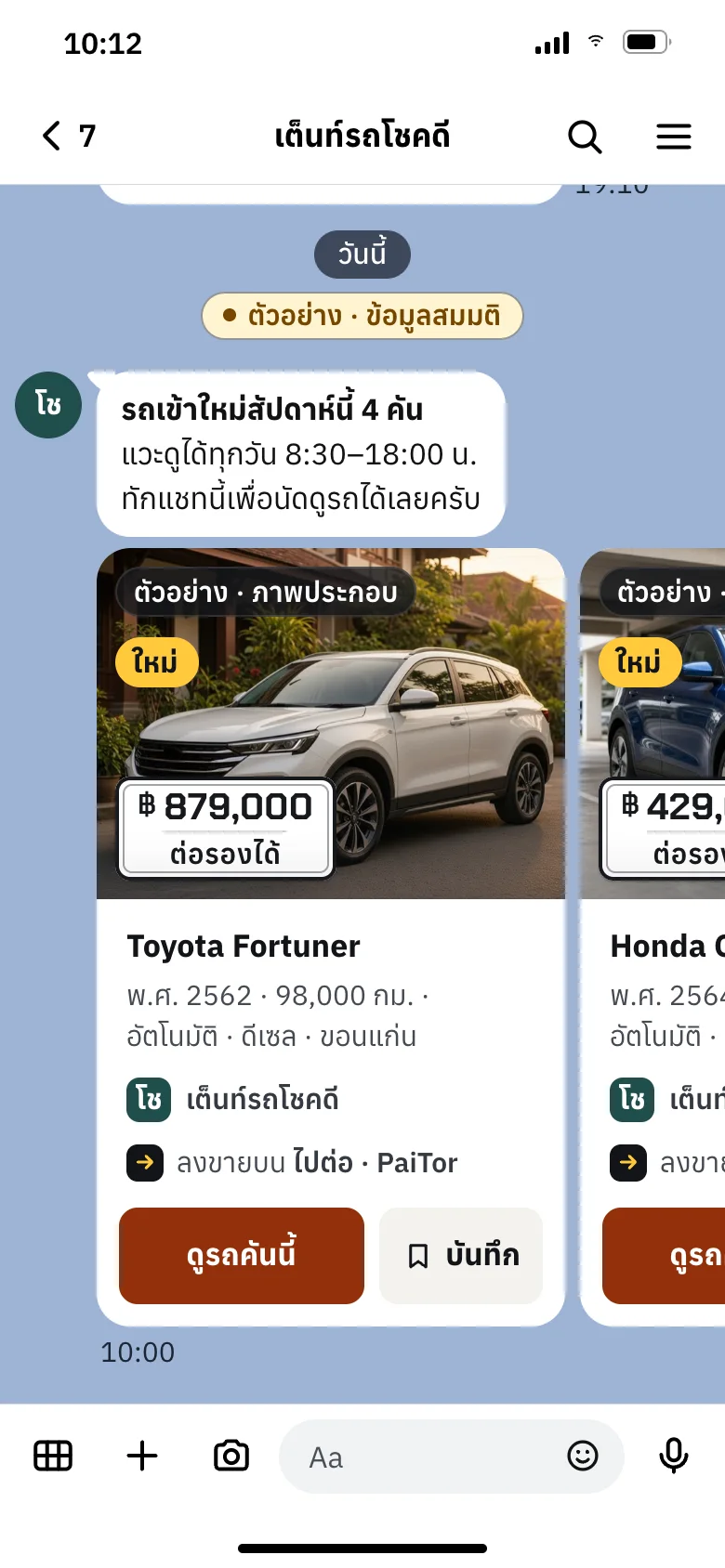
A yard's weekly update: new cars this week
Chapter 4
The brand
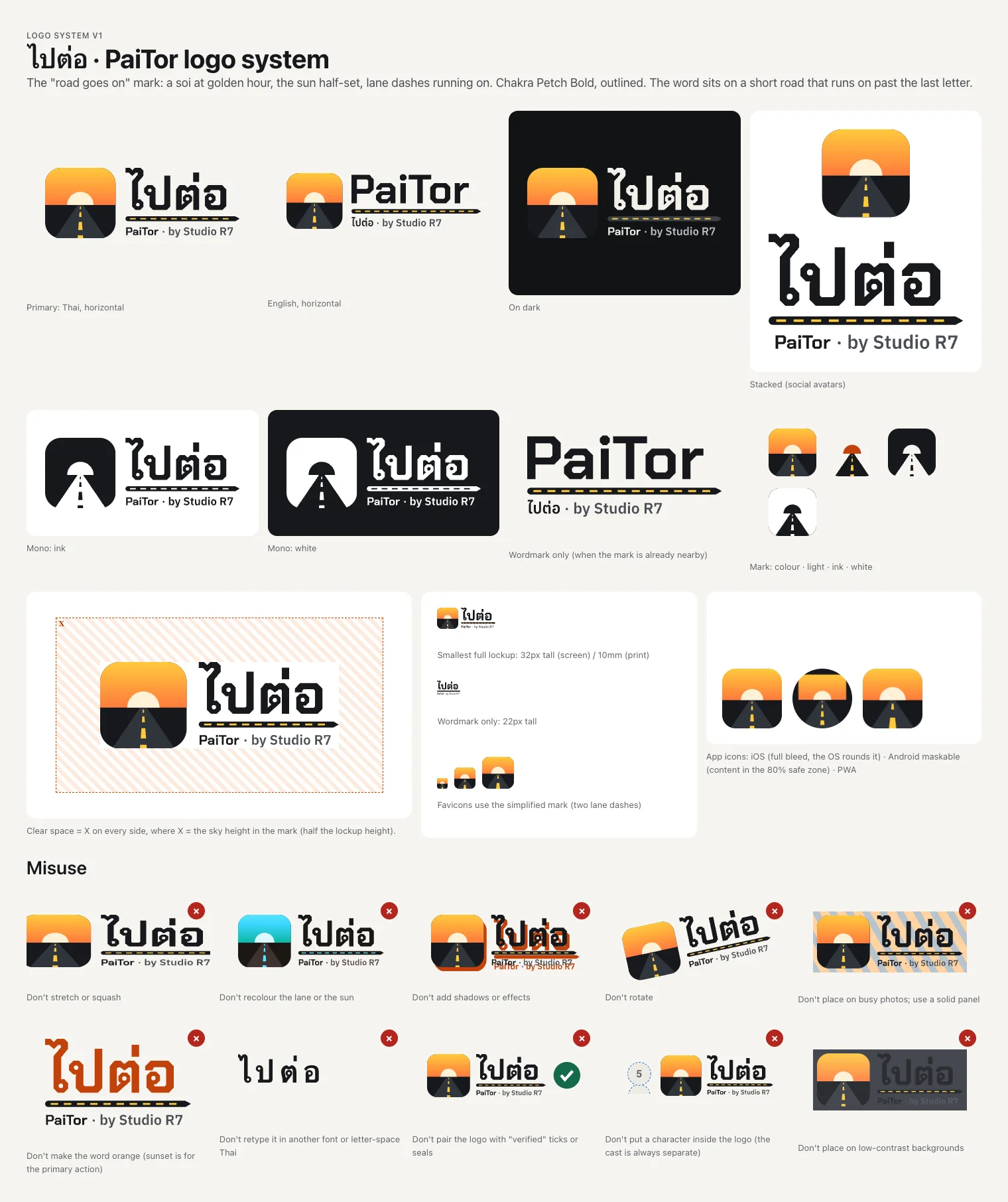
"The car goes on." A brand built from the Thai street: golden hour on the soi, yellow lane dashes, a price on a number plate.
The logo system
A road running into a half-set sun, on a sunset tile. Thai lockup first, English second, with stacked, single-colour and dark versions.
The mark never carries a character or a "verified" seal.
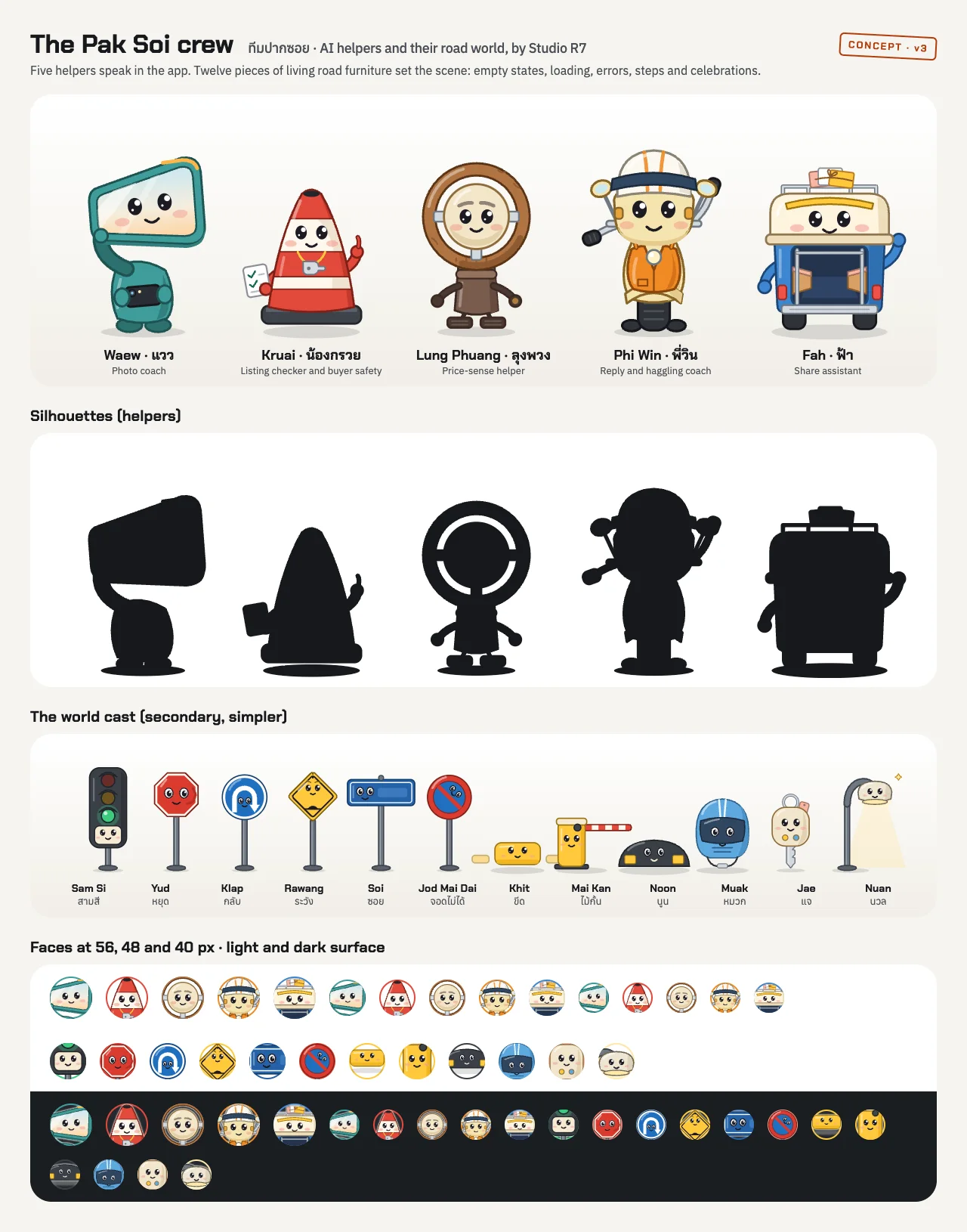
The Pak Soi crew
Seventeen characters made from road furniture: a wing mirror, a traffic cone, a steering wheel, a motorbike taxi, a songthaew. They help with the task and are labelled as AI helpers.
They follow firm rules: they never inspect a car and never give a price.

The world: one soi at golden hour 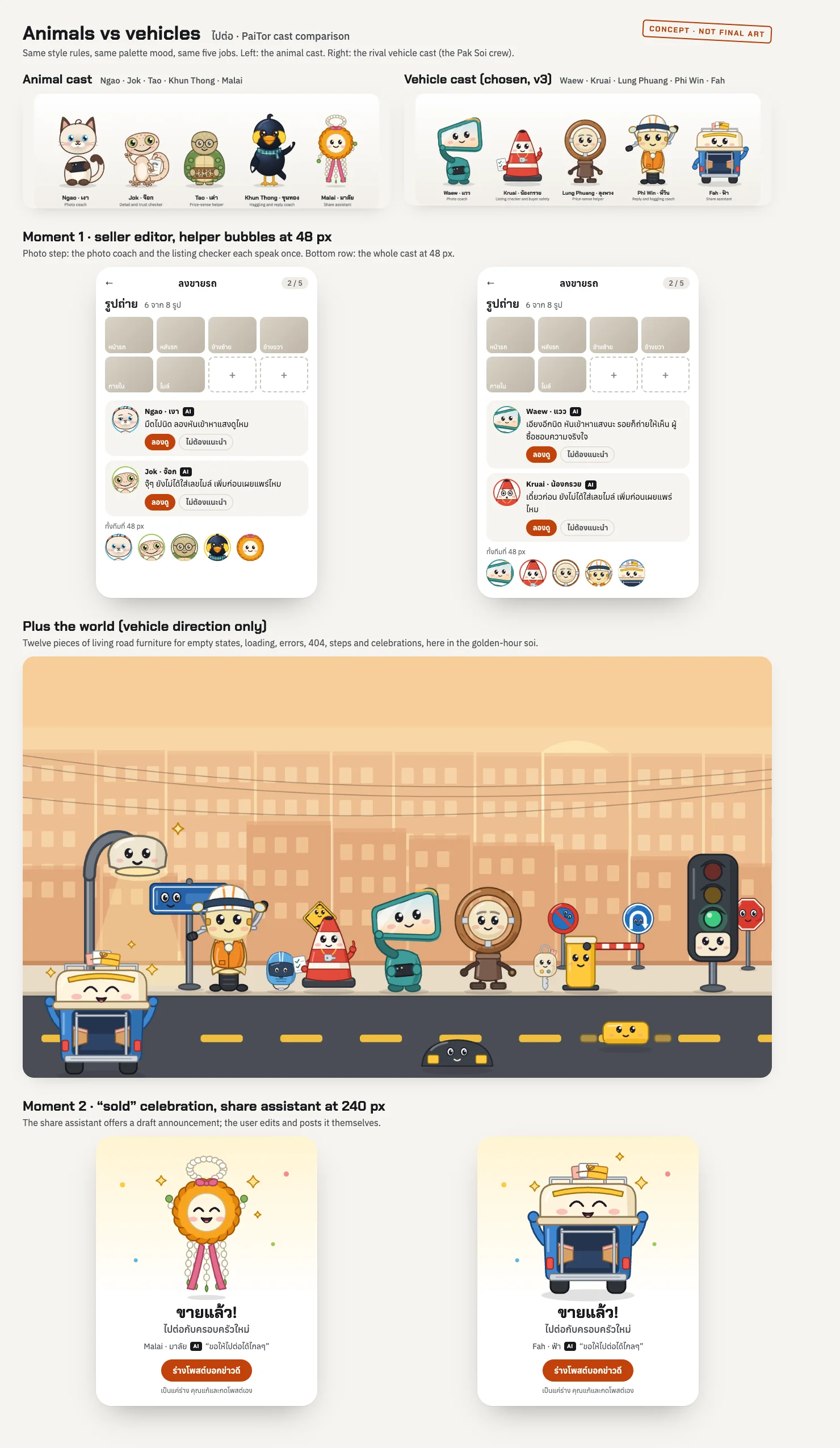
Two casts compared before the vehicle cast was chosen 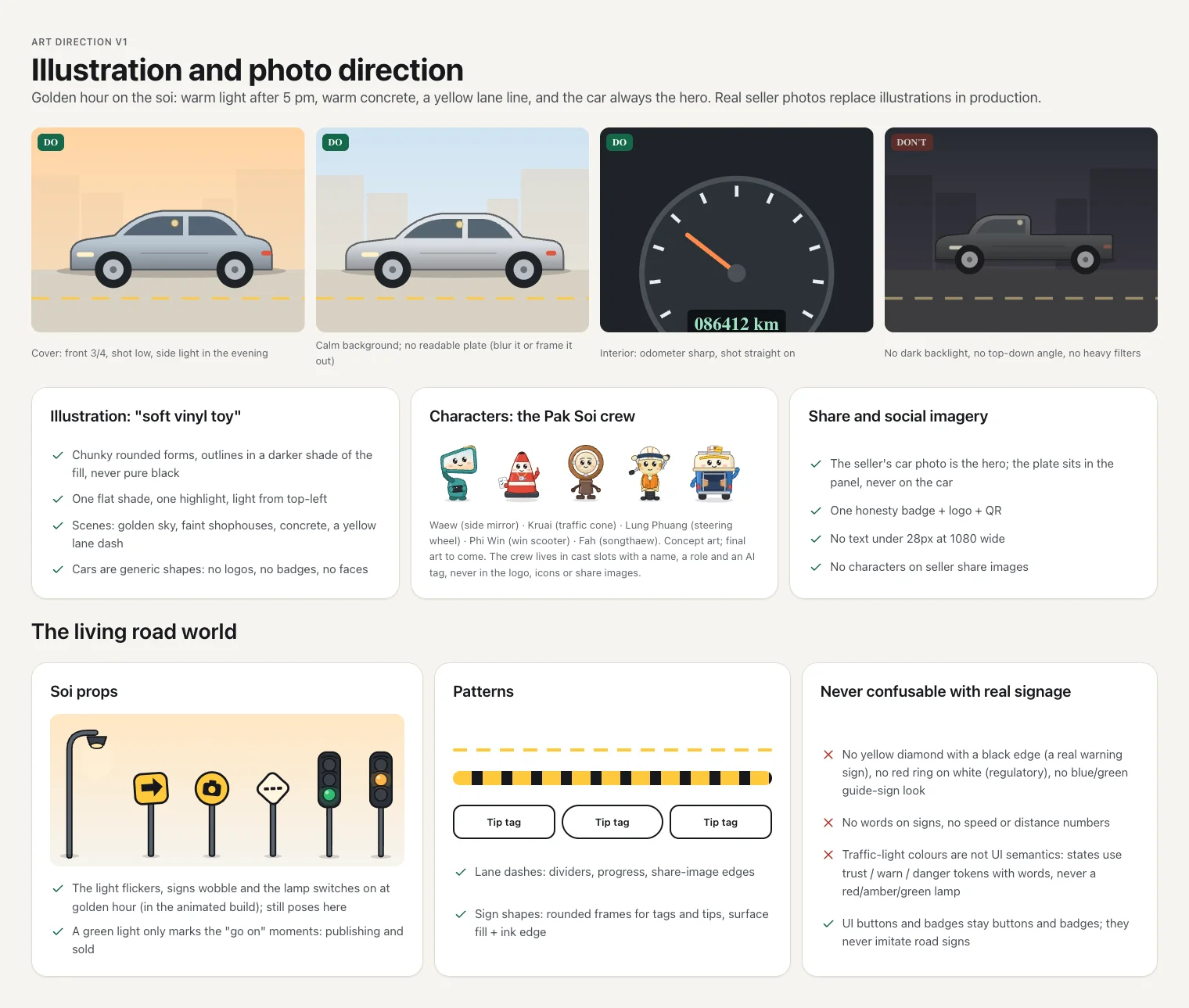
Illustration and photo direction 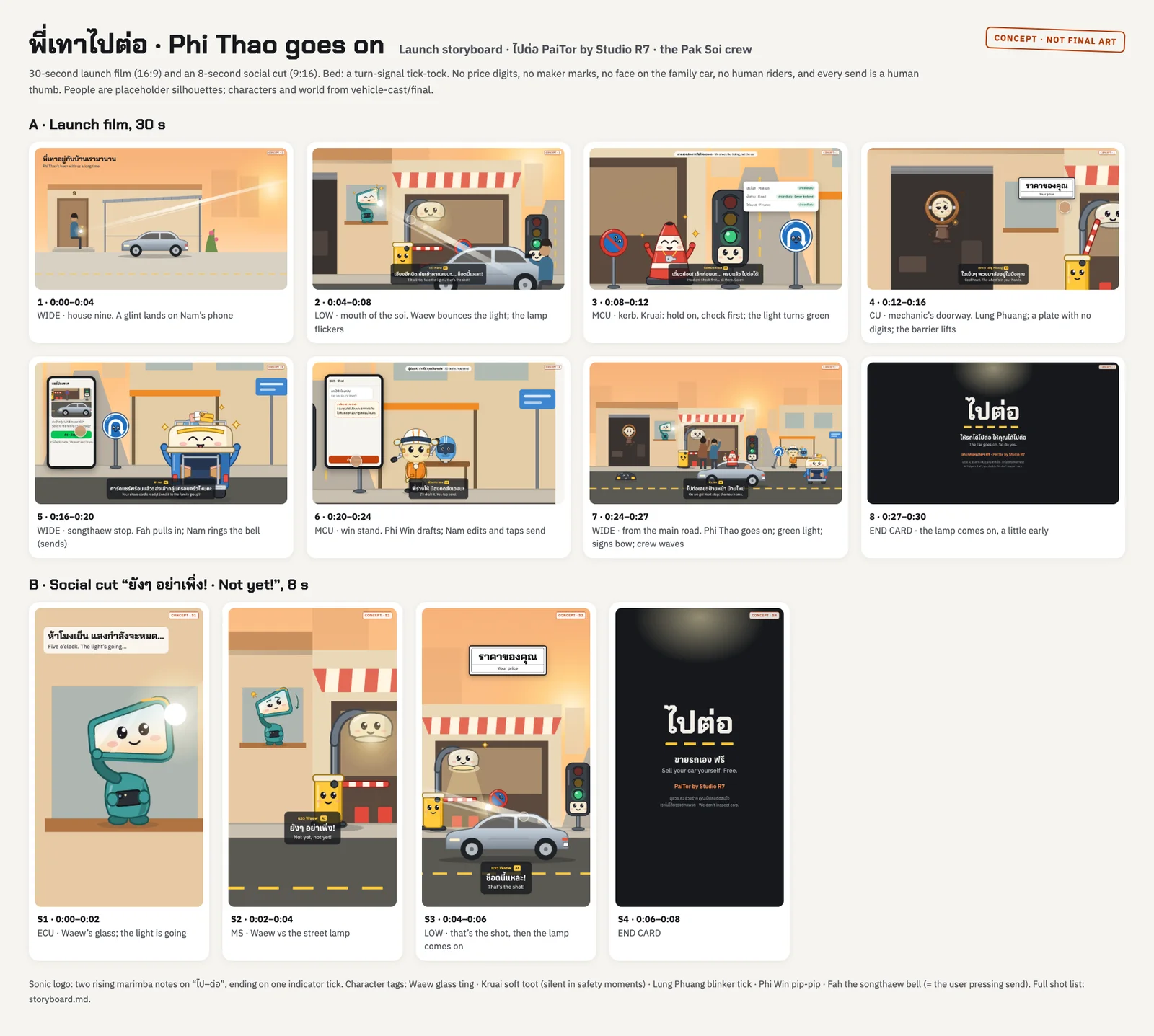
Launch film storyboard
The component library
Colours, type, buttons, price plates, badges and states, in light and dark, composed from one token file. Thai text is set with more line height than English because Thai needs it.
Rules that apply everywhere: text at 15 pixels or larger, strong contrast, no empty labels, and every state designed.
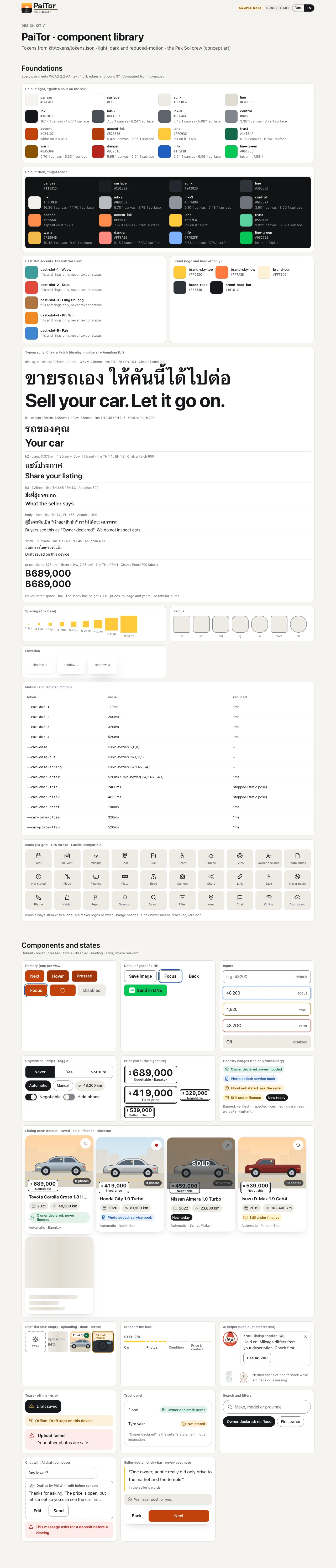
Scroll inside the frame
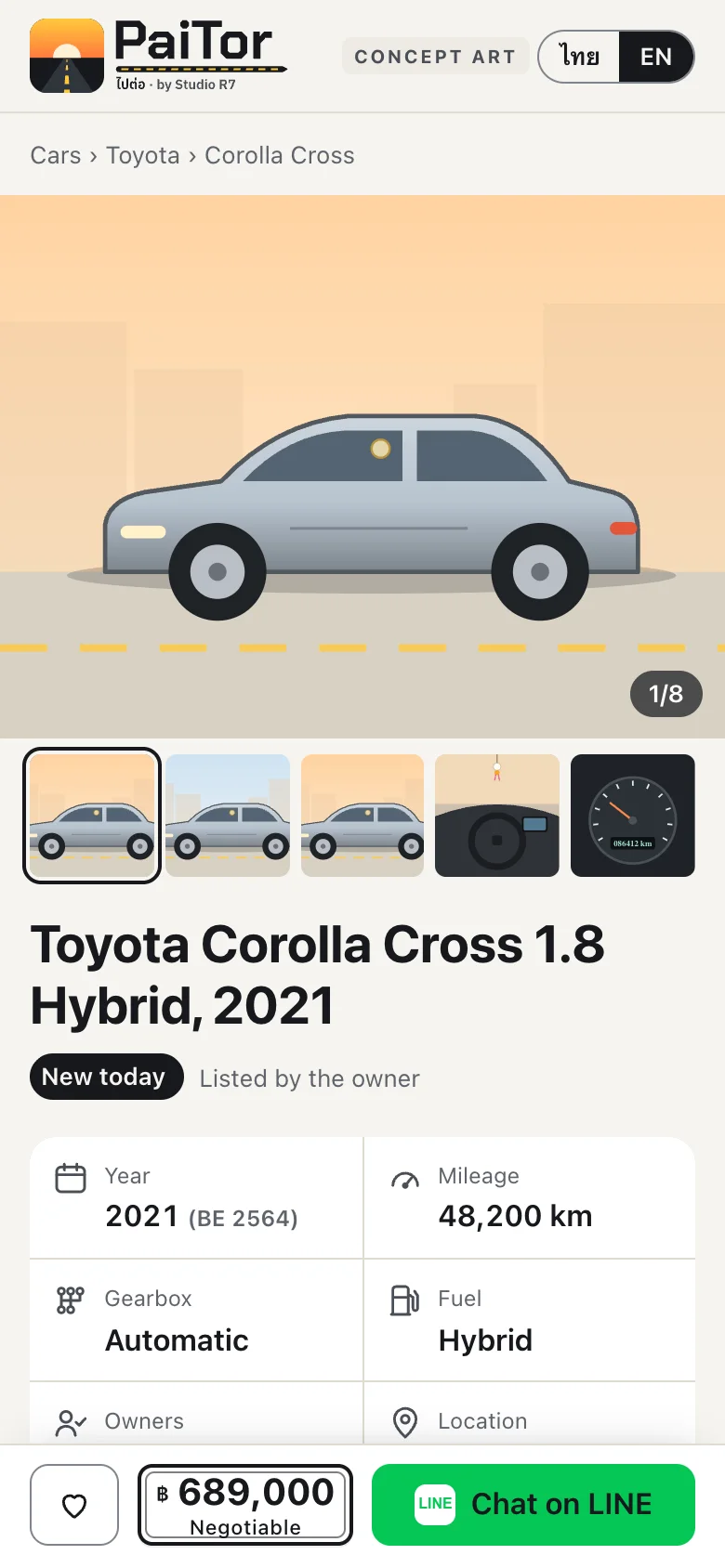
A listing 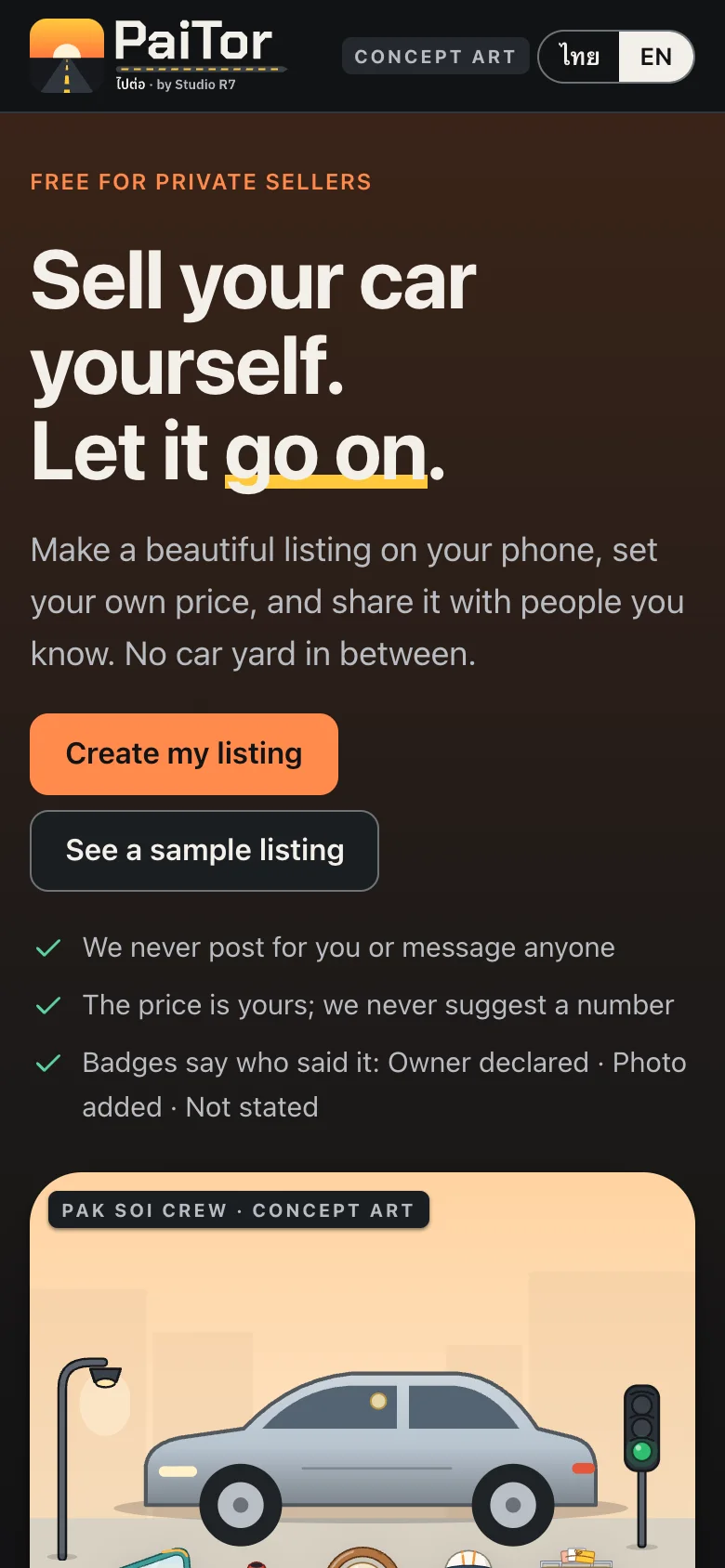
Dark mode 
LINE rich menu
Chapter 5
Under the hood
A marketplace lives or dies on trust, so the tests go where trust can break.
From listing to sold, drawn
The seller's steps, the buyer's steps, and what the platform does between them.
- Seller
- Buyer
- Platform
1Seller
Describe the car
Matched to a catalogue of makes and models.
2Seller
Add photos
An 8-angle checklist.
3Platform
Clean the photos
Location data is stripped.
4Seller
Set price, publish
Preview first, then go live.
5Buyer
Search or get an alert
Saved searches send new matches.
6Buyer
Make an offer
Offer and counter-offer, in turns.
7Platform
Open a chat
Buyer and seller talk beside the car.
8Seller
Mark as sold
One tap closes the listing.
The data model, simplified
The car catalogue on top, a listing in the middle, and what buyers do with it below. An arrow reads "belongs to".
Scroll sideways to see it all
Simplified from the Postgres schema. The real database has about 100 tables; fields and access rules are left out here.
What is tested, and how
- Database rules tested as SQL
- 35 SQL test files cover who can read and write what, search, alerts, offers and chat, run against a real Postgres engine in memory.
- Chat under stress
- Buyer and seller chat has chaos, soak and load test scripts, plus web push notifications.
- Search alerts and price history
- A saved search sends a daily alert, and every price change is kept.
- A screenshot audit
- One script captures every page at desktop and phone width in three languages, so a design review looks at the real thing.
- Research in the database
- Every research report is also imported into the product's own library, ready to be reused for guides and articles.
Chapter 6
Papers
PaiTor was researched before it was drawn, and drawn before it was built.
Research, plans and design documents
A selection from the repository. Summaries are public; the full documents are shared on request.
Research431 lines
Trust badges and verification
What a marketplace may honestly claim about a seller or a car. The conclusion became a product rule: never say "verified" unless something was checked.
Research185 lines
Finding a car: browse and search
How buyers actually look for a used car, and a build plan for filters, saved cars, compare and returning to the same place.
Research904 lines
Chat architecture
Options for buyer-and-seller chat compared on cost, reliability and abuse, with the design chosen and how it is tested under load.
Plan921 lines
Search alerts and offers
Saved searches, daily alerts, price history and offers, from the data model to the message a buyer receives.
Plan735 lines
Dealer growth and stock sync
How a car yard claims its page, keeps stock in step from a spreadsheet or LINE, and what keeps listings fresh.
Research26 documents, about 9,400 lines
The research library
Four questions, each researched three times and then combined: dealer stock sync, the money model, ranking, and growth. Stored in the product's own database for reuse.
Design3 documents, 216 lines, with 36 working mock-ups
Dealer back office specification
"The office" and "the lot": two experiences for one dealer, every screen and state, and how paid placement is labelled.
Design510 and 301 lines
Brand story and cast
The world of the soi, the seventeen characters, how they speak, and the rules for what they may never do.
Design287 lines
Quality pass
A screenshot audit of every page at two widths in three languages, with each finding and its fix.
Built with
- Next.js 16
- React 19
- TypeScript
- Tailwind 4
- Supabase Postgres
- LINE LIFF
- Leaflet
- sharp
- Postmark
- Vitest
- PGlite
- Playwright
Next story
RevIQ
Run your business like a brand. Not like a side hustle.