
Apps / Client Portal
Web app · client workspace
Client Portal
What does the studio need from me right now?
Where a client follows their project after they say yes: what is waiting on them, every delivery step by step, the files they sent and whether each one was accepted. In Thai and English, built for a phone.
Designed and partly built
- 4
- areas: home, deliveries, what we need, files
- 2
- sides: the client's view and the staff view
- 2
- languages, Thai and English
- 1
- question that drives every screen
Chapter 1
The client's side
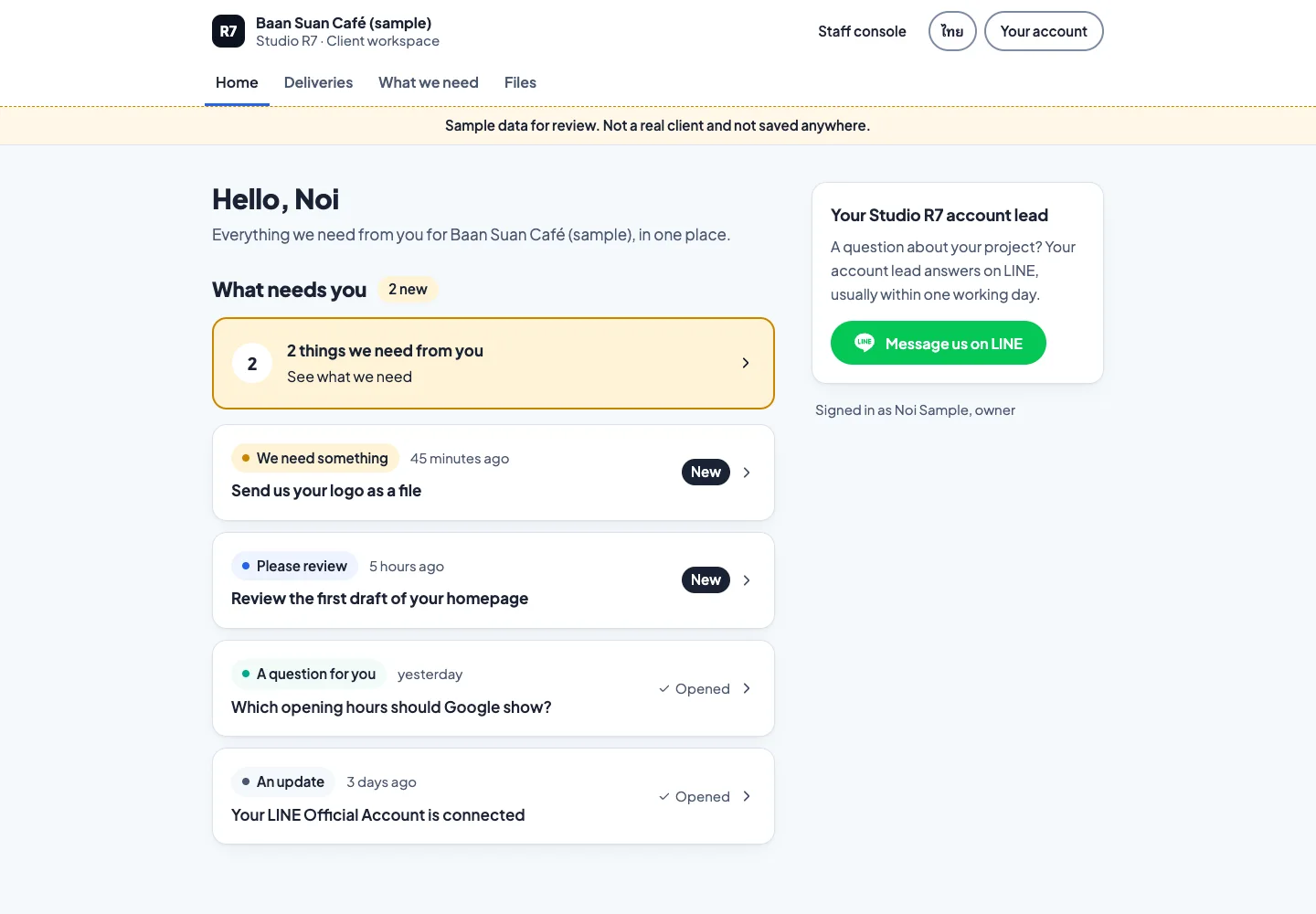
A busy owner opens the portal for one reason: to find out what they have to do. That goes first.
Home: what needs you
A short list of things only the client can do: send a logo, review a draft, answer a question. Everything else is progress they can read when they like.
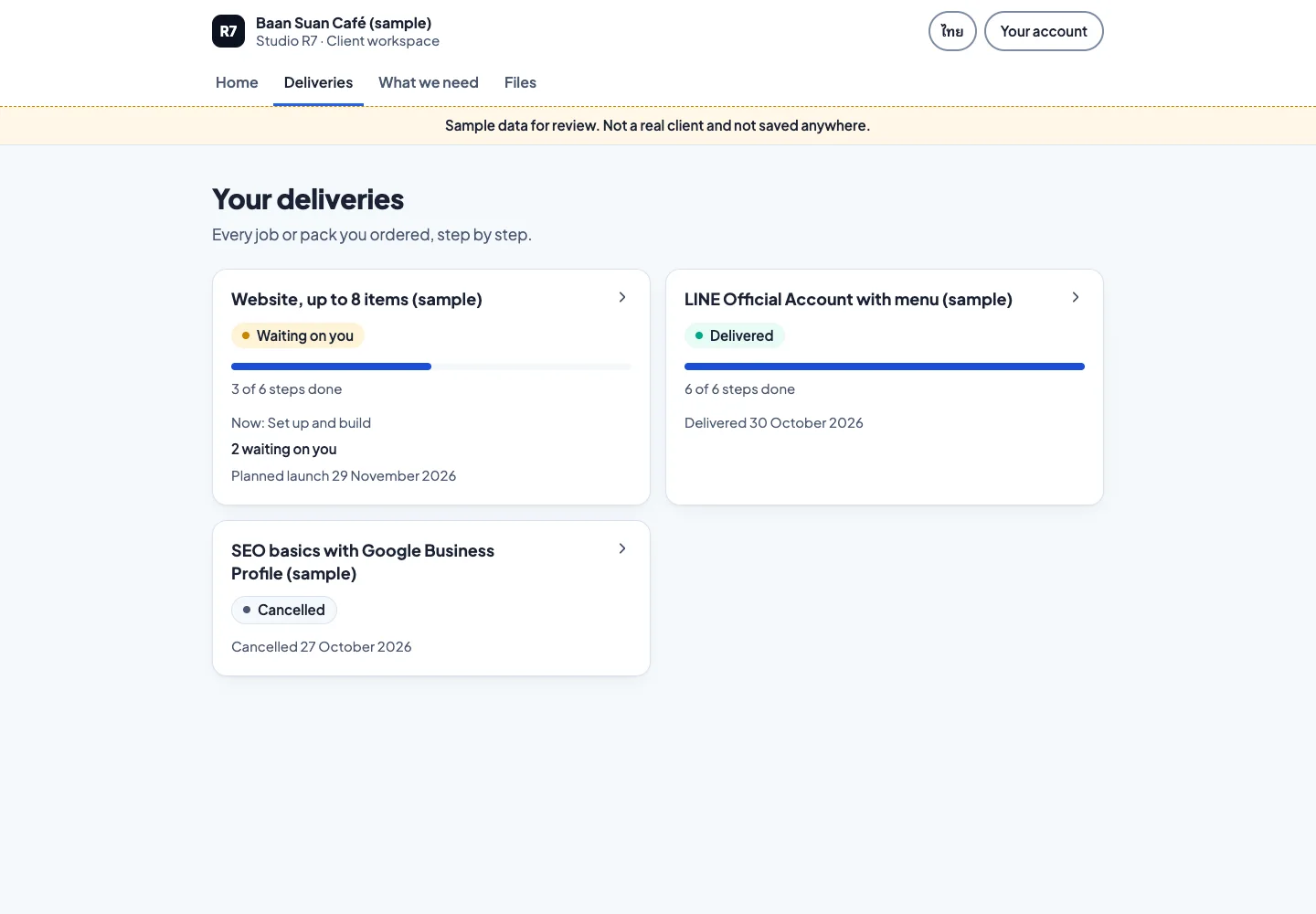
Deliveries: every job, its steps and what is waiting 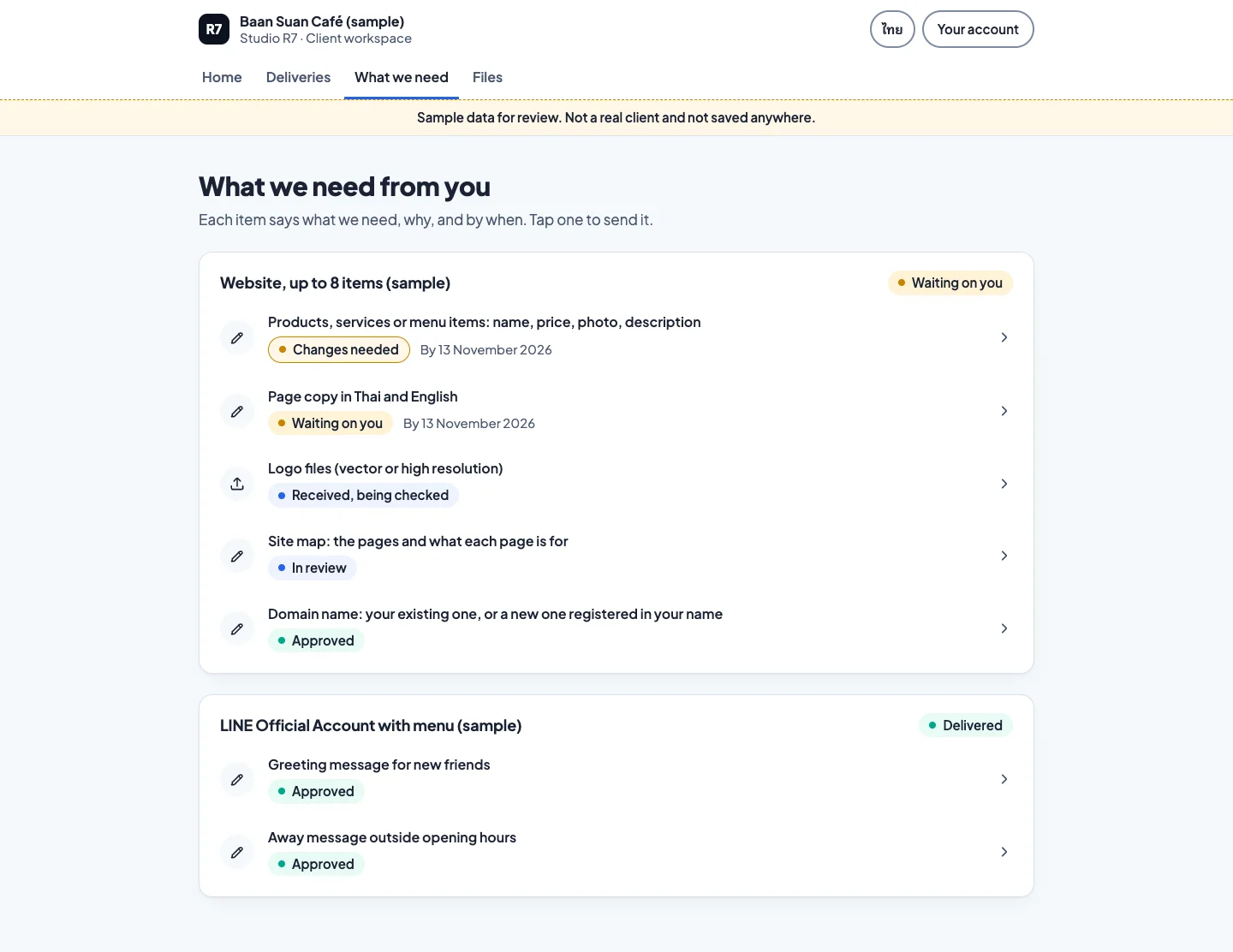
What we need: each item says what, why and by when 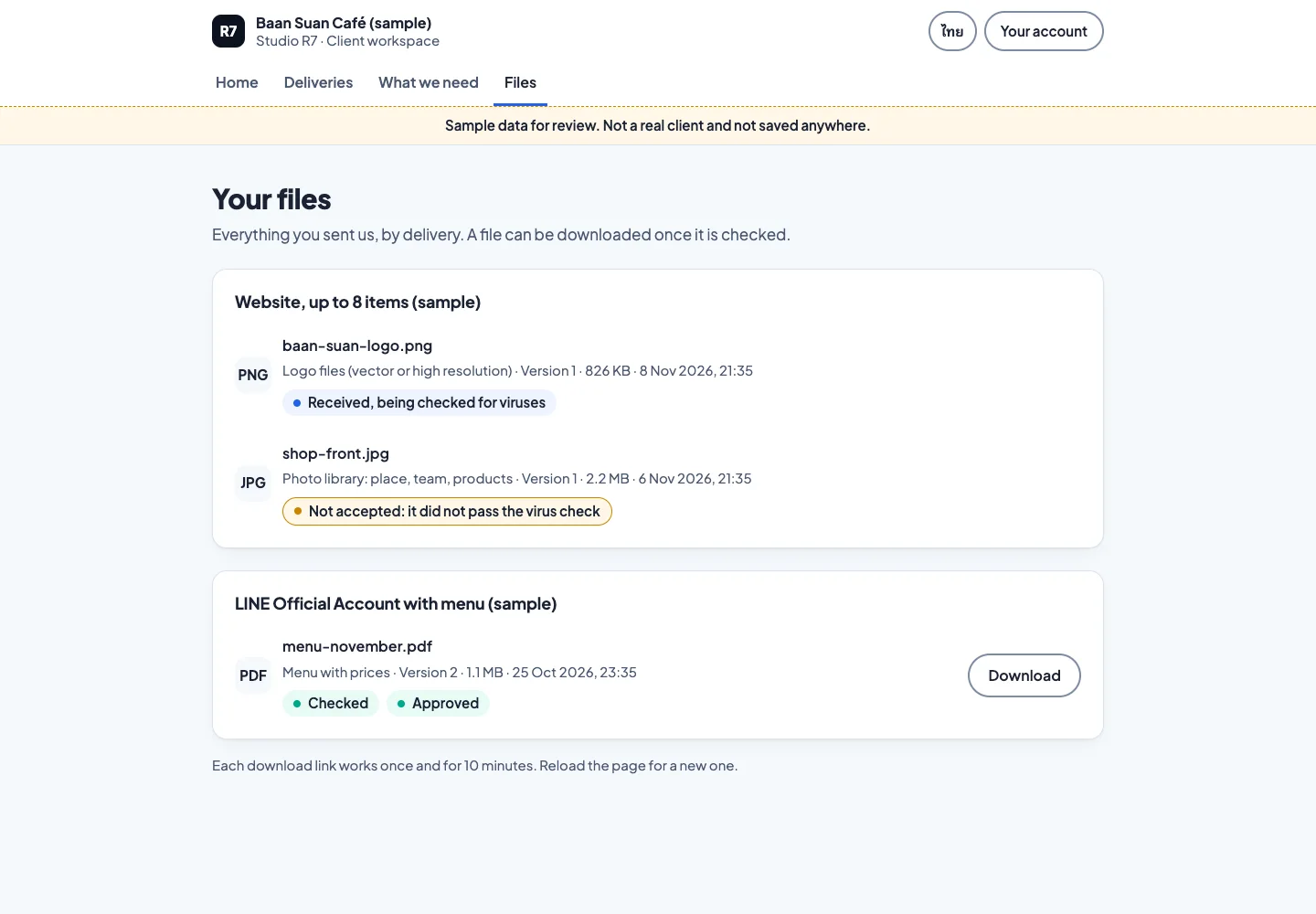
Files: virus-checked, with a status on each one 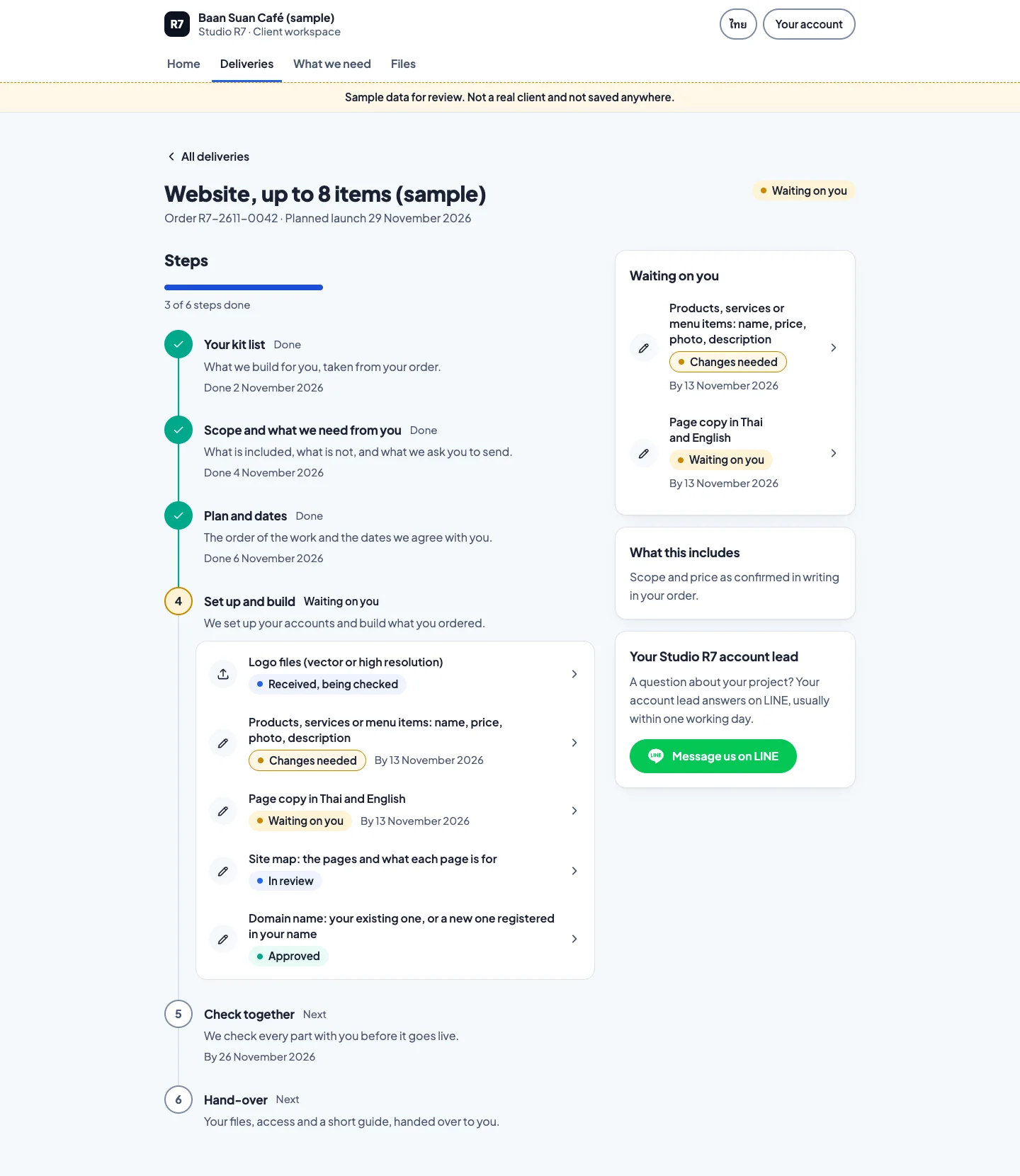
Scroll inside the frame
One delivery as a timeline
Chapter 2
One request, start to finish
The studio asks, the client sends, the studio checks, and the timeline moves on.
From request to accepted file
Four screens, two people.
1Step 1 of 4
Scroll inside the frame
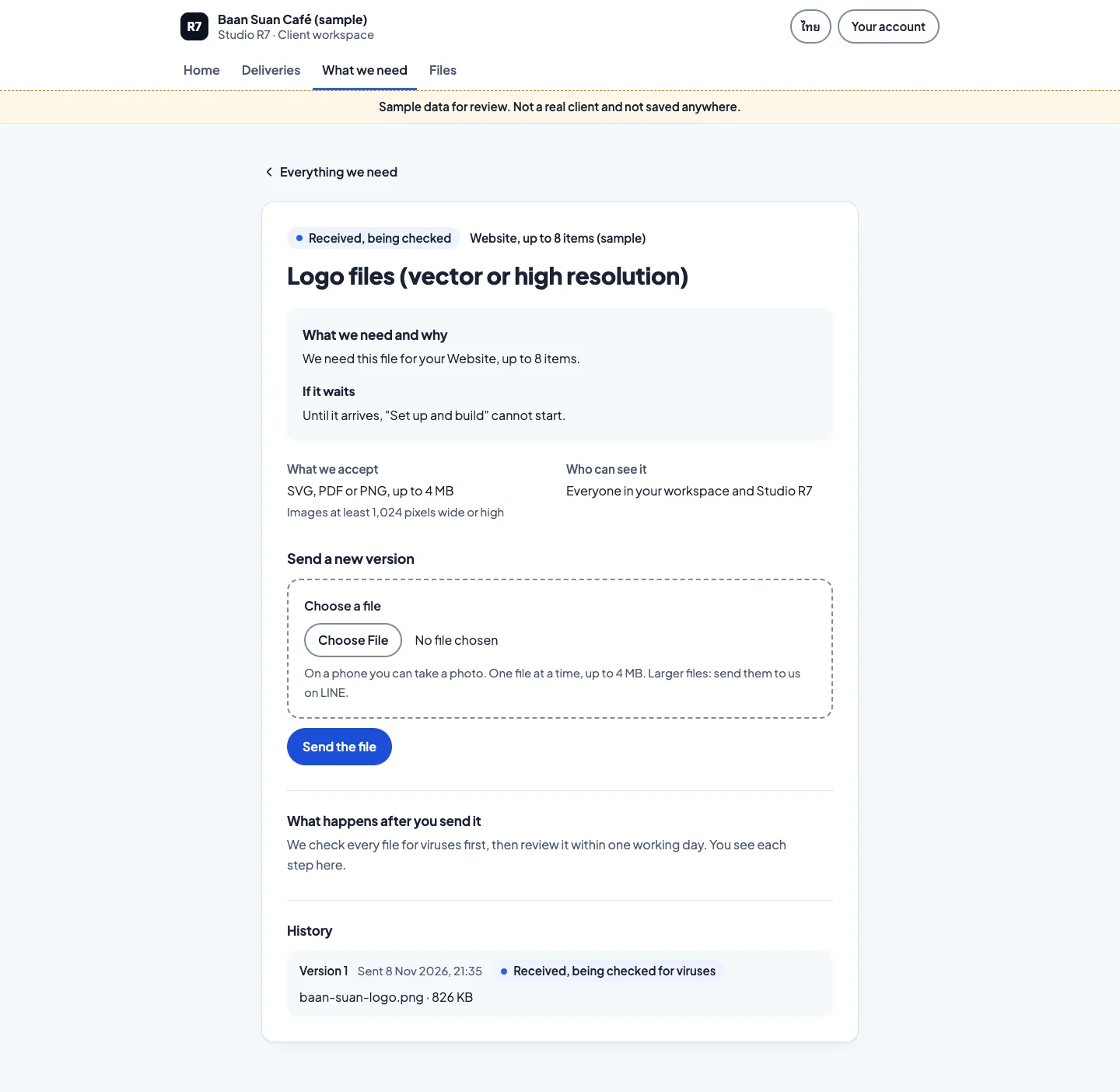
The request
What is needed, why, and which file types work.
2Step 2 of 4
Scroll inside the frame
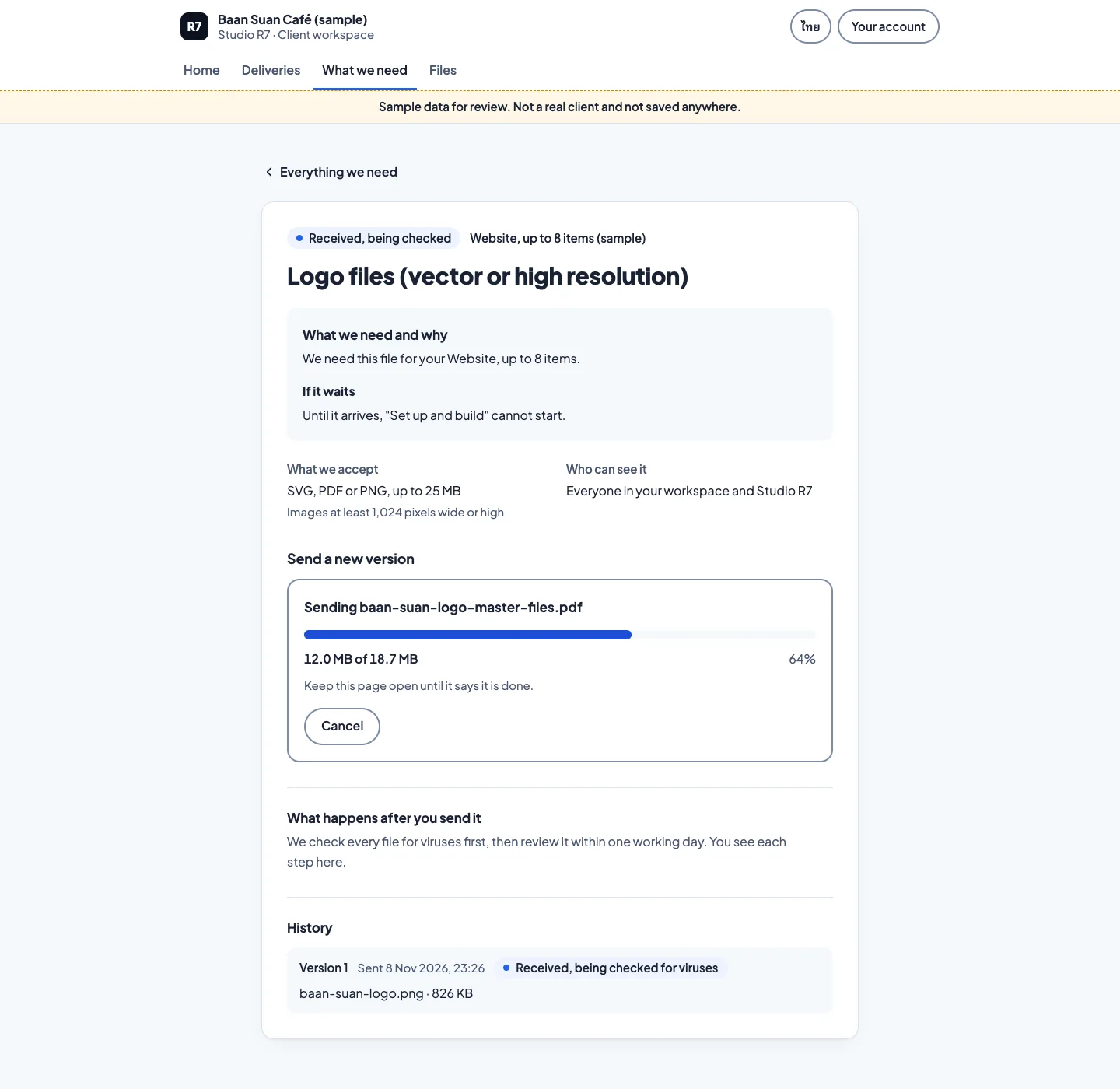
The upload
Progress is shown while the file sends, and the client can cancel.
3Step 3 of 4
Scroll inside the frame
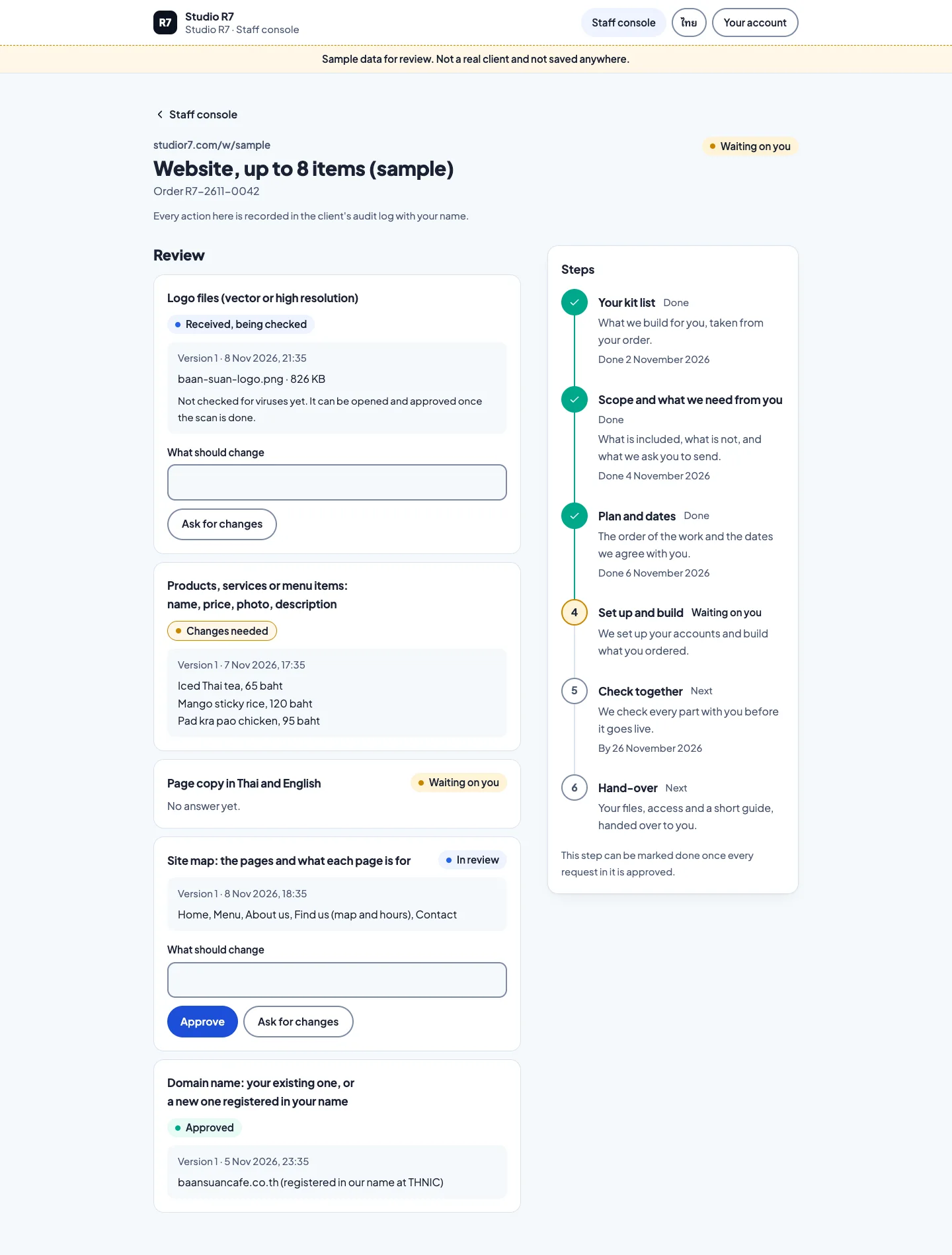
The staff side
The studio reviews what arrived, accepts it or asks for a change.
4Step 4 of 4
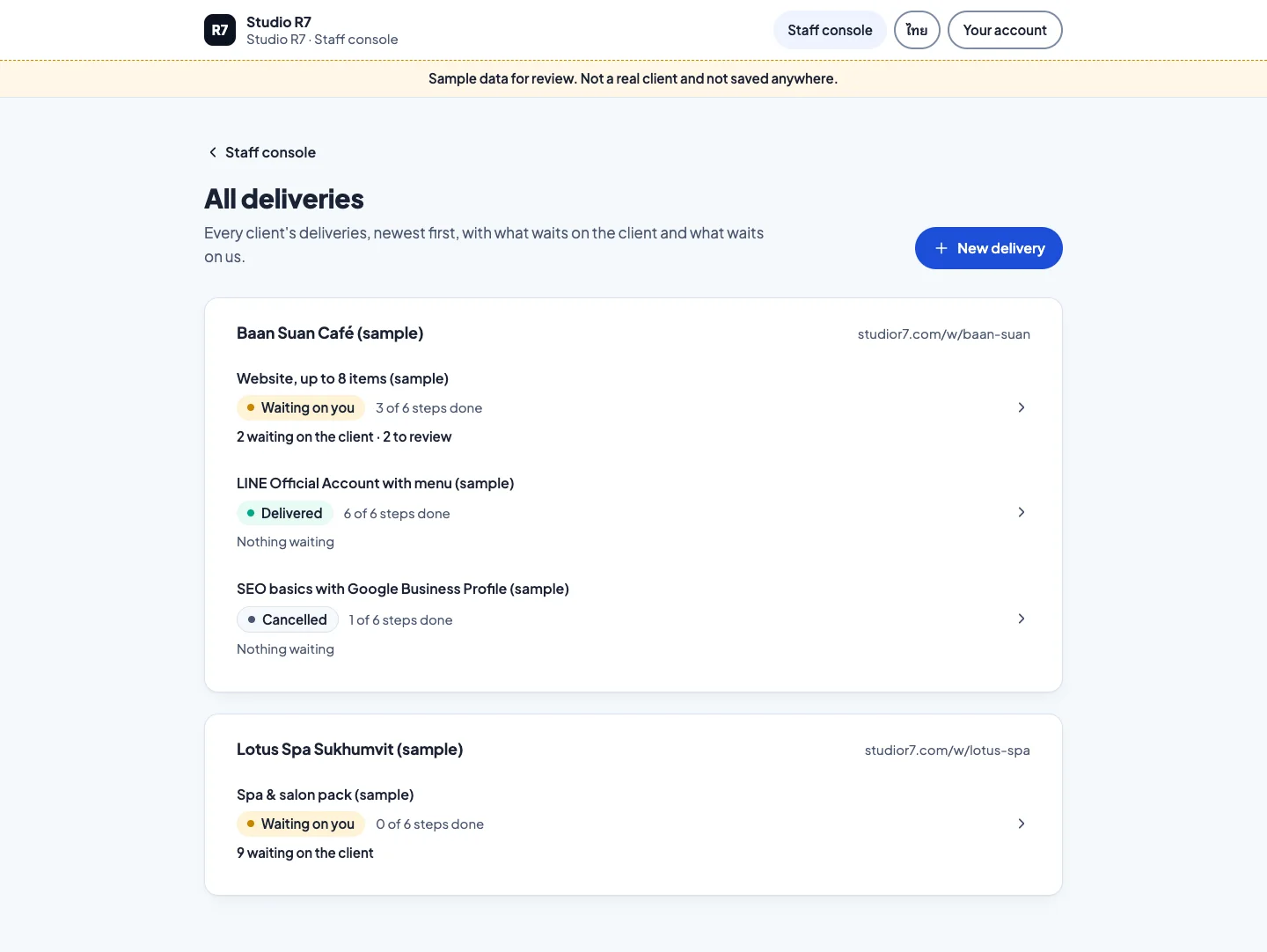
All deliveries
Staff see every client's work in one list.
On a phone, in Thai
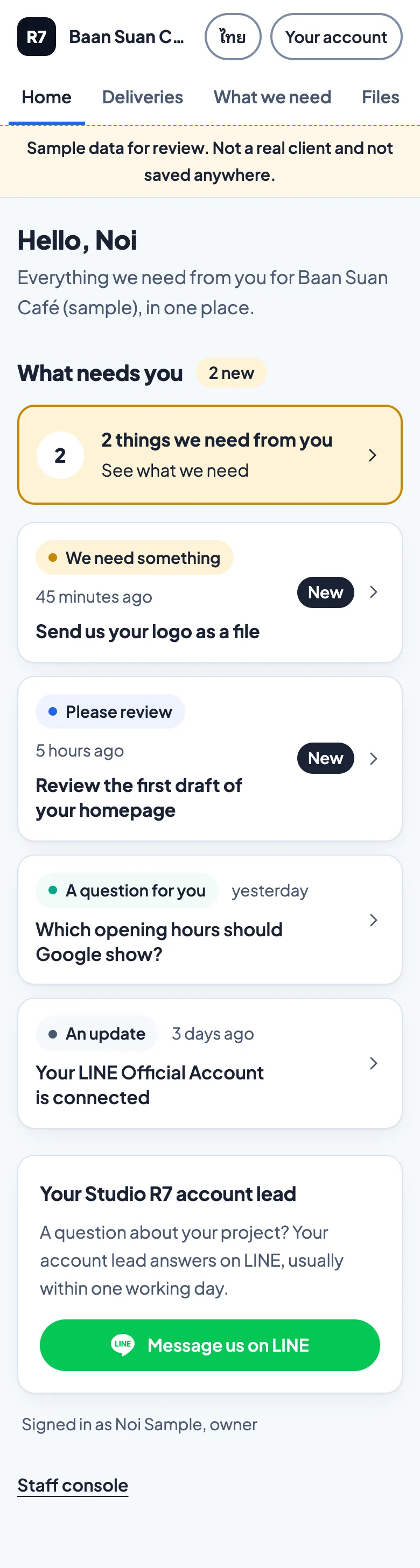
Scroll inside the frame
Home 
Scroll inside the frame
Timeline, Thai 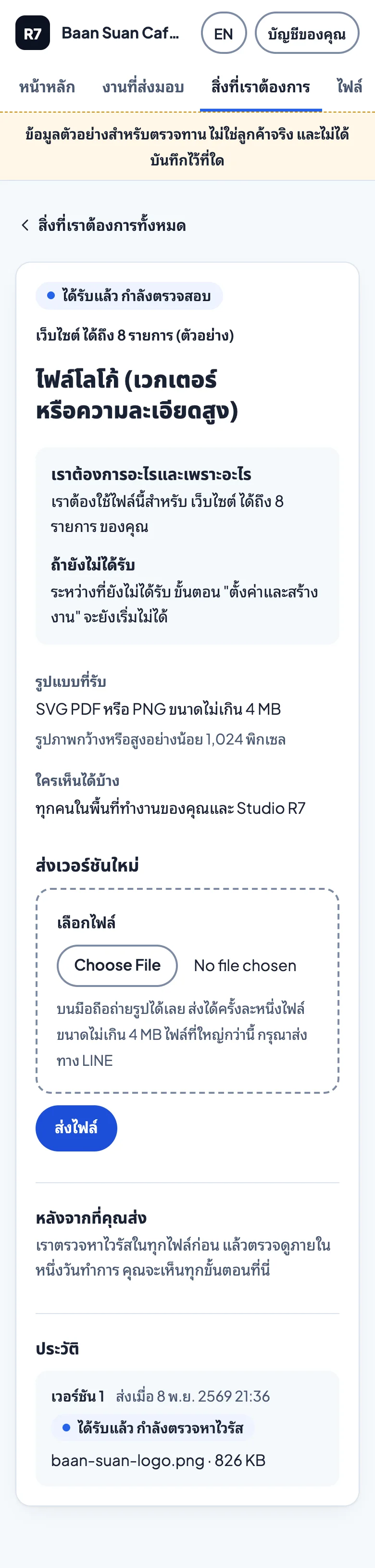
Scroll inside the frame
Request, Thai
Chapter 3
Designs for what comes next
Mock-ups, not built yet.
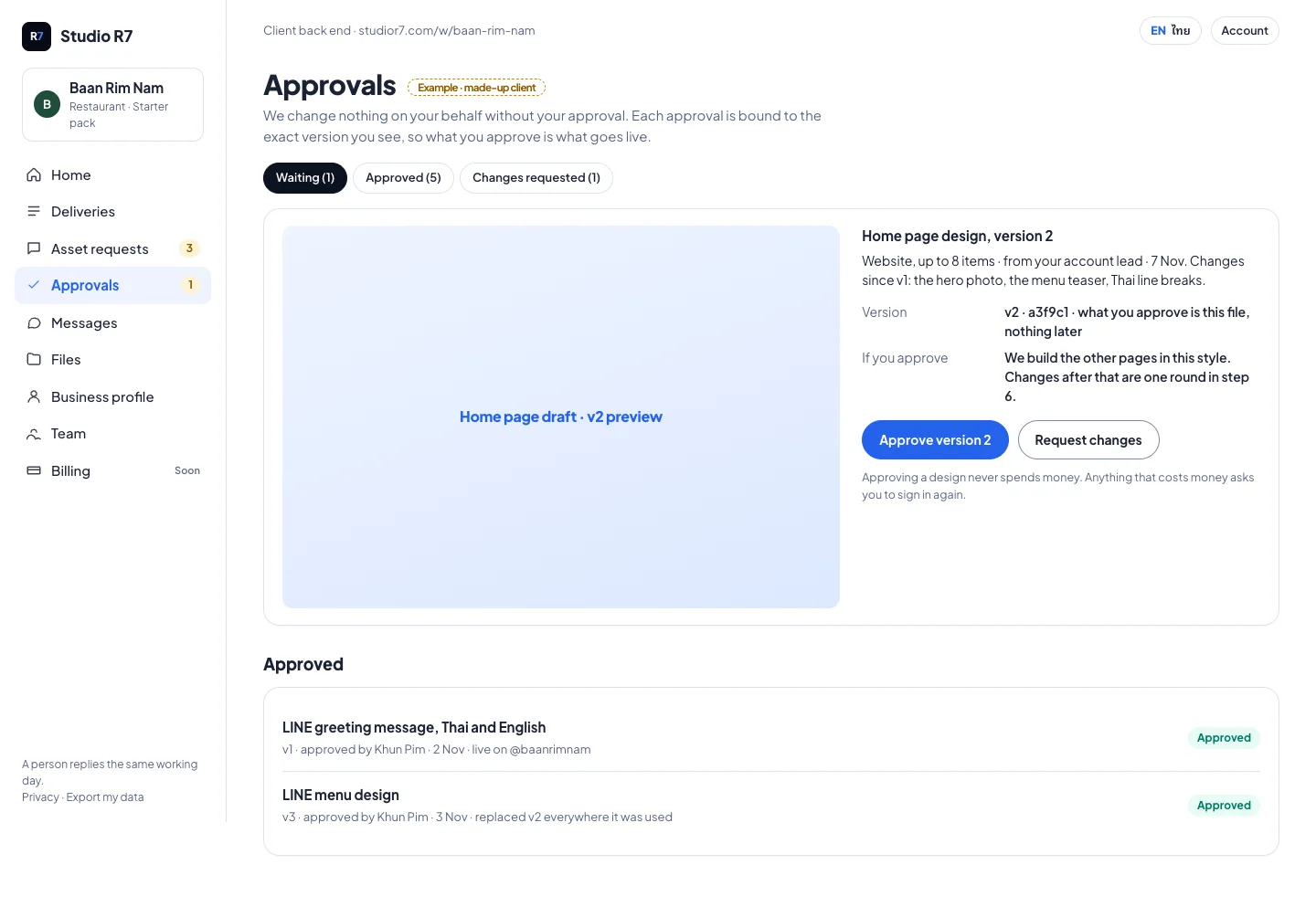
Approvals: approve a version or request changes 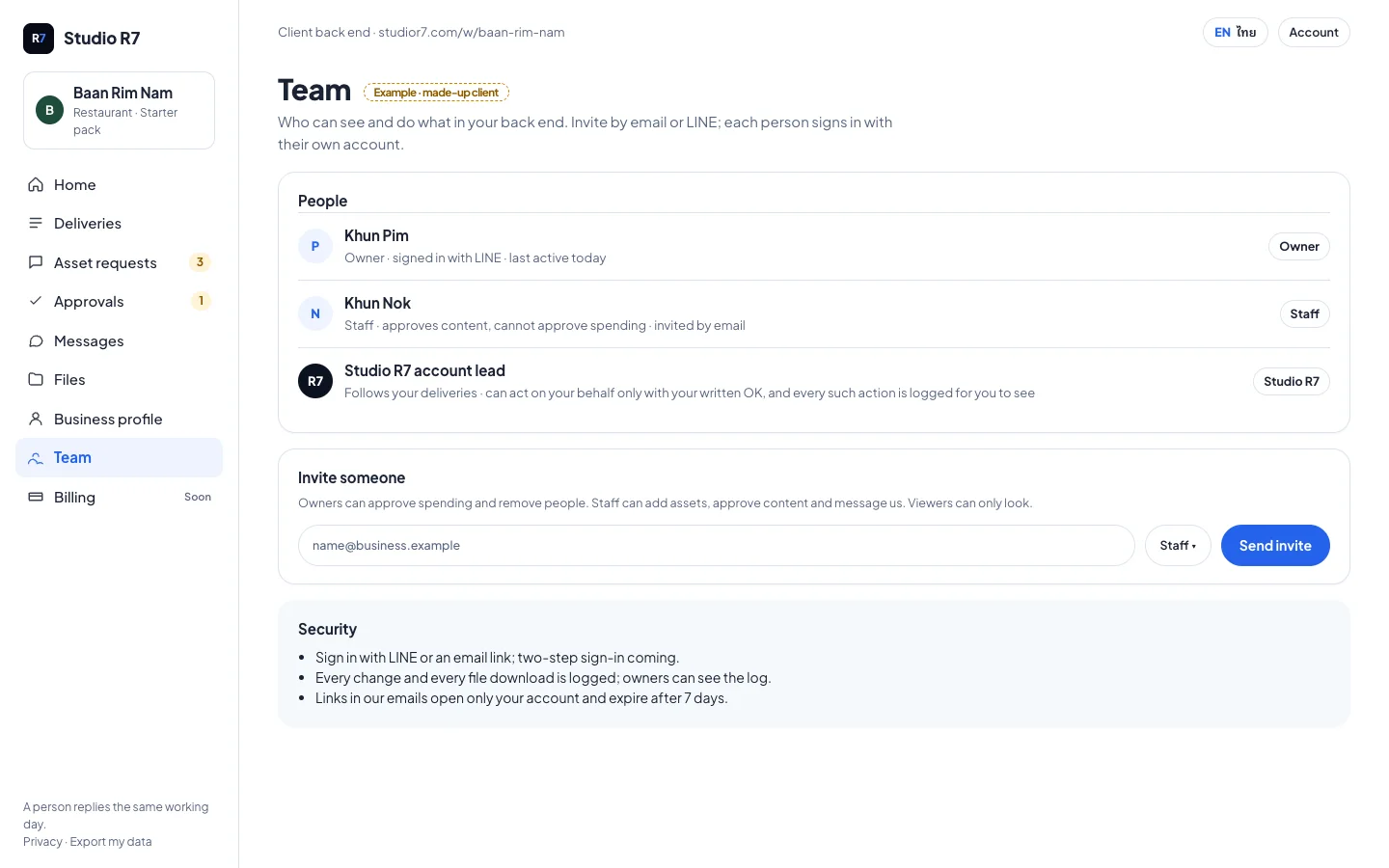
Team: who can see and do what 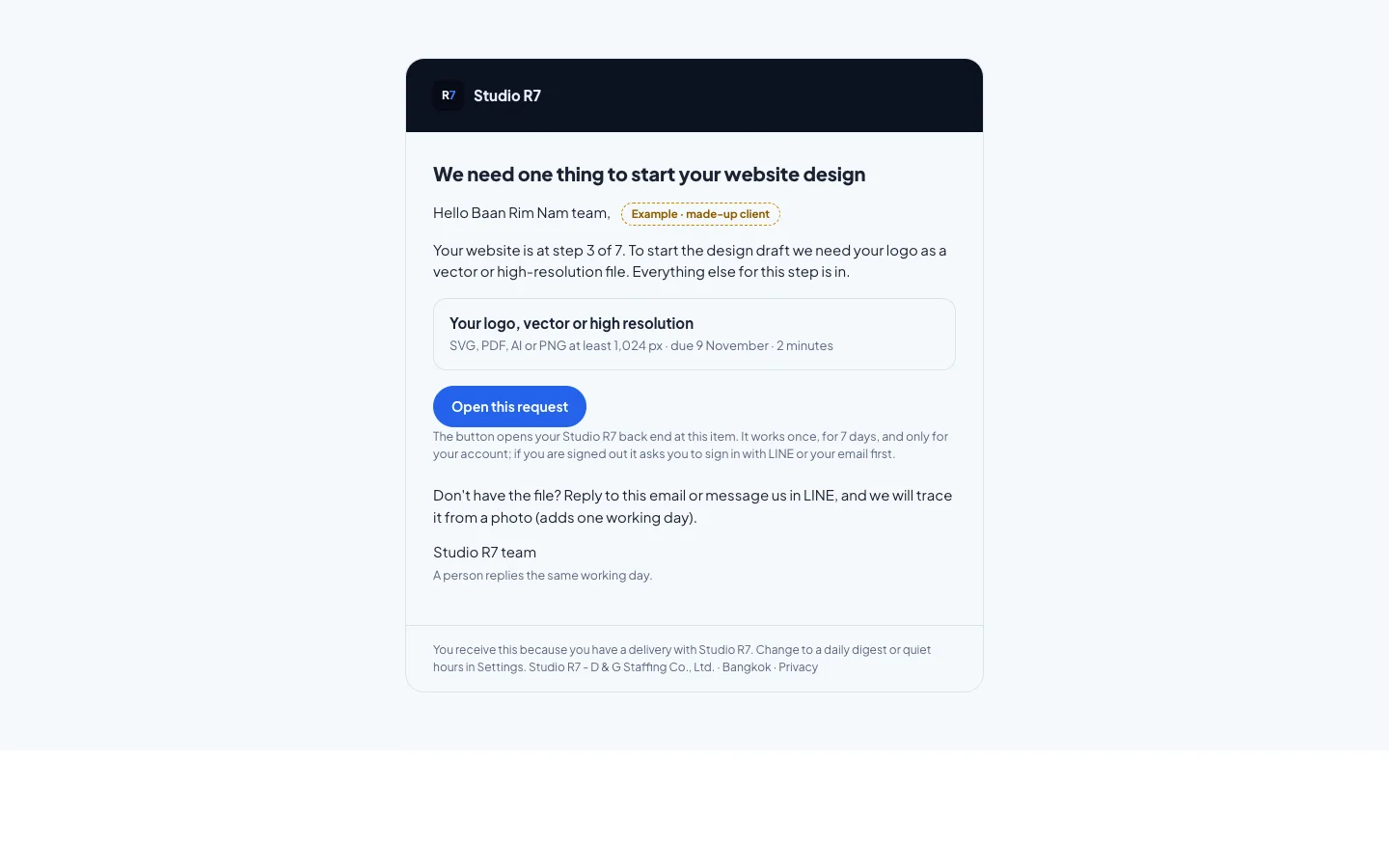
The request email, with one clear button
Built with
- Next.js 16
- React 19
- TypeScript
- Tailwind 4
- Supabase
- Zod
Next app
Queue
Take a number. Then take a walk.