
Apps / RevIQ Deals
SaaS module · pipeline and tasks
RevIQ Deals
A board that shows the stage and the money as two different things.
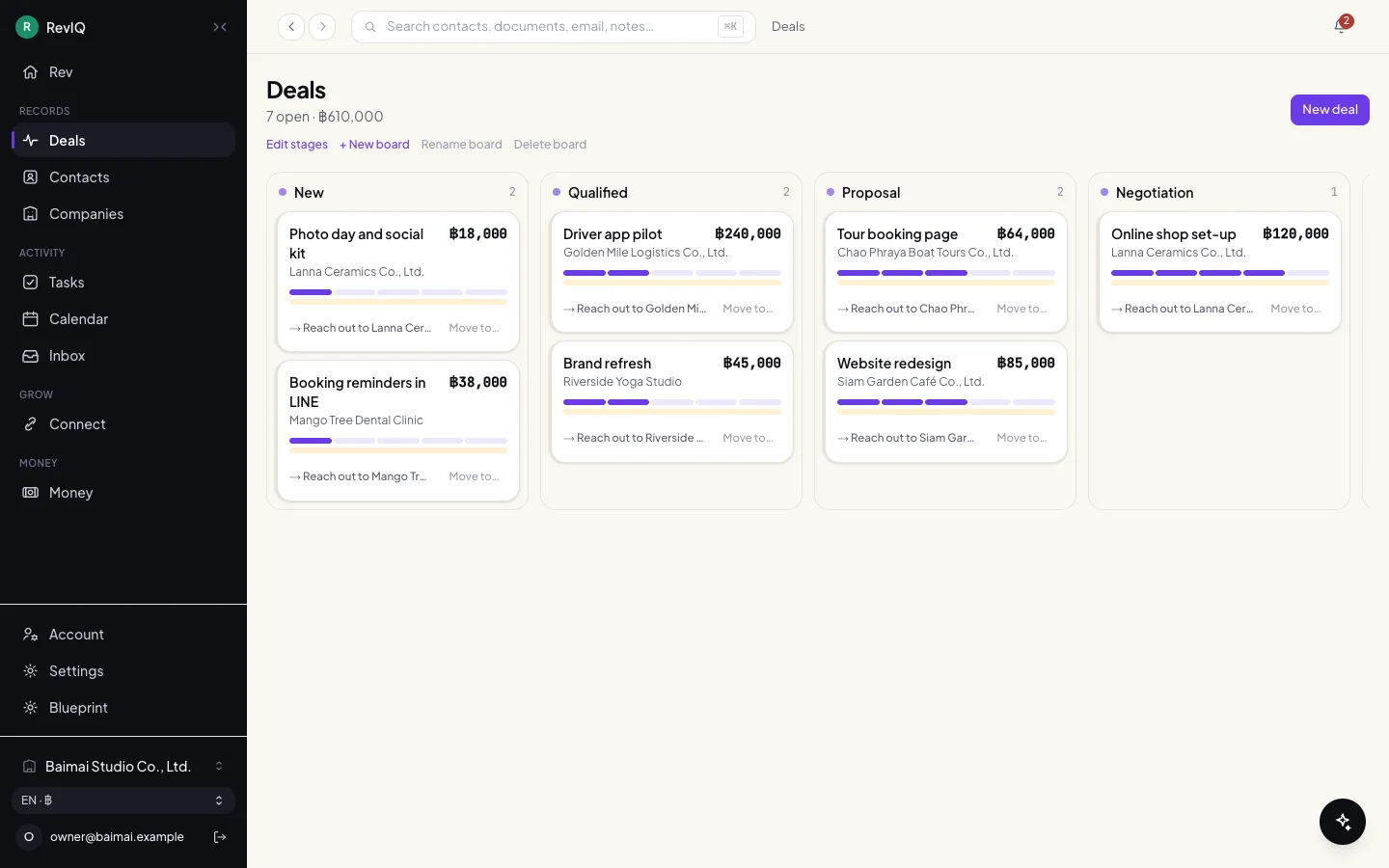
The pipeline of RevIQ. Each deal card carries two bars: how far the deal has moved, and how much of it has been invoiced and collected. Tasks sit beside it, sorted by what is overdue.
Live behind login · shown from a local demo
- 6
- default stages, from New to Won or Lost; all editable
- 2
- rails on every deal: commercial stage and money collected
- 1
- contact behind every deal, never free text
- 3
- task groups: overdue, today, this week
Chapter 1
The board
Winning a deal and being paid for it are not the same event. The board keeps them apart.
Deals by stage
The open total sits under the title. Each card shows the value, the customer, the stage as a purple bar and the money as a second bar under it, plus the next step in words.
Stages can be renamed, and a workspace can keep more than one board.
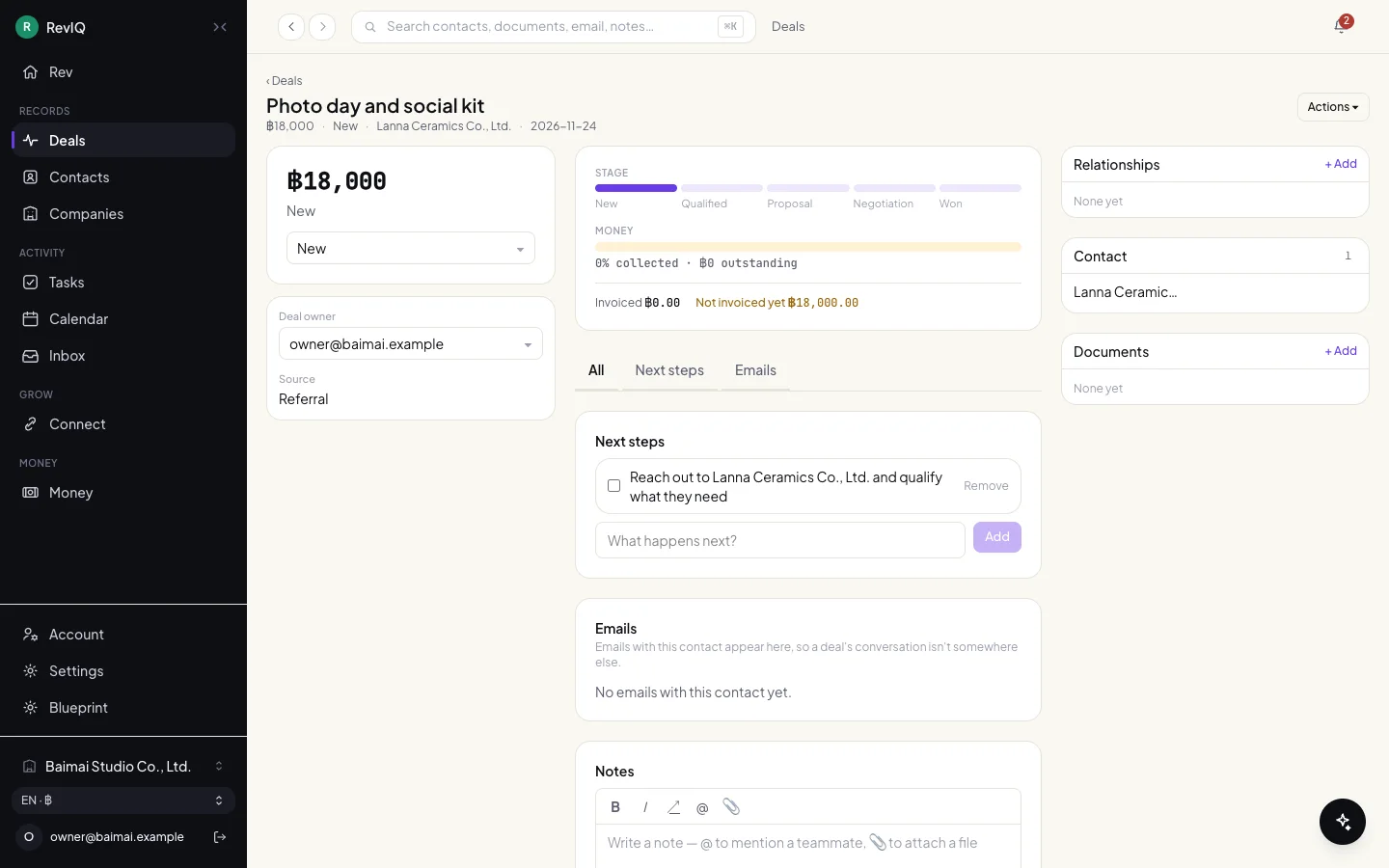
One deal
Value and stage on the left. In the middle, the two rails with the figures spelled out: collected, outstanding, invoiced, not invoiced yet. Then next steps, emails and notes.
Chapter 2
Tasks and the home screen
What needs doing, in the order it hurts.
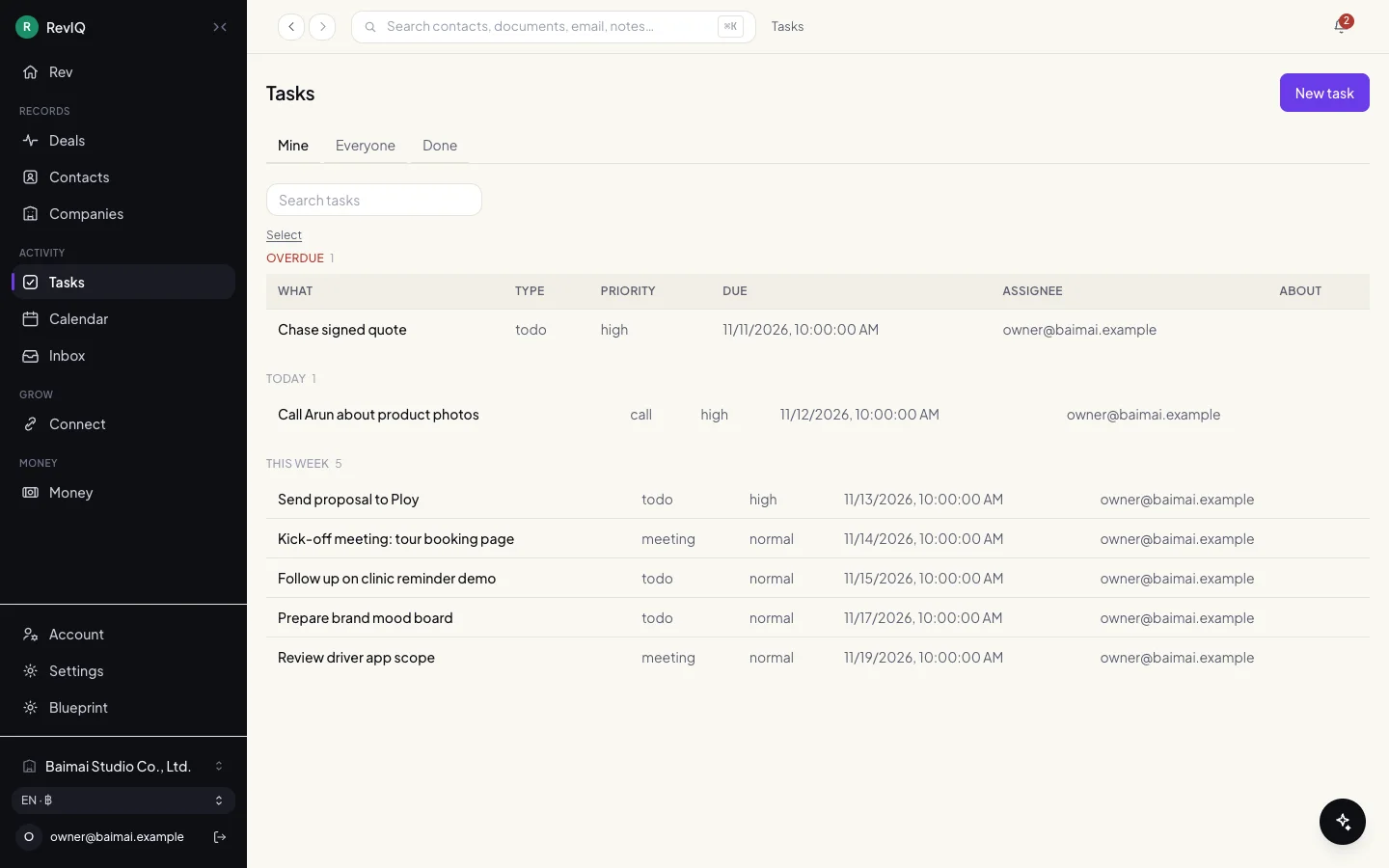
Tasks: overdue first, then today, then this week 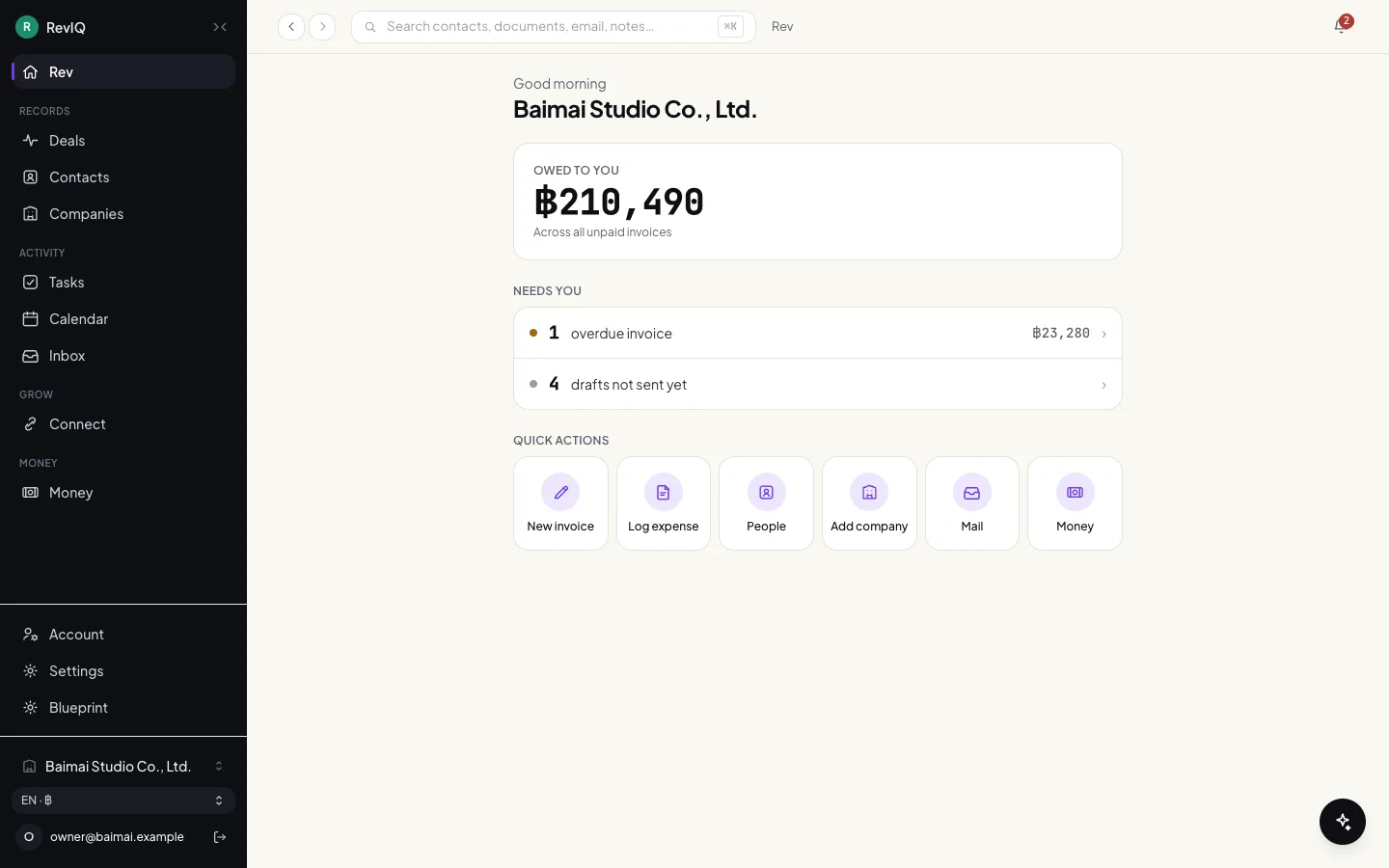
Home: what is owed, and what needs you
On a phone
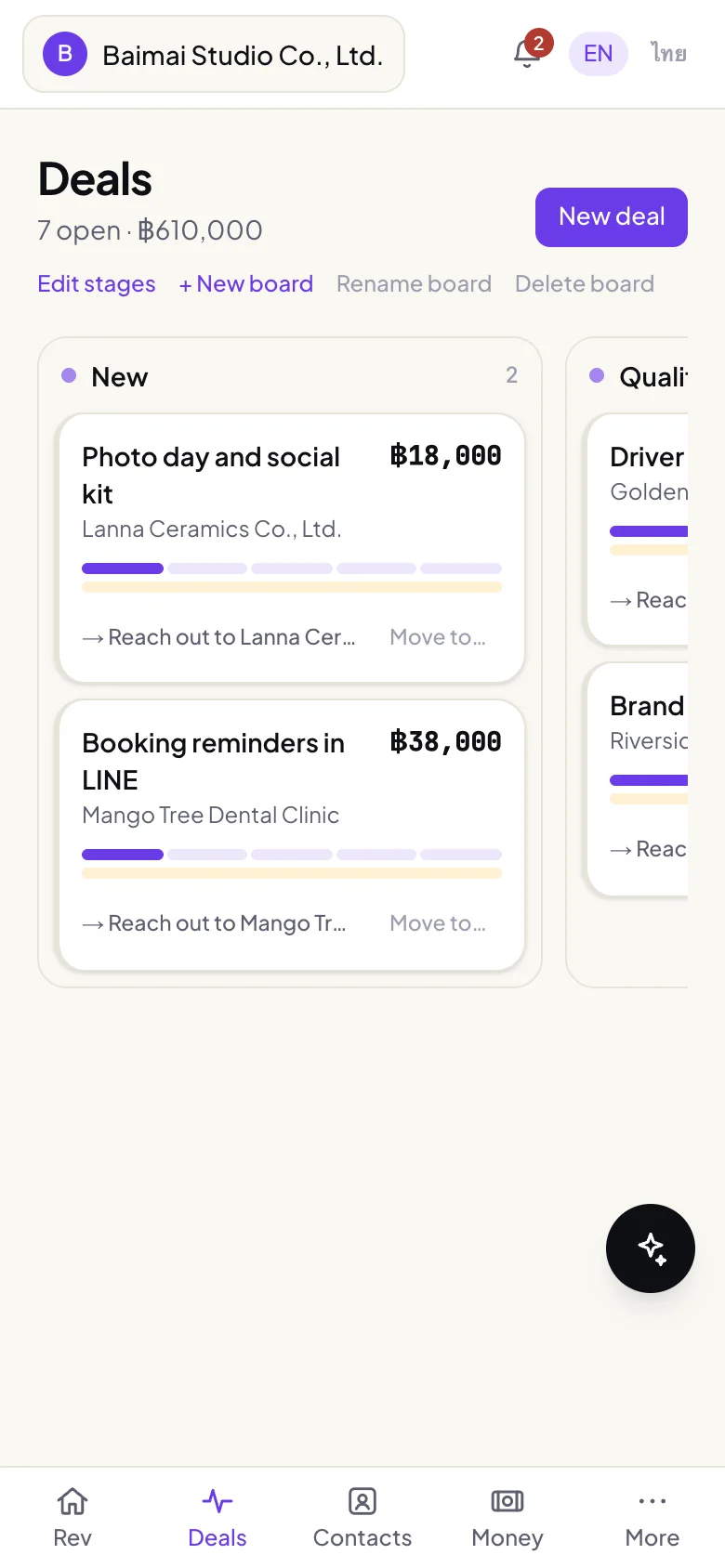
The board 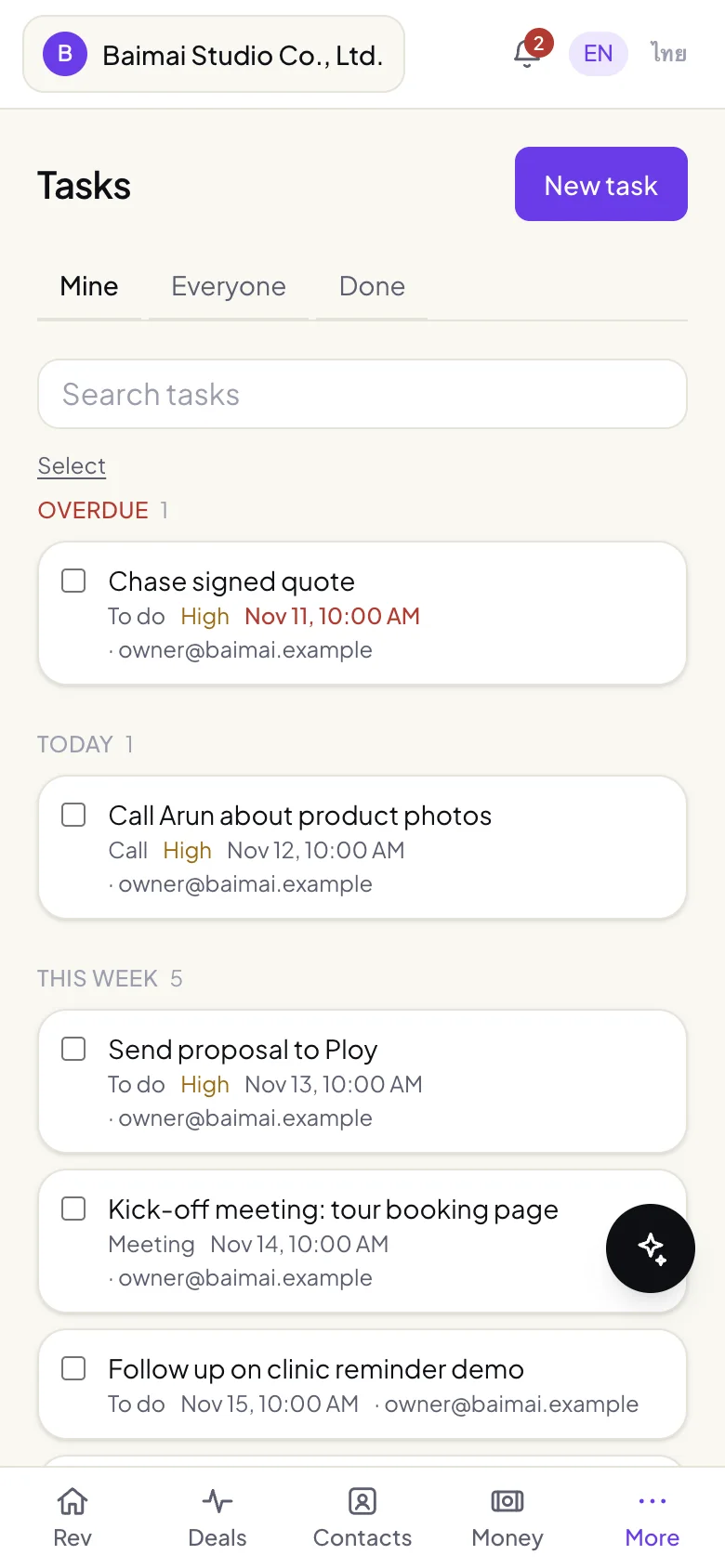
Tasks 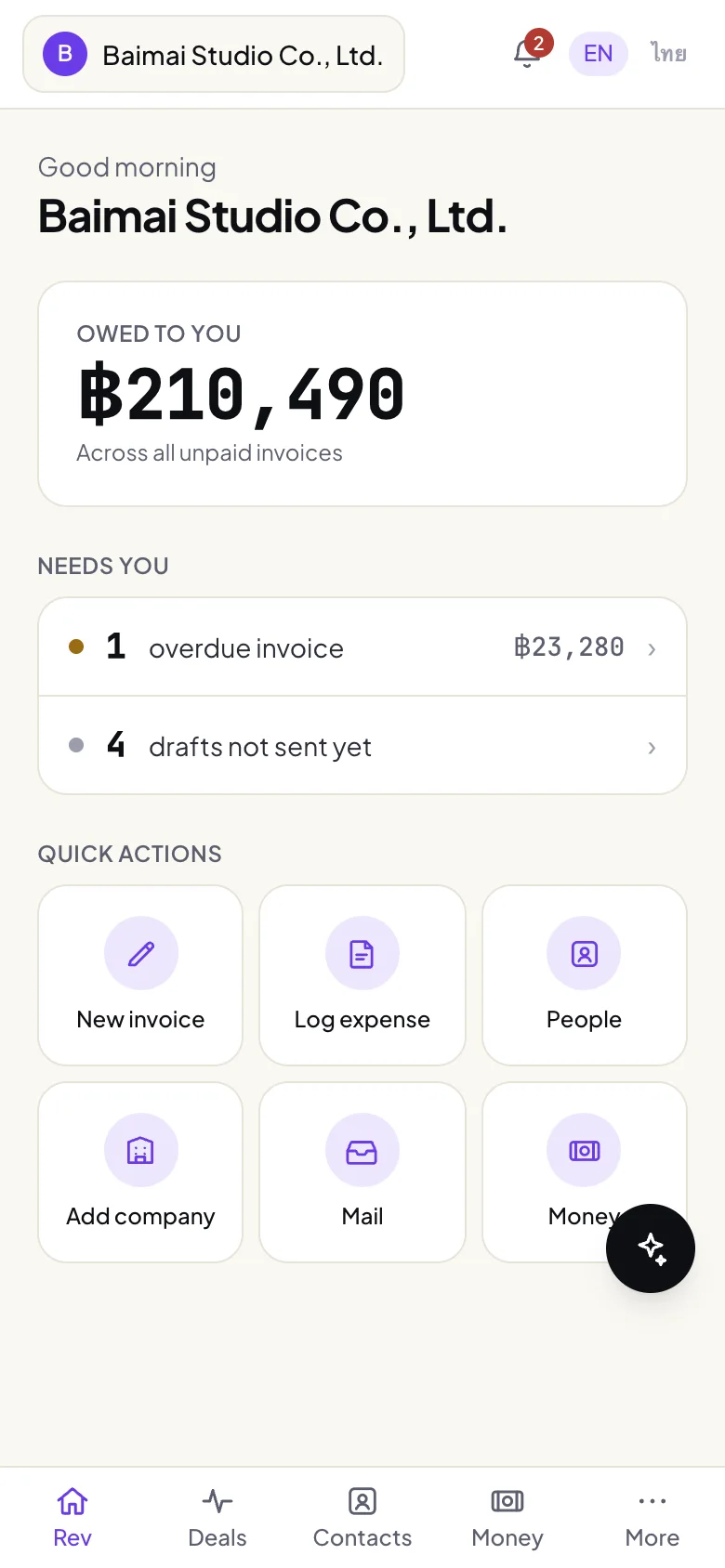
Home
Built with
- Next.js 16
- React 19
- TypeScript
- Tailwind 4
- Firebase and Firestore
- pdf-lib
Next app
Invoice Maker
A professional quotation in under a minute.