
Apps / Invoice Maker
Free web app · invoicing
Invoice Maker
A professional quotation in under a minute.
Quotations, invoices and receipts the way a Thai accountant expects them: baht in words, VAT, withholding tax and a PromptPay QR with the amount filled in. Free, in Thai and English, with no sign-up.
Live
- 3
- document types: quotation, invoice, receipt
- 4
- layouts: Classic, Modern band, Minimal, Bold accent
- 2
- languages, Thai and English
- 0
- sign-ups needed; the data stays in the browser
Chapter 1
Start in one tap
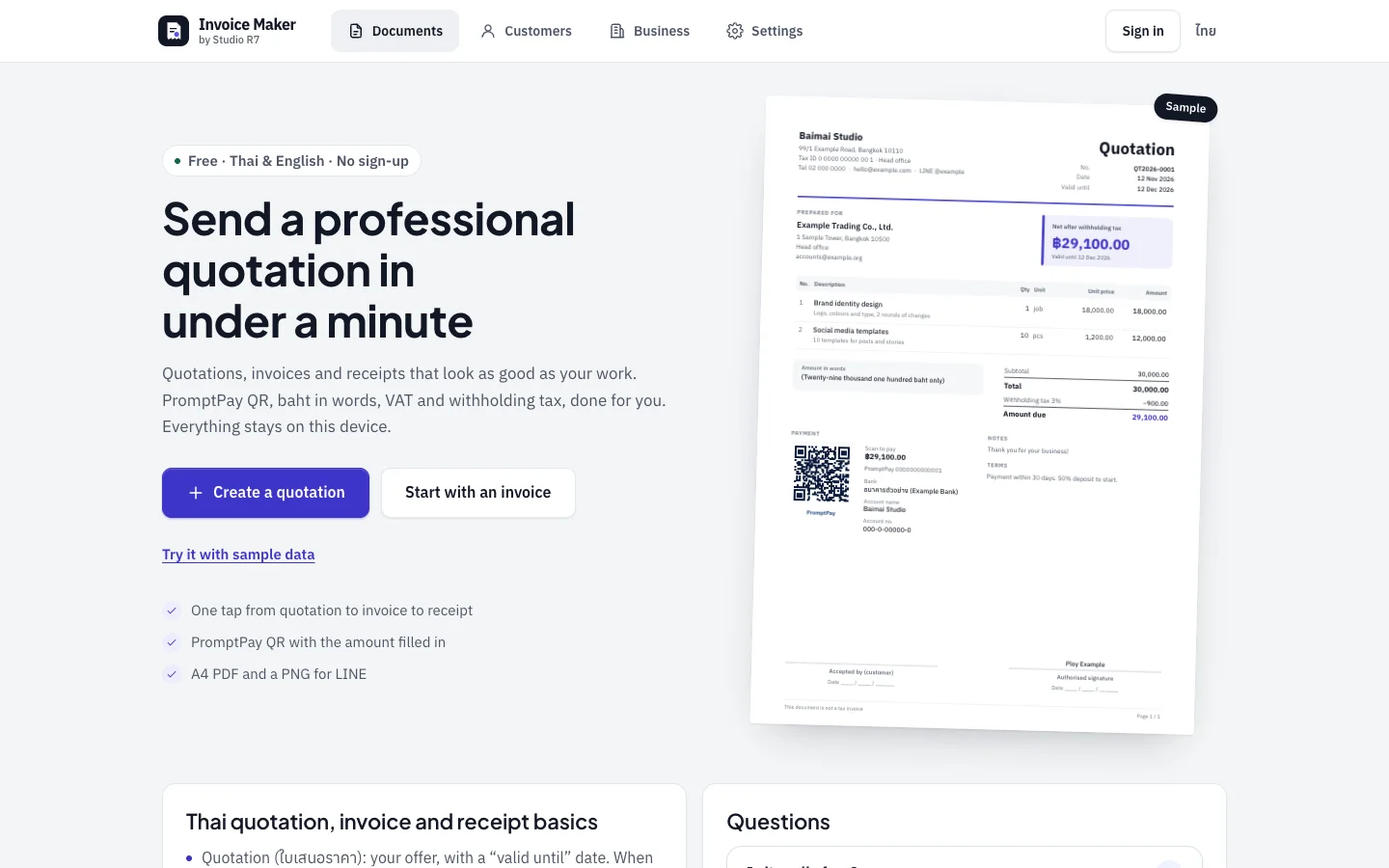
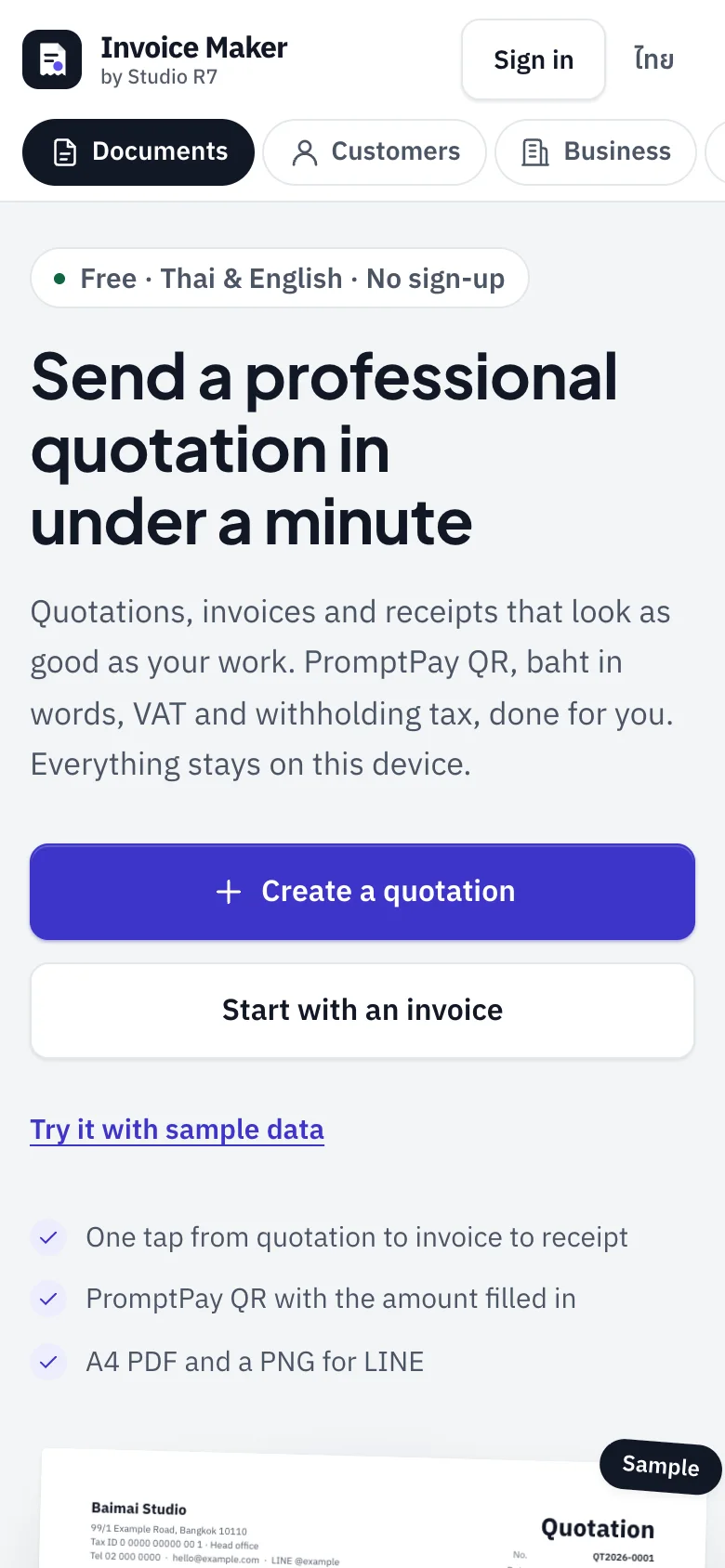
A freelancer who needs to send a quotation tonight should not have to create an account first. The first screen has one job: get them into a document.
The first screen
One main button, one second choice, and a link to try it with sample data. The sample document on the right shows the result before any typing.
Below the fold, the page explains Thai paperwork in plain words: what a quotation, an invoice and a receipt are, and when withholding tax applies.
- No sign-up, no watermark, no document limit
- Thai and English, switchable at any time
- Saved on the device unless the user signs in
Chapter 2
The editor
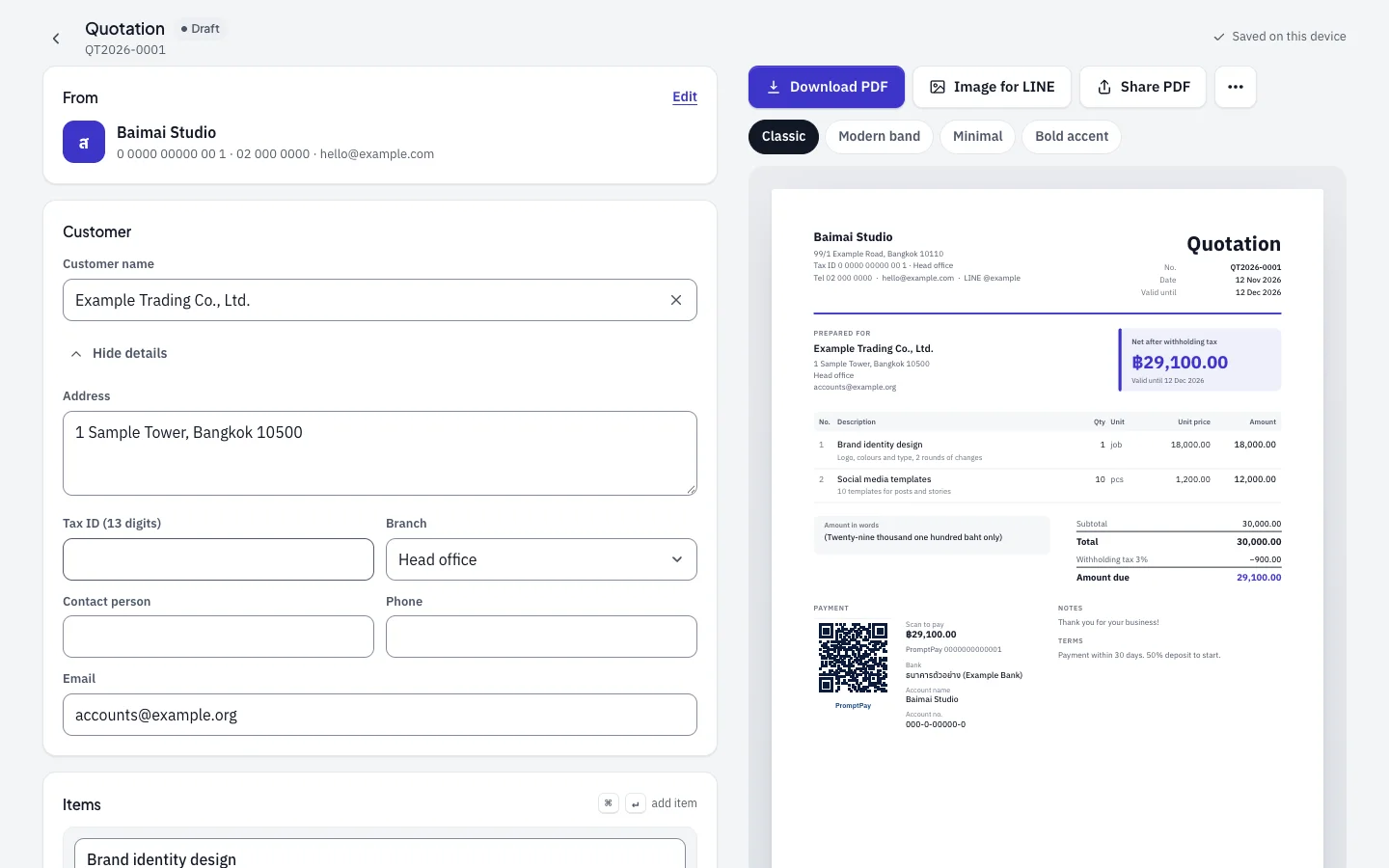
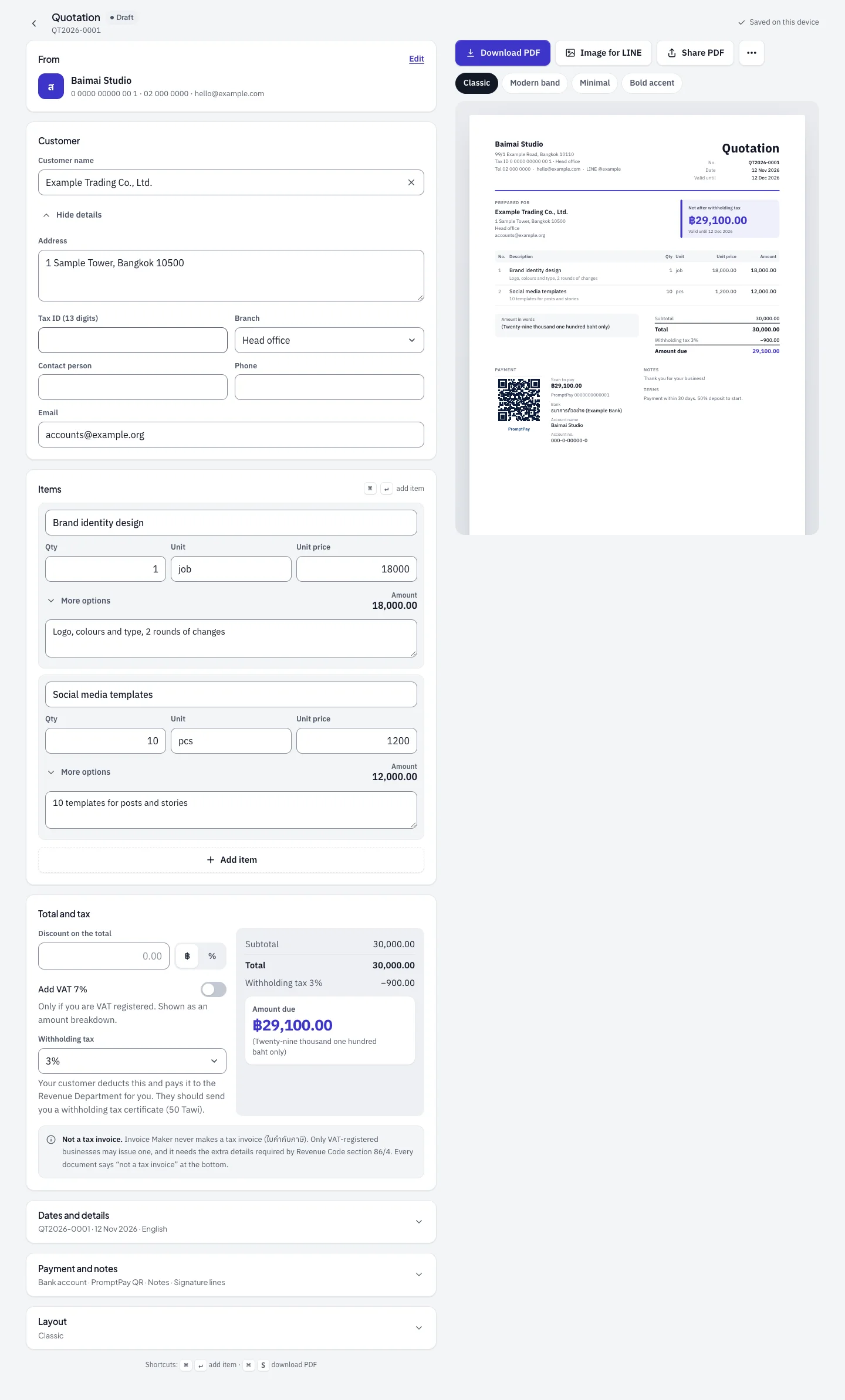
Form on the left, the real document on the right. Every keystroke updates the page the customer will receive.
One page, top to bottom
From, customer, items, totals, then three sections that stay folded until needed: dates, payment and layout. Scroll inside the frame to read the whole editor.
Download as an A4 PDF, as an image sized for LINE, or share the PDF straight from the phone.
Scroll inside the frame
The parts that do the thinking
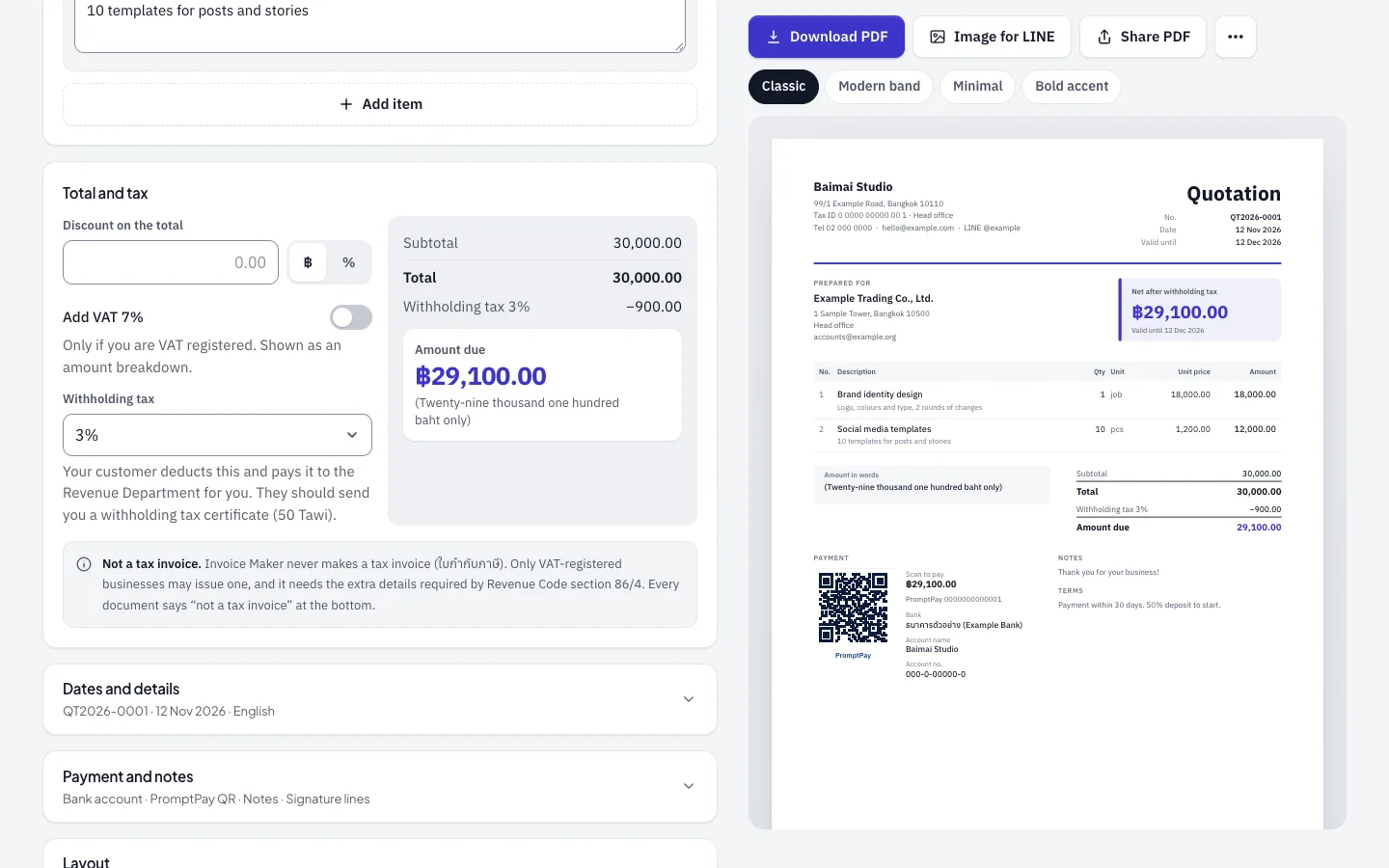
Discount, VAT and withholding tax, with the amount due written out in words 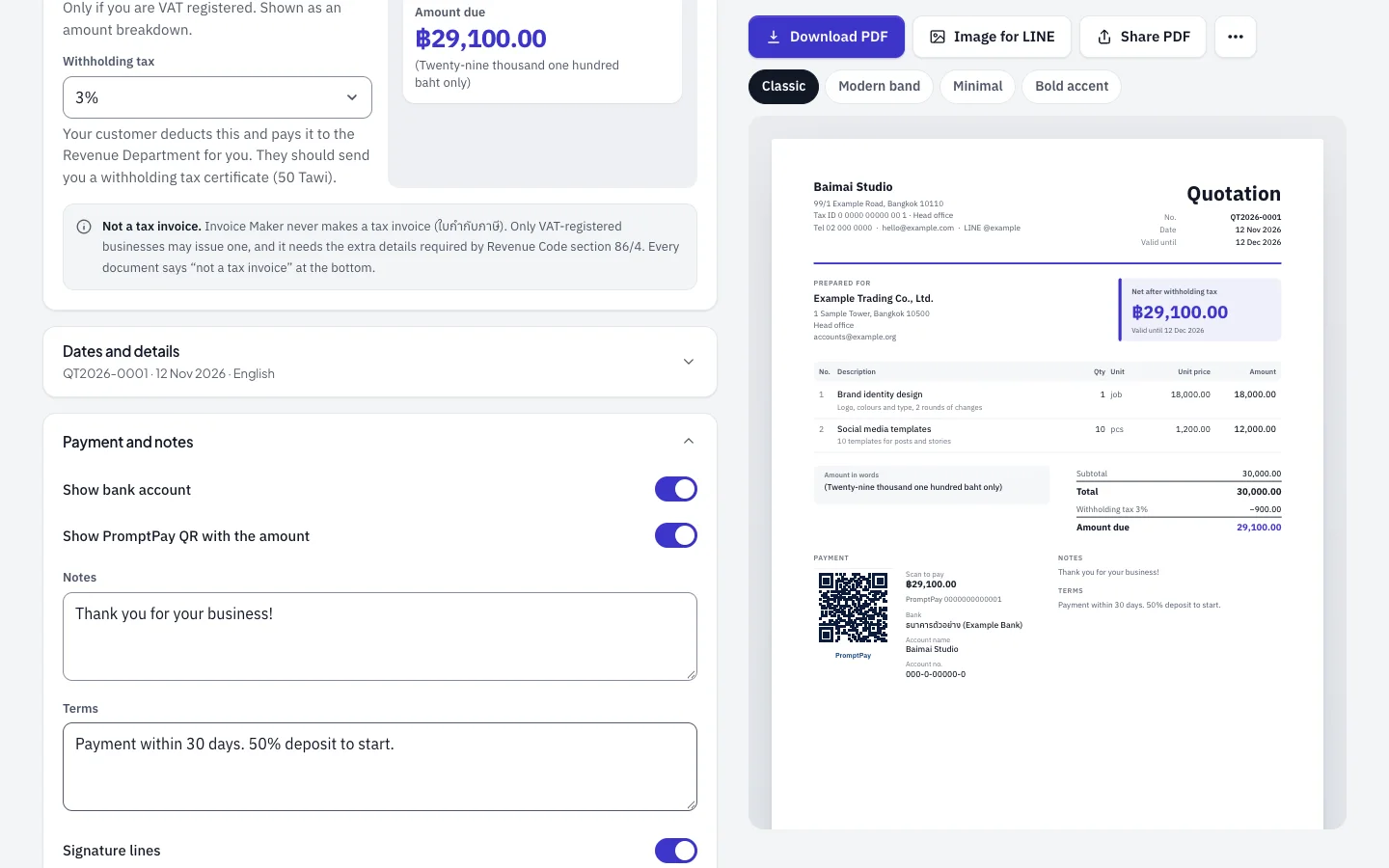
Bank account, PromptPay QR with the amount, notes and signature lines
Thai rules, built in
- Withholding tax
- A drop-down with the usual rates. The helper text explains who deducts it and which certificate to ask for.
- VAT as a breakdown
- Only for VAT-registered businesses, and always labelled as not a tax invoice.
- Baht in words
- The total is written out automatically, in Thai or in English.
- PromptPay QR
- The QR carries the exact amount due, so the customer cannot pay the wrong sum.
Chapter 3
Four layouts
The same data, four looks. Switching is one tap above the preview, and a default can be saved.
Classic 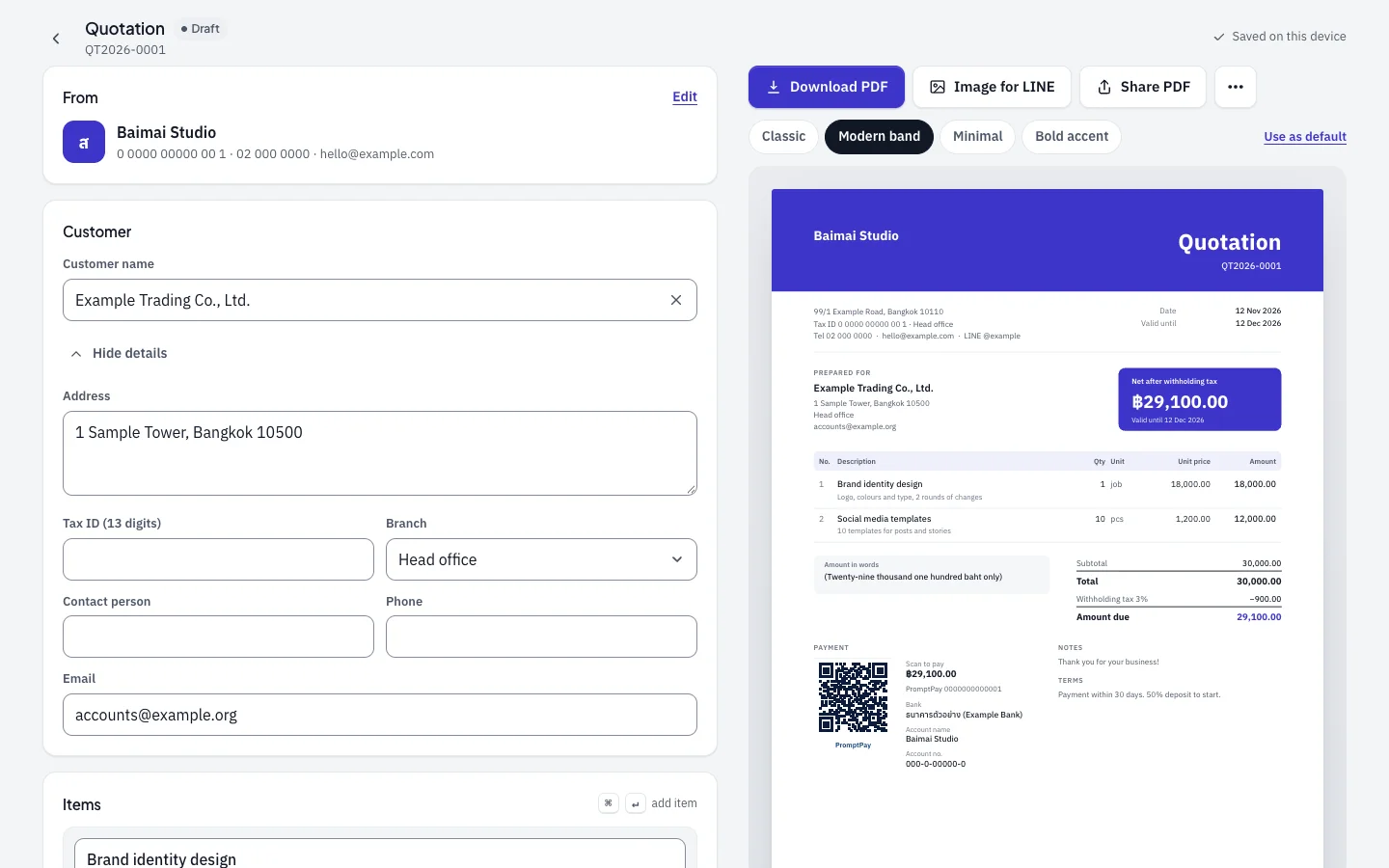
Modern band 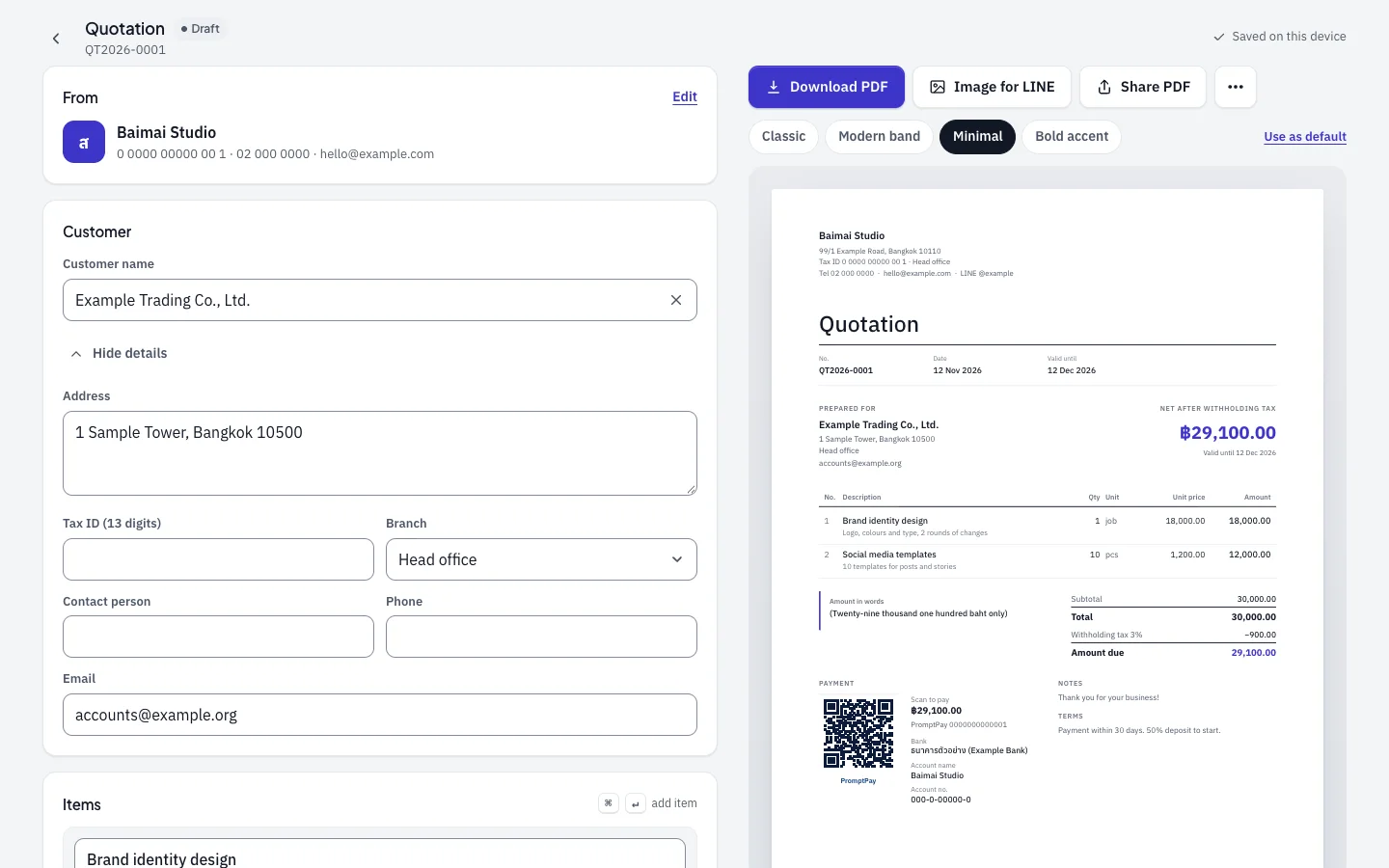
Minimal 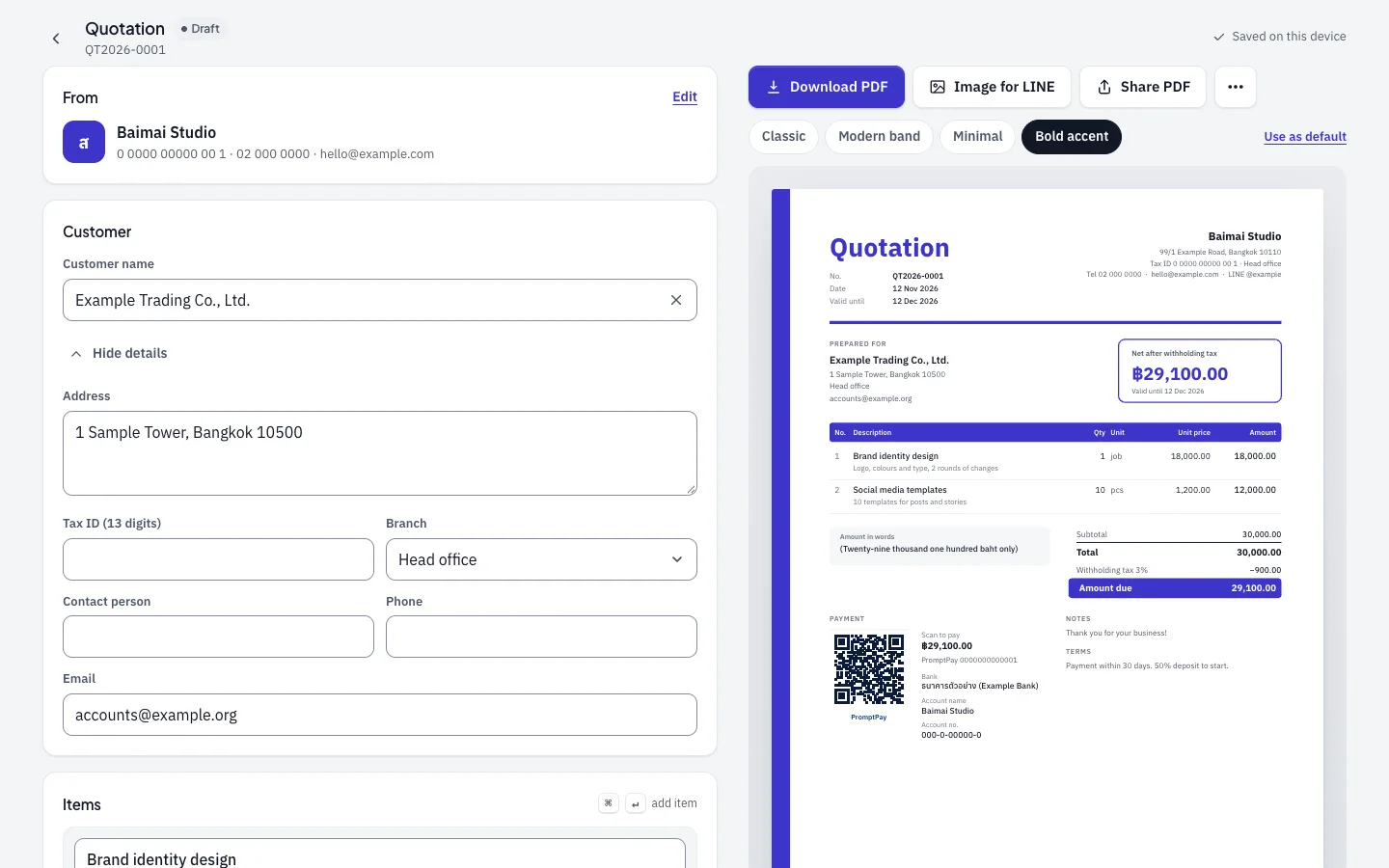
Bold accent
The finished documents
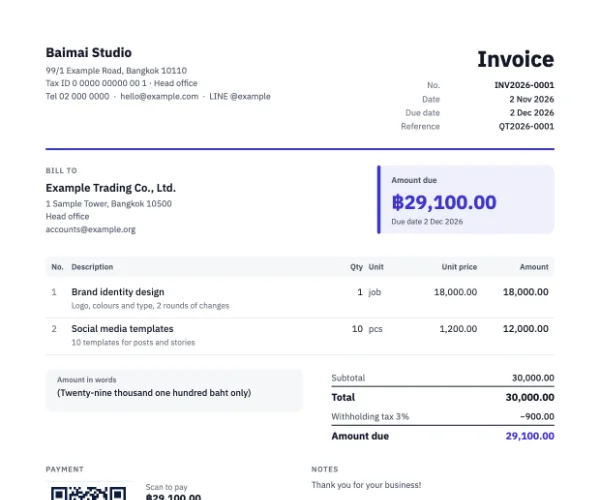
English 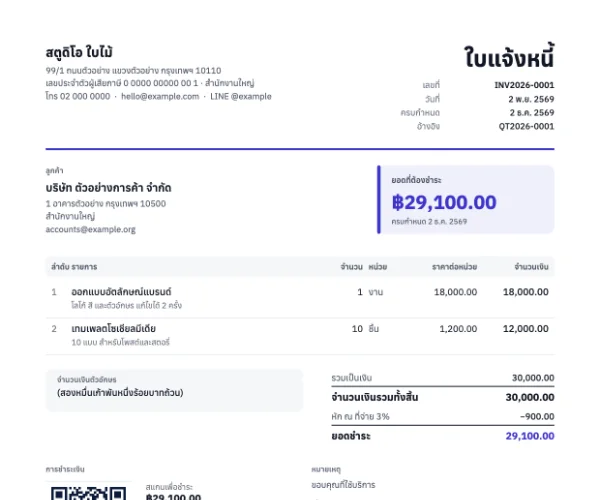
Thai, with Buddhist-era dates
Chapter 4
Customers, business and settings
Type a customer or your own details once. Every later document reuses them.
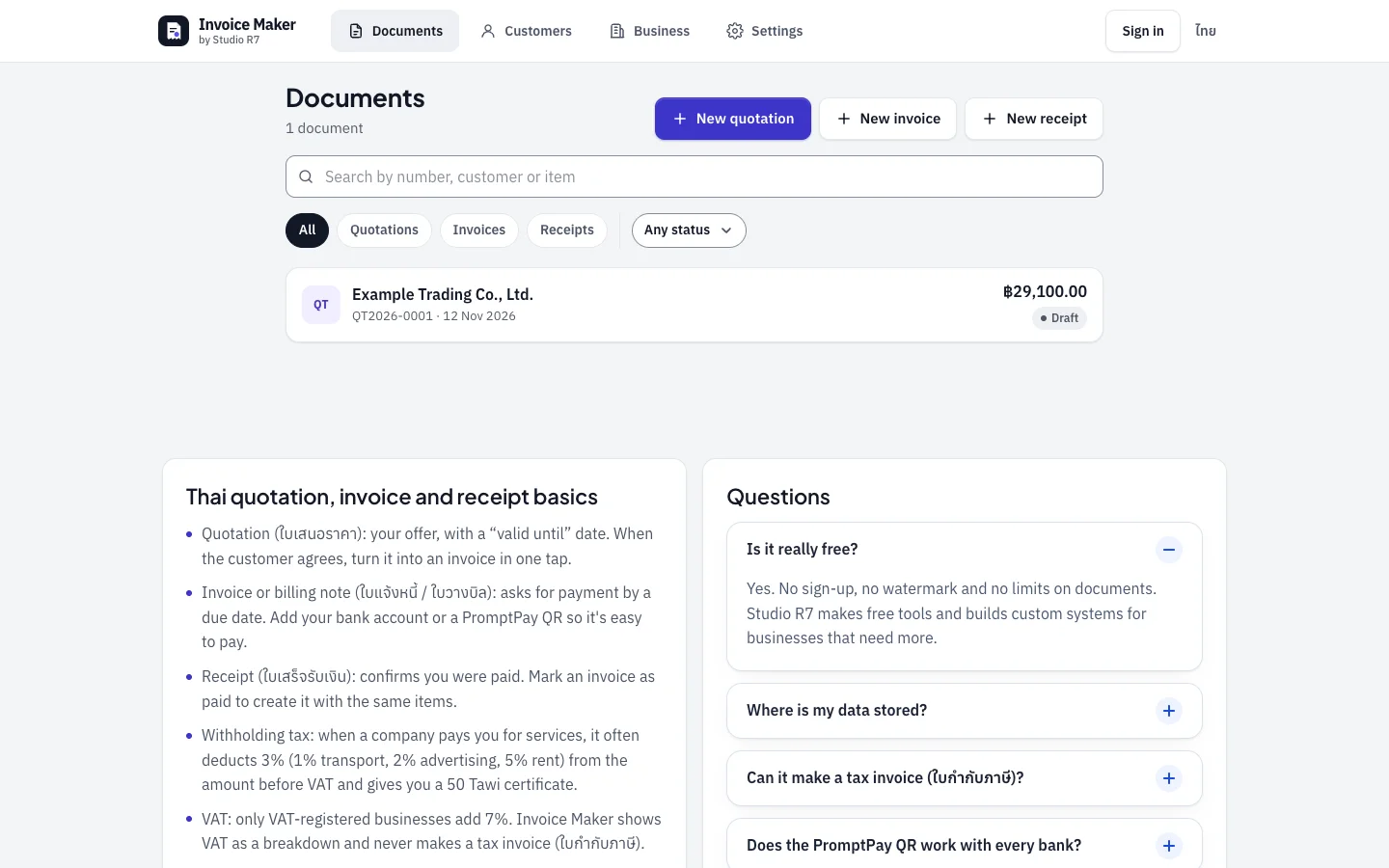
Documents: search and filter by type and status 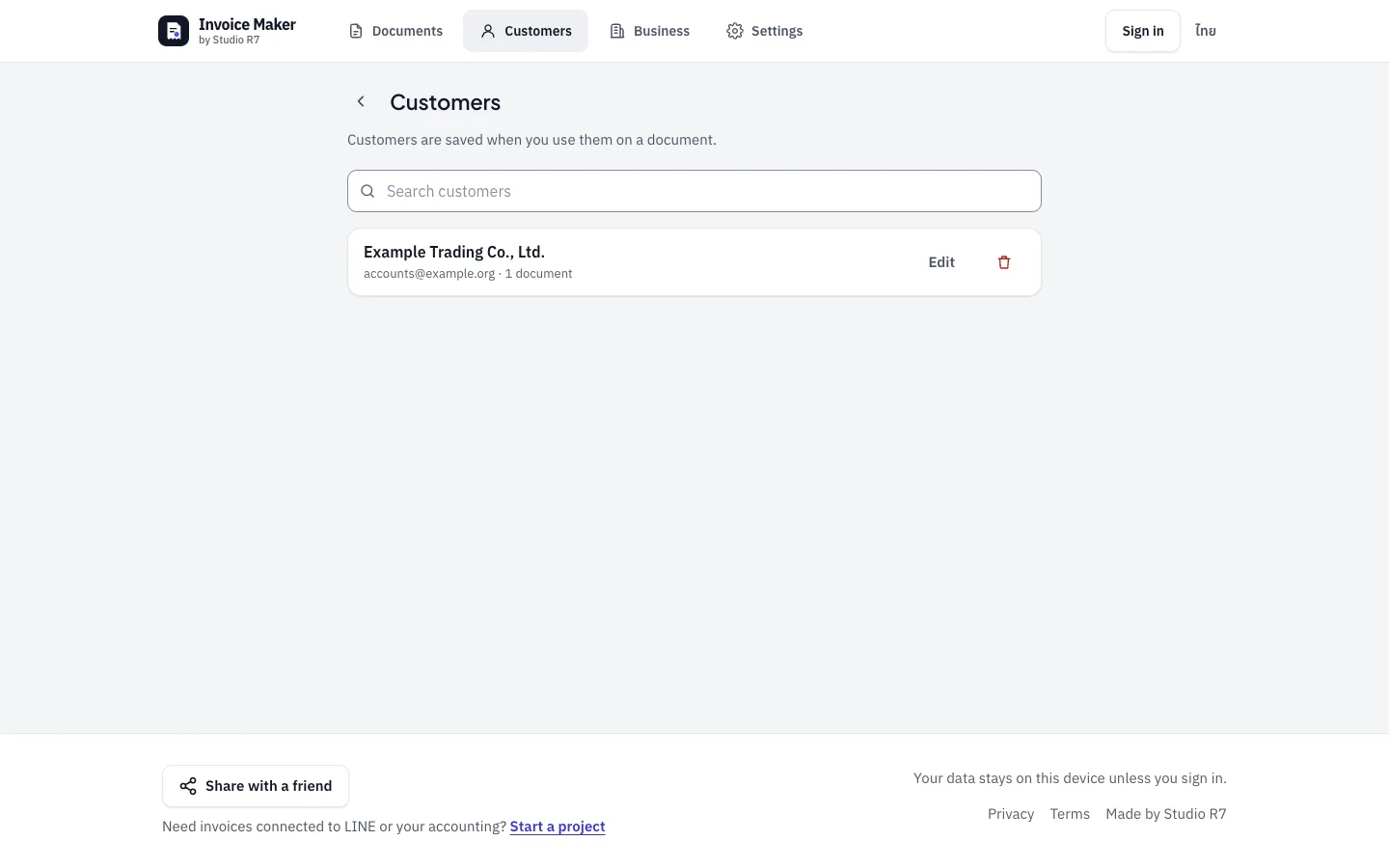
Customers: saved the first time they are used 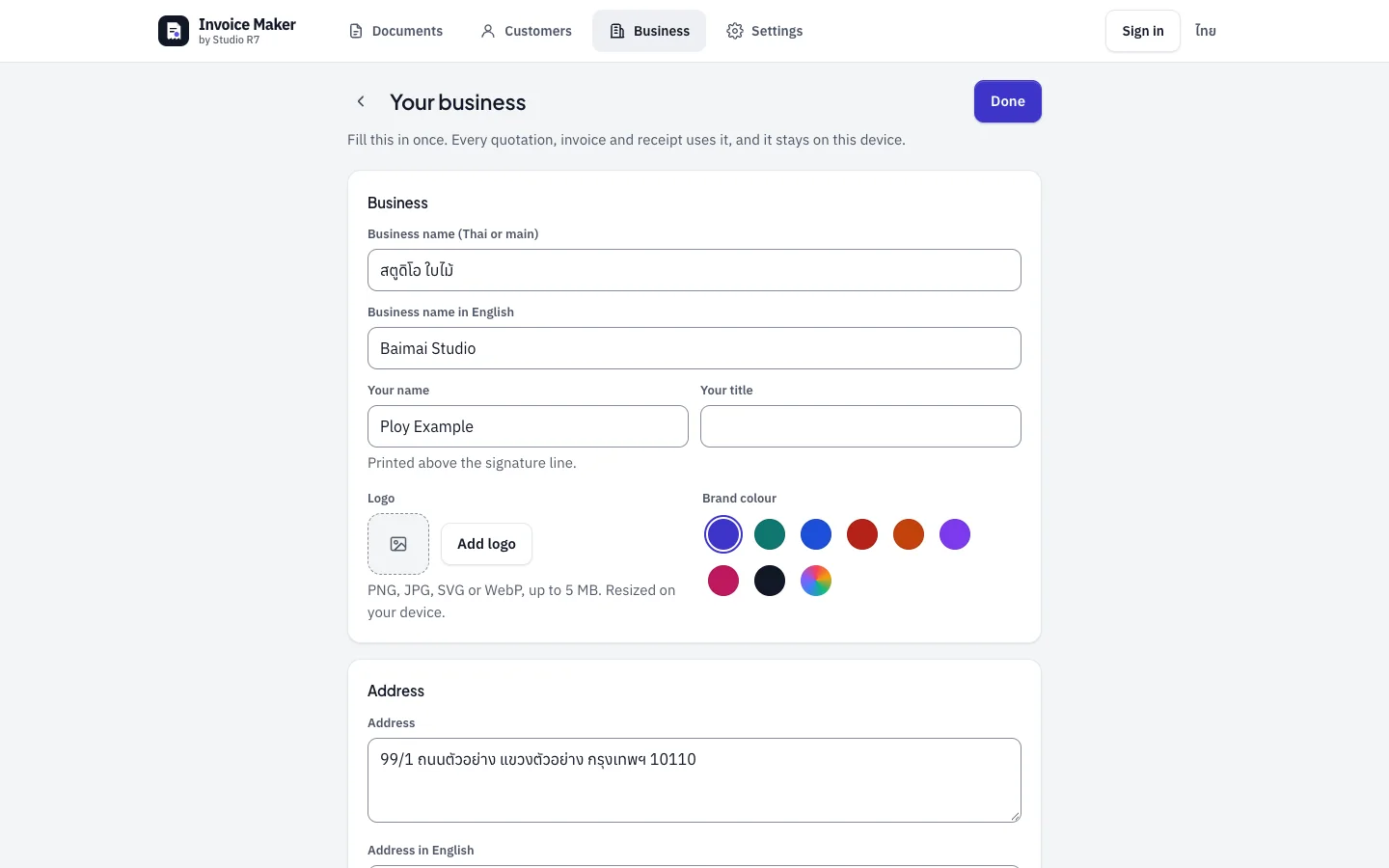
Your business: name in Thai and English, logo, brand colour 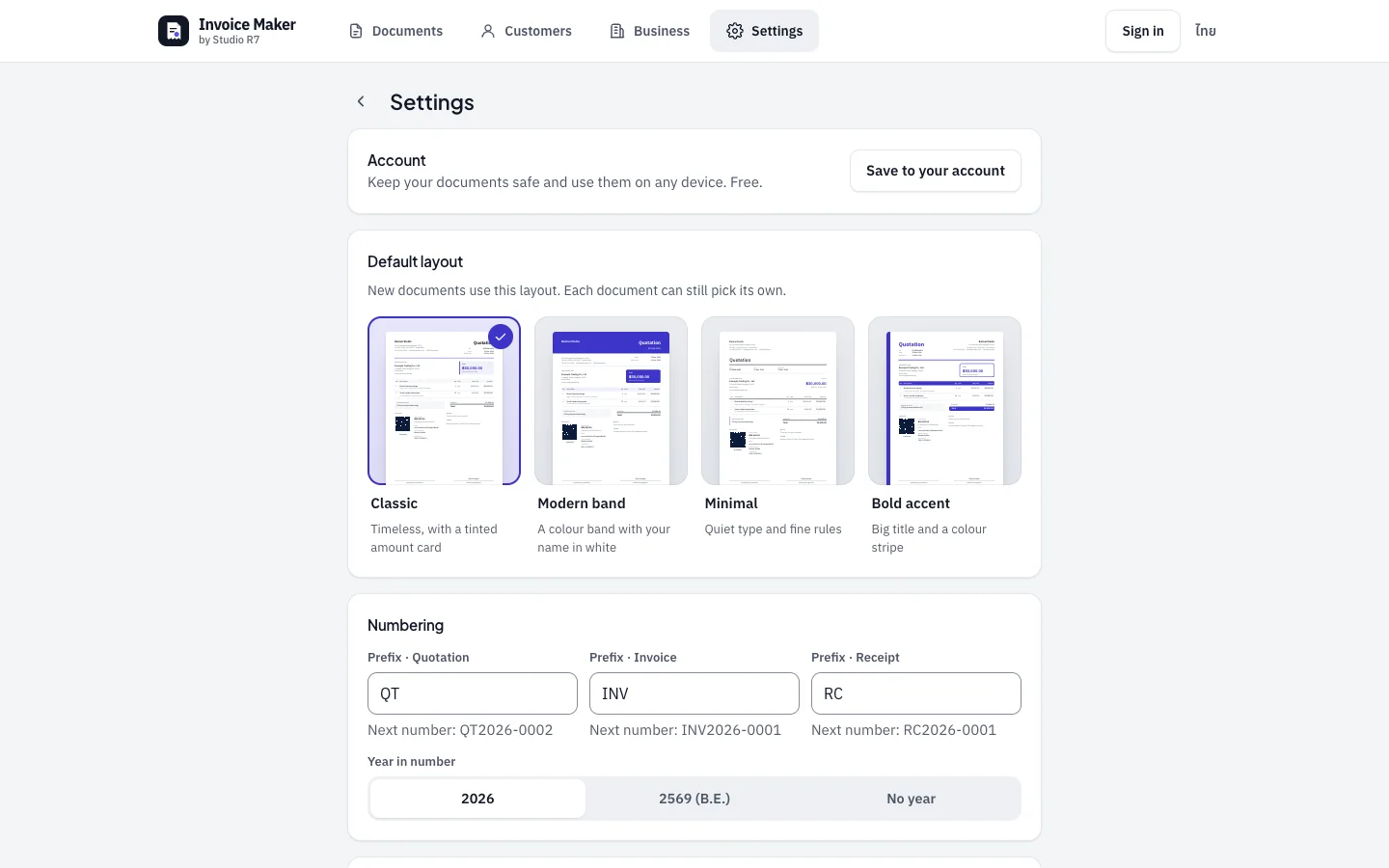
Settings: default layout and document numbering
Chapter 5
On a phone, in Thai
Most users will make their first quotation on a phone. The editor and the preview become two tabs, and the amount due stays pinned at the bottom.
Start 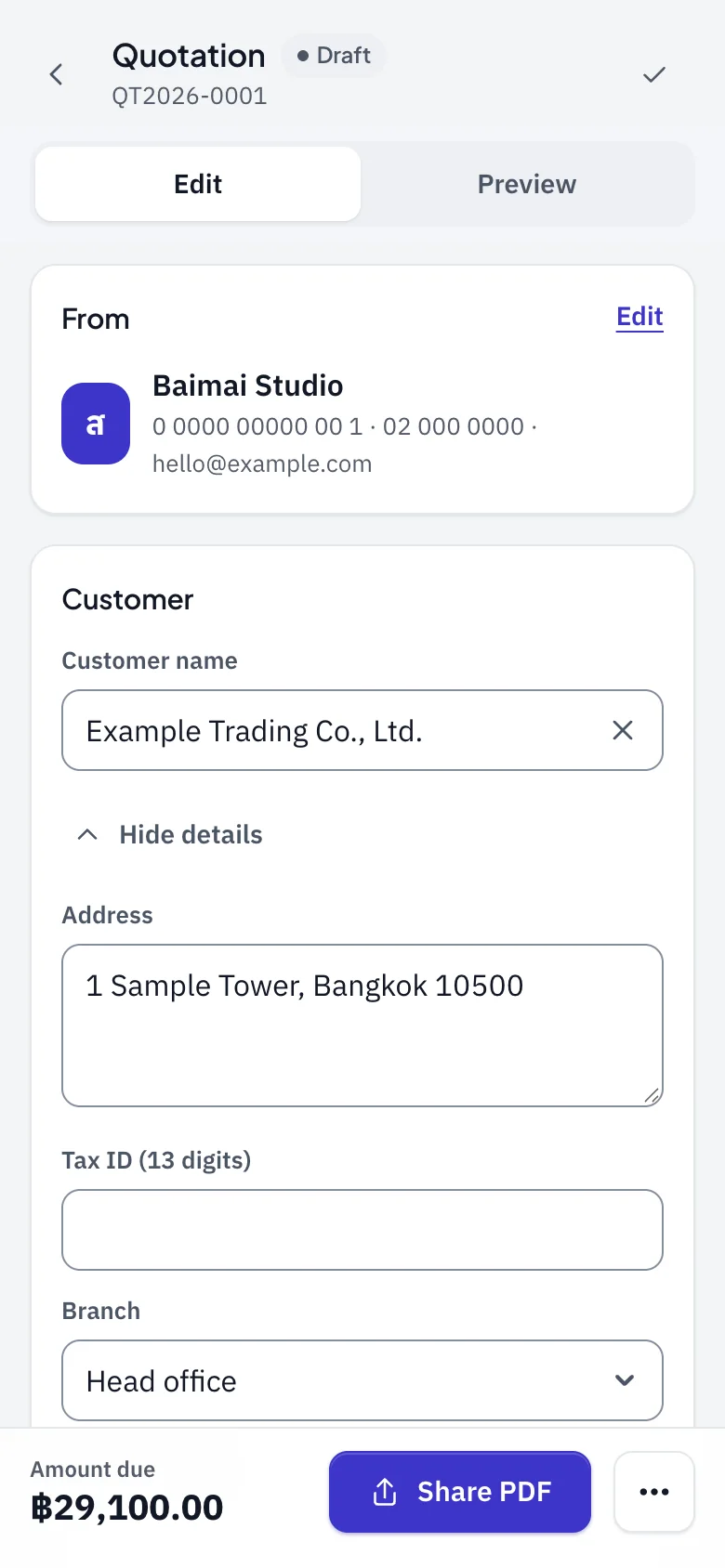
Edit 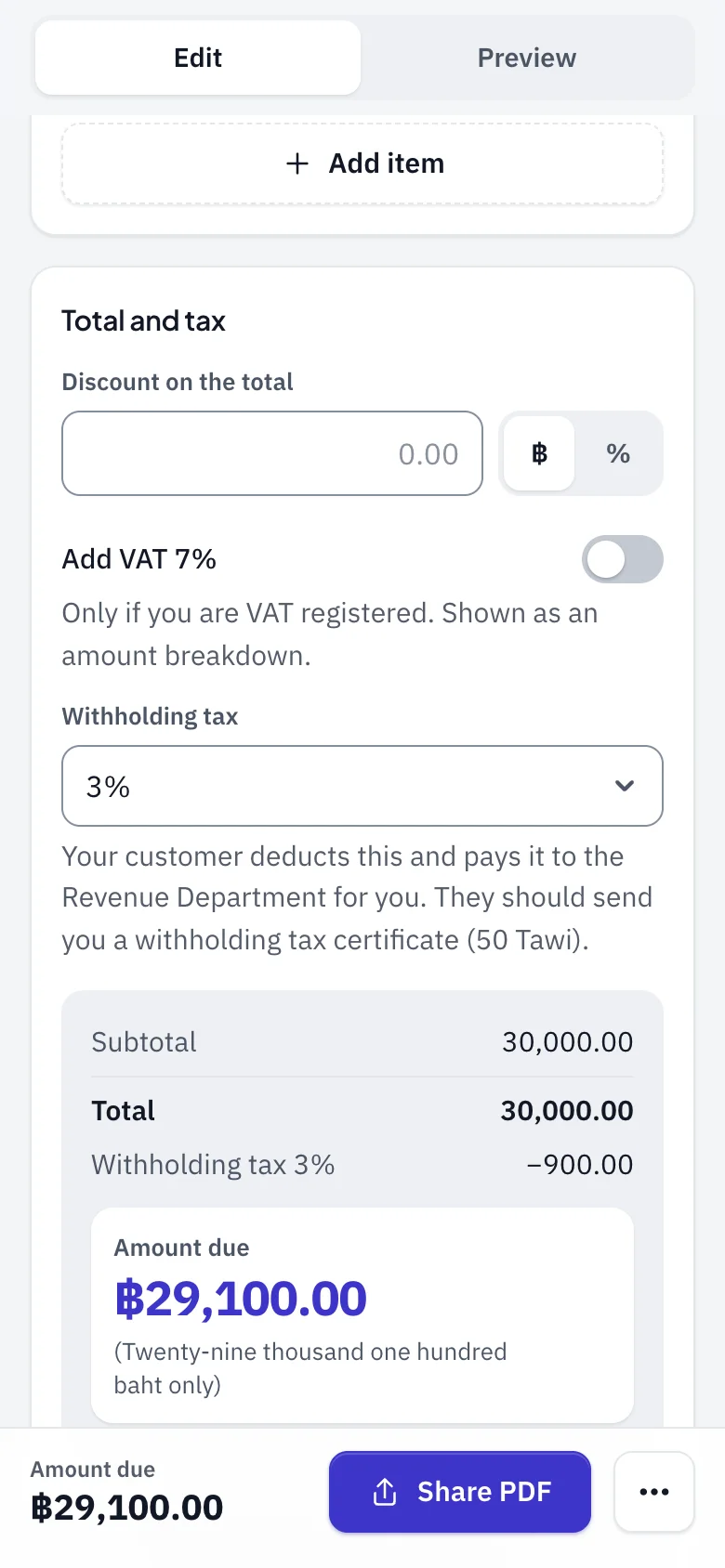
Totals 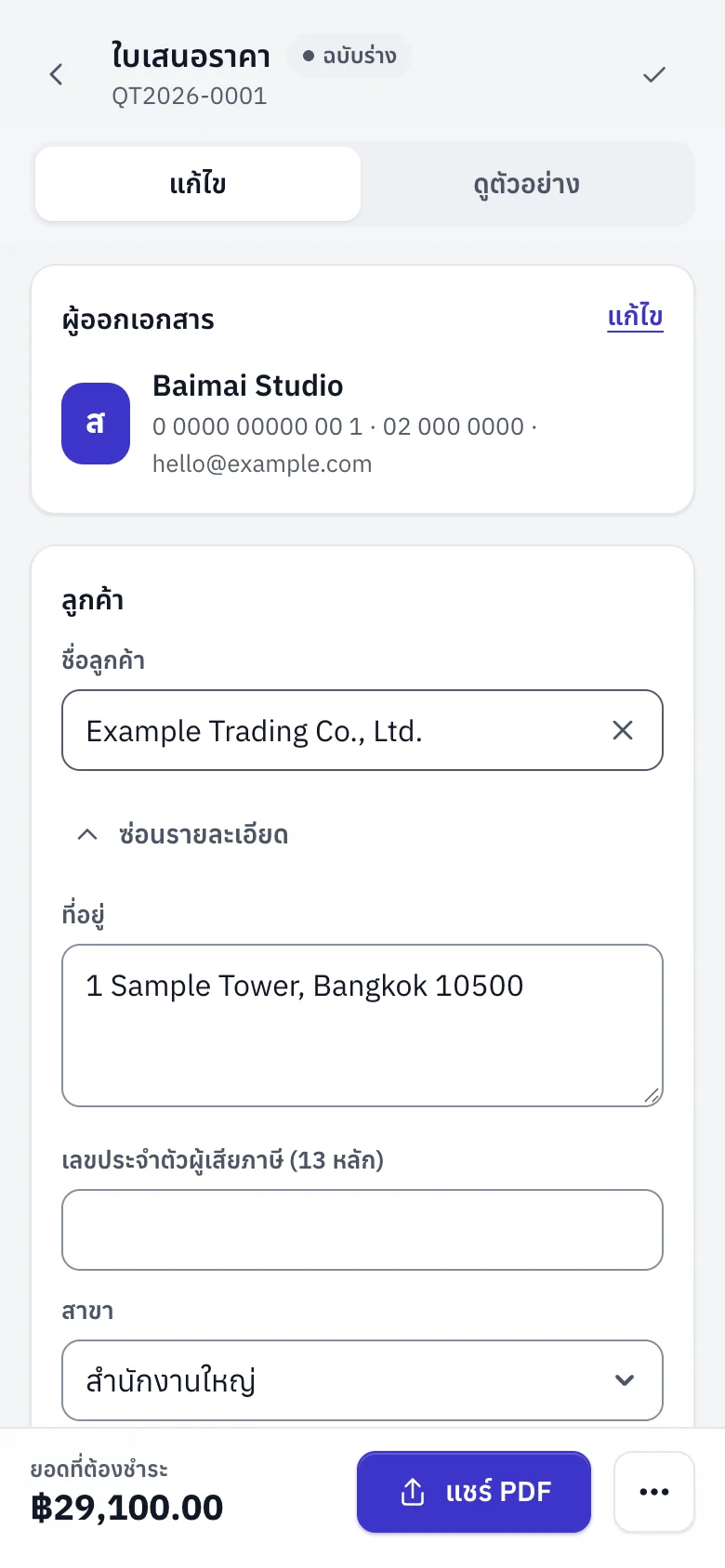
Thai
Built with
- Next.js 16
- React 19
- TypeScript
- Tailwind 4
- pdf-lib
- qrcode
Next app
Namecard Maker
A print-ready business card in four steps.